© Safe Fleet | 2020 | All rights reserved | Part #: 700-1234 R1
DH4 Installation Guide
p. 45
DH4 Advanced Conguration
GPS Fencing
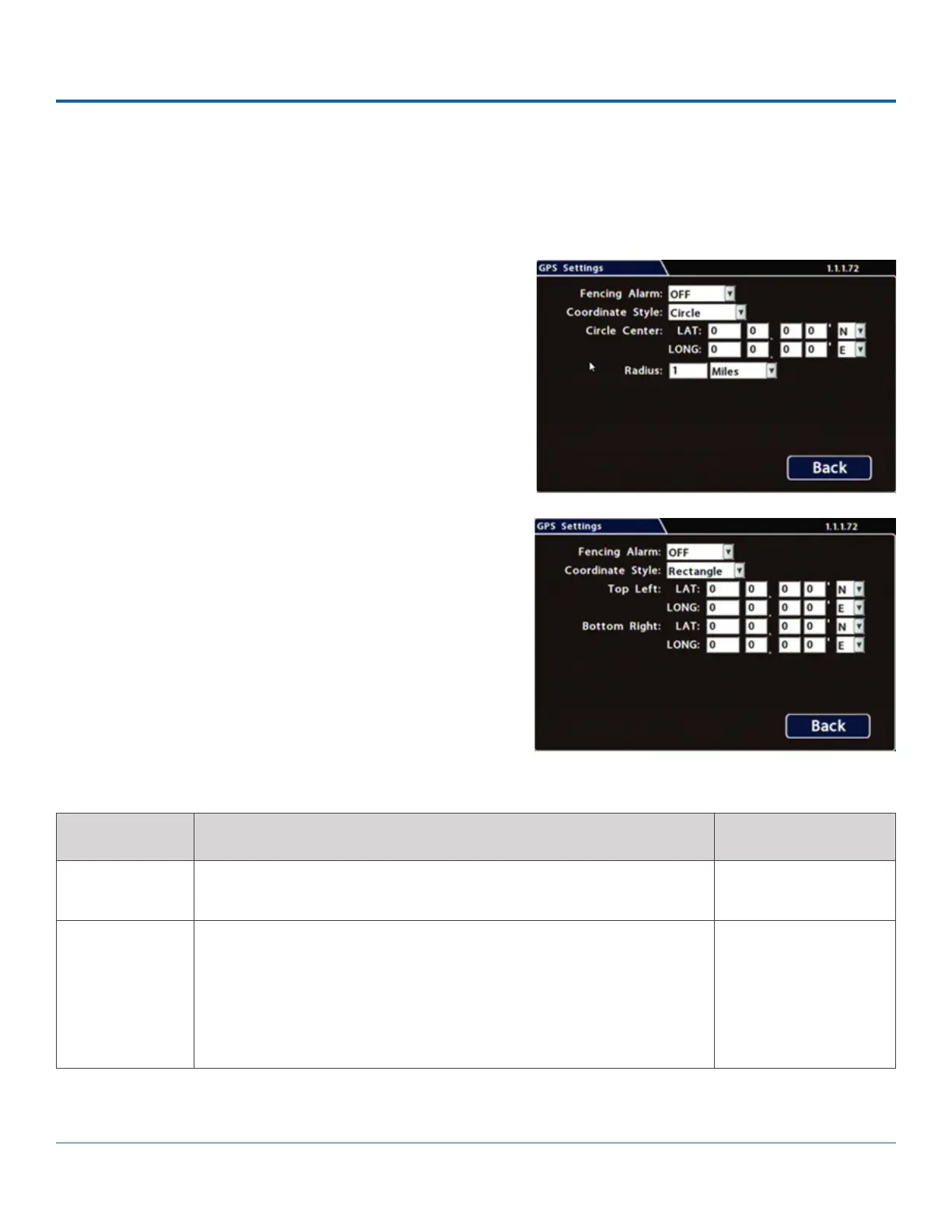
Conguring GPS Settings
1. Select Alarm/Signal GPS to open the tab.
2.
Menu Options, below.
3. Click Back to save settings, then click Back again to
ITEM DESCRIPTION VALUE [DEFAULT]
Fencing Alarm ALM settings trigger the selected Alarm when the vehicle crosses the
[OFF], ALM1 - ALM4
Coordinate
Style
Circle - sets the area for GPS fencing by identifying the center point and
radius. This option only displays "Circle center" and "Radius" data entry
Rectangle - Sets the area for GPS fencing by upper left and lower right
rectangular coordinates. This option only displays the "Top Left" and
[Circle], Rectangle
Menu Options



 To Next Page