© Safe Fleet | 2020 | All rights reserved | Part #: 700-1234 R1
DH4 Installation Guide
p. 48
DH4 Advanced Conguration
ITEM DESCRIPTION VALUE [DEFAULT]
Password
Enable
When set to ON, local access to the DVR On-screen Display (including all DVR
password.
[OFF], ON
Password Maximum 8 digits. [11111111]
Audio Output
Channel
Select the audio channel output through AUDIO RCA connector on the DVR front
panel.
[1], 2-6
Diagnostic
Indicator
Select the type of system status indicator installed in the vehicle (for more
information, see DH4 Operation: DVR Status).
[Button], RGY
Illum, RGY Button
Language Select a language for the DVR On-screen Display and vMax Web UI. [English], Spanish,
French, Dutch,
German
Menu Options
Monitor Settings
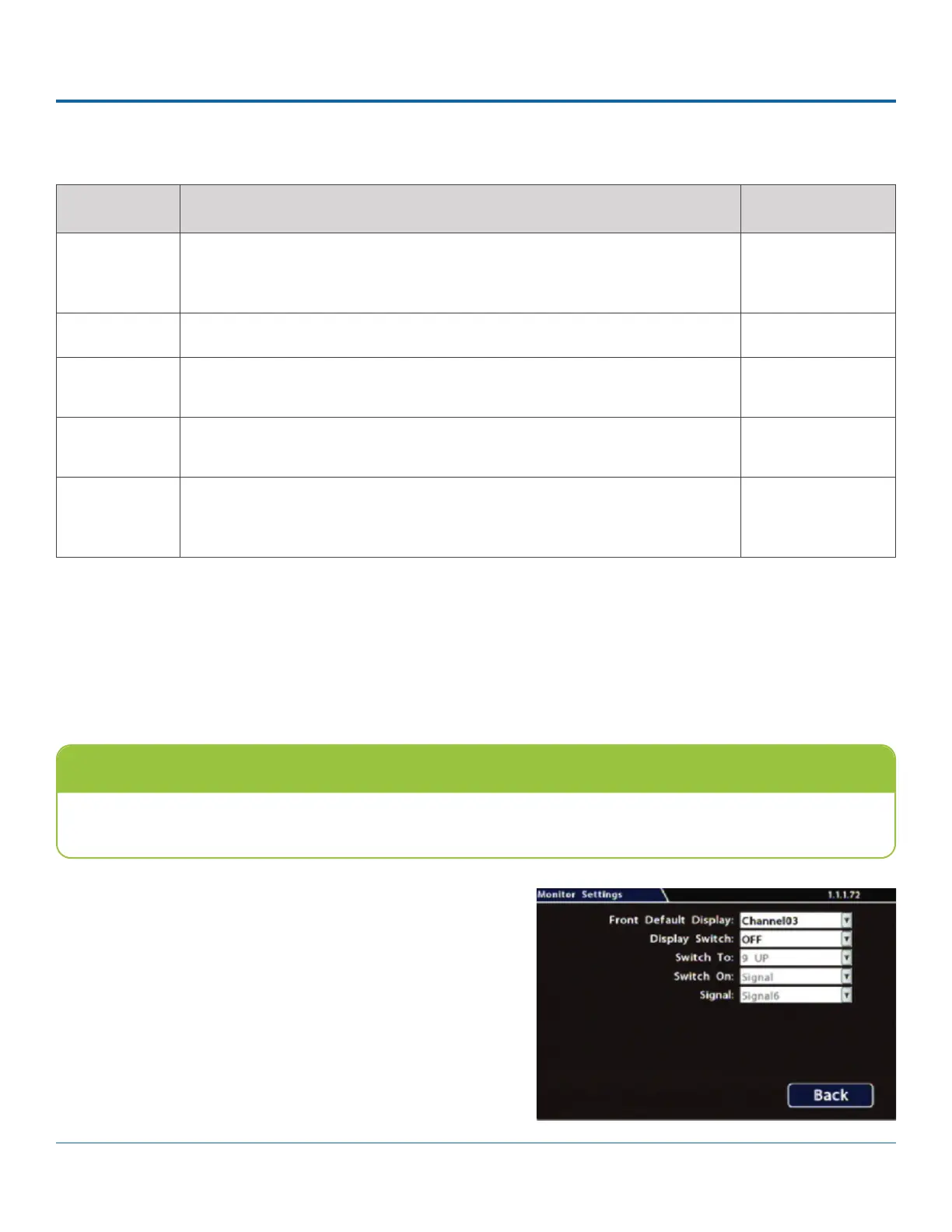
Conguring Monitor Settings
Monitor Settings control camera feeds sent to both the Video Out RCA jack on the DVR front panel and the Expansion socket
on the rear panel.
1. Select Title/Display Monitor Settings to open the tab.
2. Menu
Options, below.
3. Click Back to save settings, then click Back again to
Custom Monitor Displays
In addition to Rear Vision Systems (backup camera), Monitor Settings can support custom implementations such as an
entry/exit bus door camera with a dedicated monitor to advertise the fact that riders are under surveillance.



 To Next Page