© Safe Fleet | 2020 | All rights reserved | Part #: 700-1234 R1
DH4 Installation Guide
p. 30
DH4 Basic Conguration
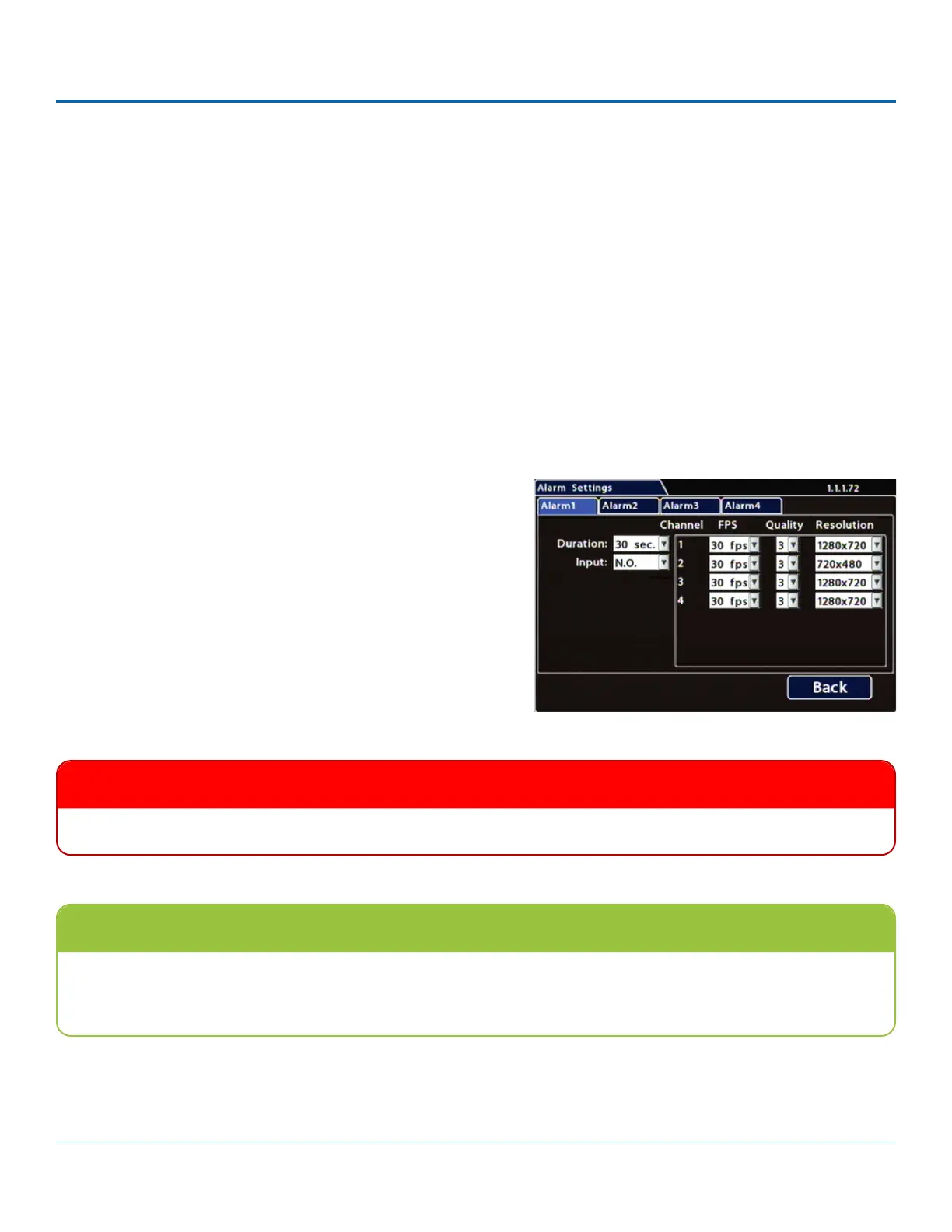
Alarm Settings
later (for details, see the Evidence Manager User Guide on the Safe Fleet Community).
You can also tell the system to switch to higher recording quality settings when an alarm is triggered - for example, to help
identify people or license plates when reviewing video of the event.
to your network (for more information, see the Commander User Guide or the Depot Manager User Guide on the Safe Fleet
Community).
The DVR supports 4 independent Alarms. By default, Alarm 1 is connected to the optional RGY button installed in the vehicle,
for use by the operator (for more information, see Flagging Video for Review). Alarms 2-4 can be triggered automatically by
vehicle speed, a G-sensor threshold, GPS fencing, or when a Signal is activated.
1. Select Alarm/Signal Alarms to open the tab.
2. Menu
Options, below.
3. Click Back to save settings, then click Back again to return to
IMPORTANT
Set FPS (Frames per Second) OFF for unused channels to avoid DVR video loss events.
Higher recording quality settings for Alarm events
an alarm event. Higher quality video involves greater storage requirements, which reduces the amount of video you can
store before it is overwritten. Therefore, a DVR usually records in a mode that conserves storage space.



 To Next Page