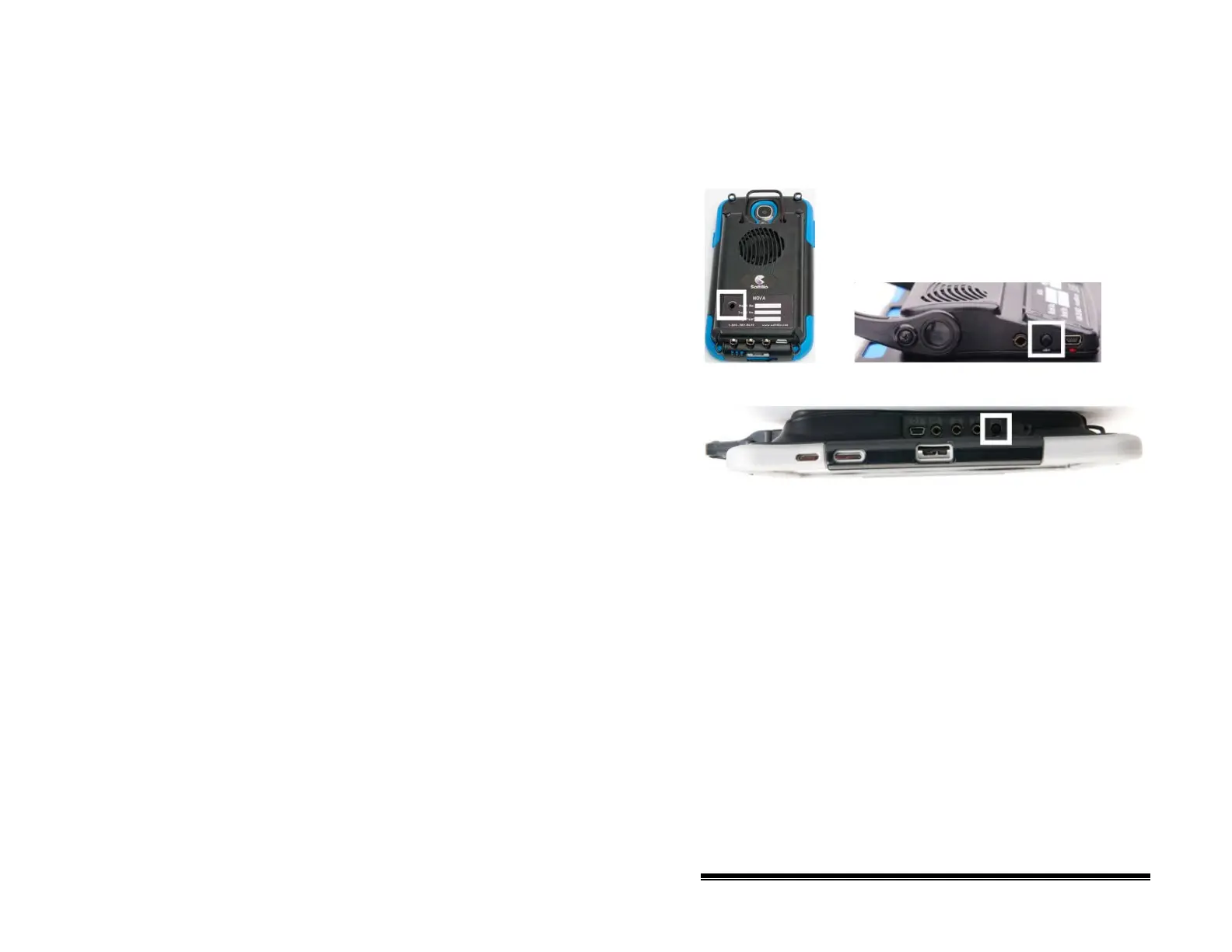
Turning the Amplifier On and Off
Typically, the amplifier should be left on. When the amplifier is
off, speech is still available, but it comes from the device’s internal
speaker.
Note: The NOVA chat 12 amplifier power button (labeled
“I/O”) is recessed slightly to avoid pressing it accidentally. If
you have difficulty pressing it, use the touchscreen stylus that
came with your device.
To turn the amplifier off:
Press and hold the amplifier power button until both the red and
blue lights come on. Release the power button when the red
light goes out.
To turn the amplifier on:
Press the amplifier power button for a second. The light will
flash to indicate the amplifier is on and working properly.
The blue light will flash when on and not connected to the
NOVA chat device. Once connected to the device, the blue light
will glow steadily.
NOVA chat User’s Guide 10022 Dedicated Version 1.4 Page 16



 To Next Page