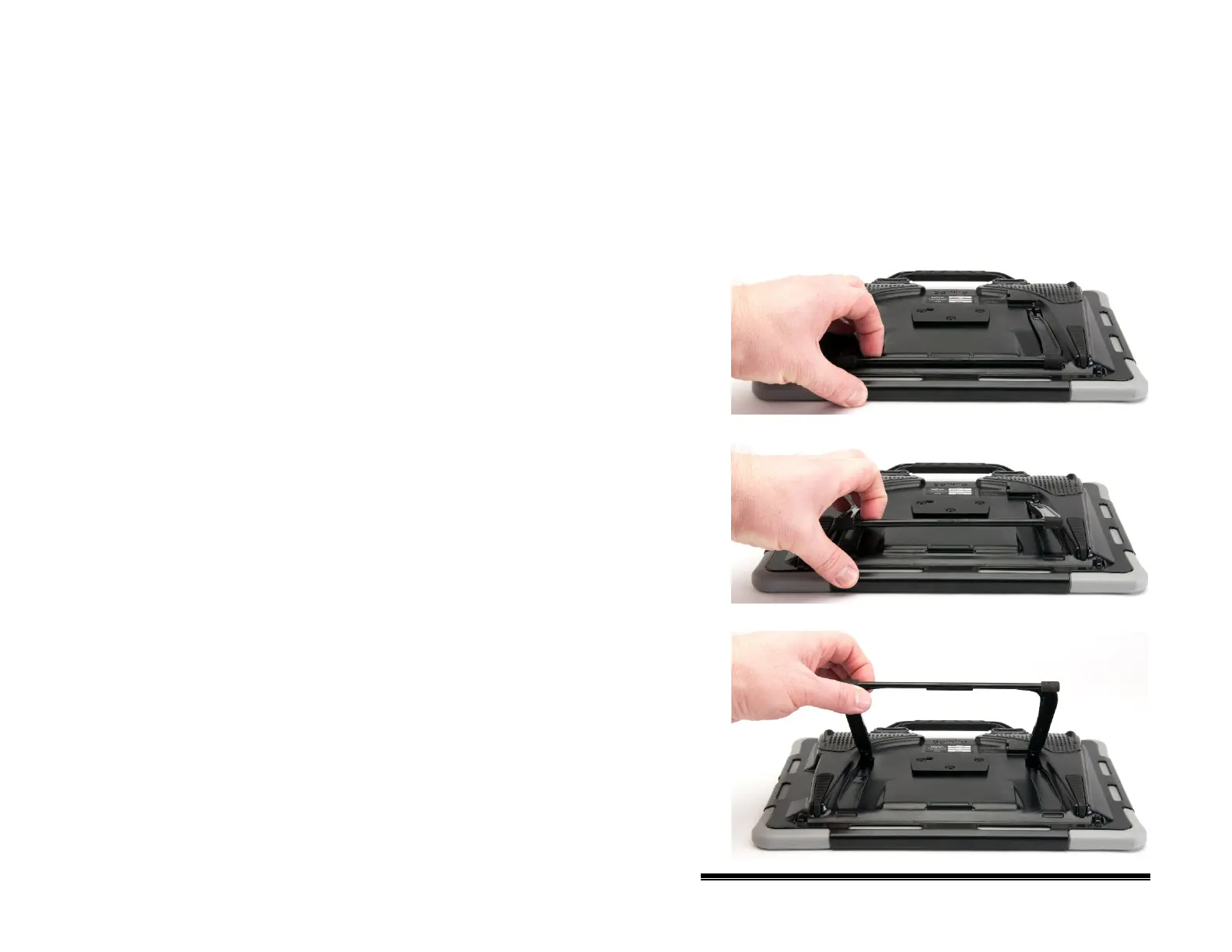
Positioning the Stand: NOVA chat 12
To position the device at an angle for easy viewing of the
screen, do the following:
1. Place the device face-down on a flat surface.
2. While holding your thumb on the edge of the device below
the stand’s bottom support, press on the inside of the
support with the tip of your index finger (or the tips of
several fingers) to pull the support away from the latch.
3. Lift the support away from the back of the device …
4. until the legs latch into place.
NOVA chat User’s Guide 10022 Dedicated Version 1.4 Page 27



 To Next Page