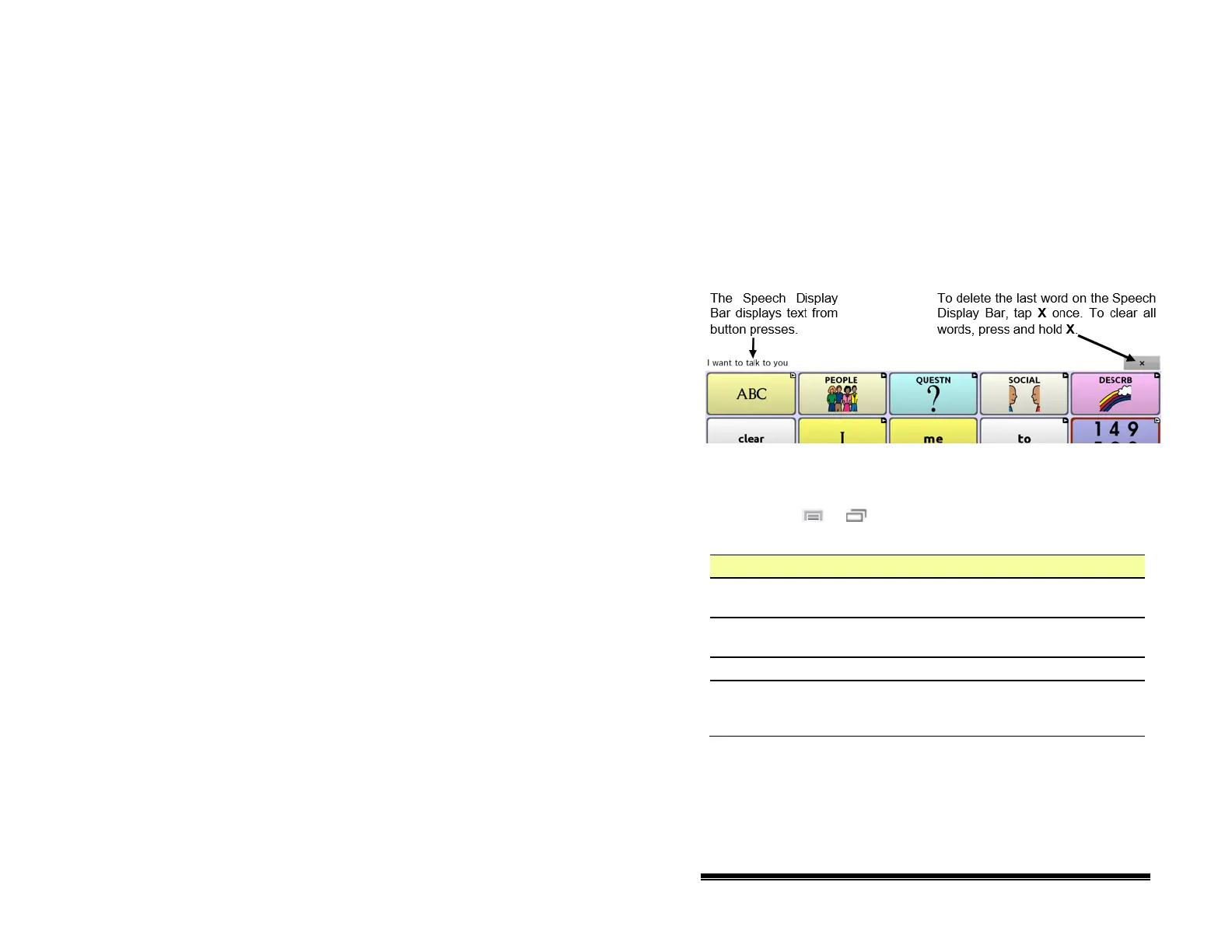
Using the Speech Display Bar
The Speech Display Bar (SDB) displays the text that you’ve
entered using NOVA chat. You can change the size of the text
and the number of lines of text that appear in the window.
Tapping on the SDB can speak all text generated.
Tapping the X will delete the last word. Pressing and holding
the X will clear the entire display.
Holding the SDB generates a menu of additional options.
Changing Functional SDB Settings
To access the options for changing Speech Display bar settings,
choose Menu
or > Settings > Input.
Option Description
Tap to Speak This option toggles the option for the SDB to speak
when chosen or not
Tap to Expand This option toggles the option for the SDB to expand
when chosen or not
Enable Menu This option toggles the SDB context menu on or off.
Enable Clear
SDB (X)
This option either hides or displays the X on the far
right of the SDB. The X deletes a word when tapped
or clears the entire SDB when held.
NOVA chat User’s Guide 10022 Dedicated Version 1.4 Page 72



 To Next Page