Hiding Buttons
It may be useful to hide some of the buttons when initially
presenting the vocabulary to the device user.
Presenting all buttons at once may be overwhelming. Hiding
some of the buttons will allow the device user to more easily
focus on specific vocabulary being presented.
Hiding a button does not delete the associated information. The
information can be viewed again when appropriate.
You can hide a single button or multiple buttons.
Hiding a Button
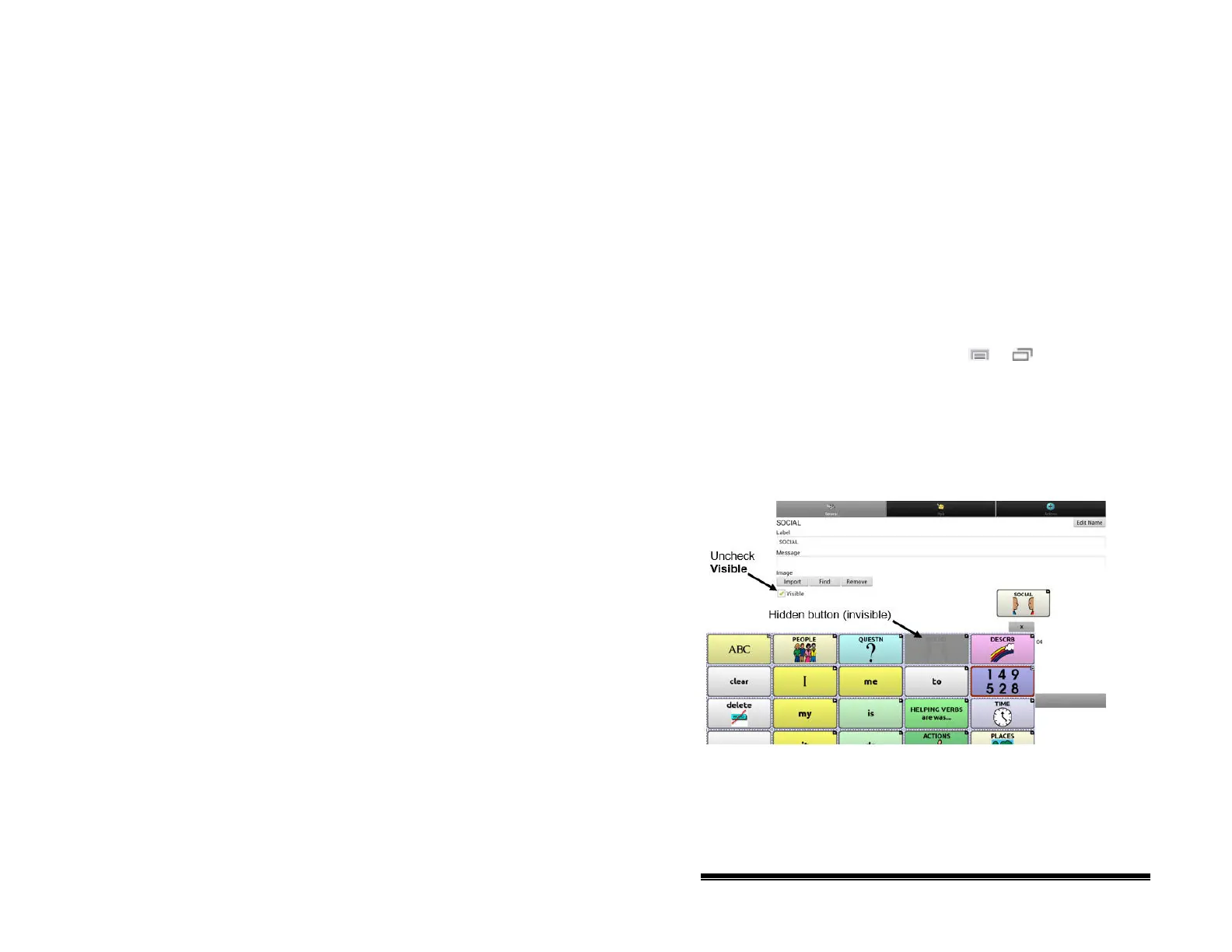
To hide a single button, choose Menu or > Edit Mode.
Then press and hold the button to hide. (Right-click if you are
using the Editor.) Choose Edit Button to display the Button
Properties.
Uncheck the Visible box and choose Save. Unchecking the
Visible box makes a button invisible in standard mode and
automatically disables the button action.
NOVA chat User’s Guide 10022 Dedicated Version 1.4 Page 51



 To Next Page