Transferring Files
To transfer files between the device and the Editor:
1. Start Chat Editor.
2. Attach a USB cable to the NOVA chat device and to the
computer that is running the Editor. The device screen will
display “Transfer Mode”.
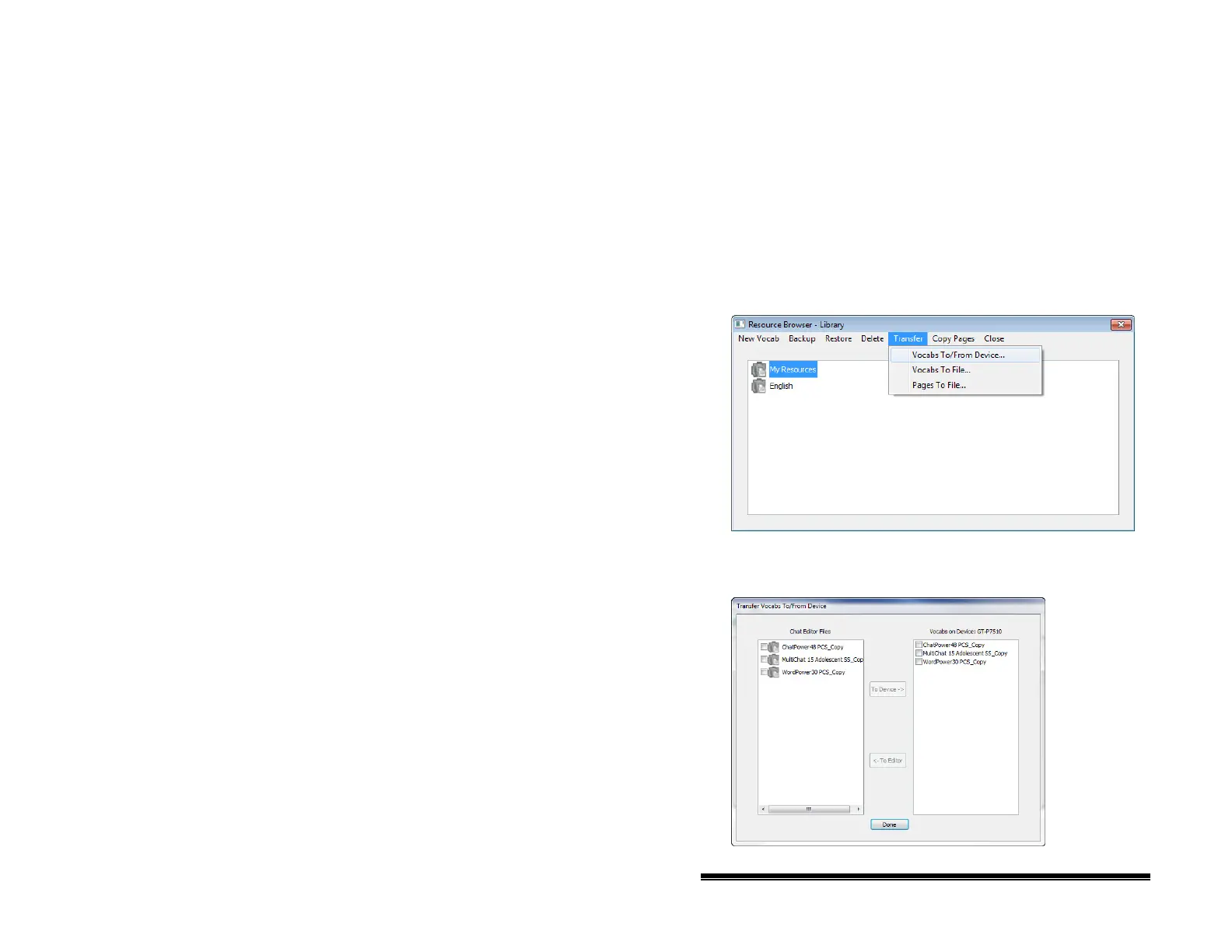
3. From the Editor, choose the Library menu to open the
Resource Browser.
4. From the Resource Browser, choose Transfer, then Vocabs
To/From Device.
5. From the Transfer screen you can copy customized
vocabulary files from the device to the Editor or from the
Editor to the device.
NOVA chat User’s Guide 10022 Dedicated Version 1.4 Page 91



 To Next Page