Turning Edit Mode On
To edit a vocabulary file or any resource linked to it (pages,
buttons, etc.), you must activate Edit Mode. You can edit a
vocabulary file on the device or by using Chat Editor.
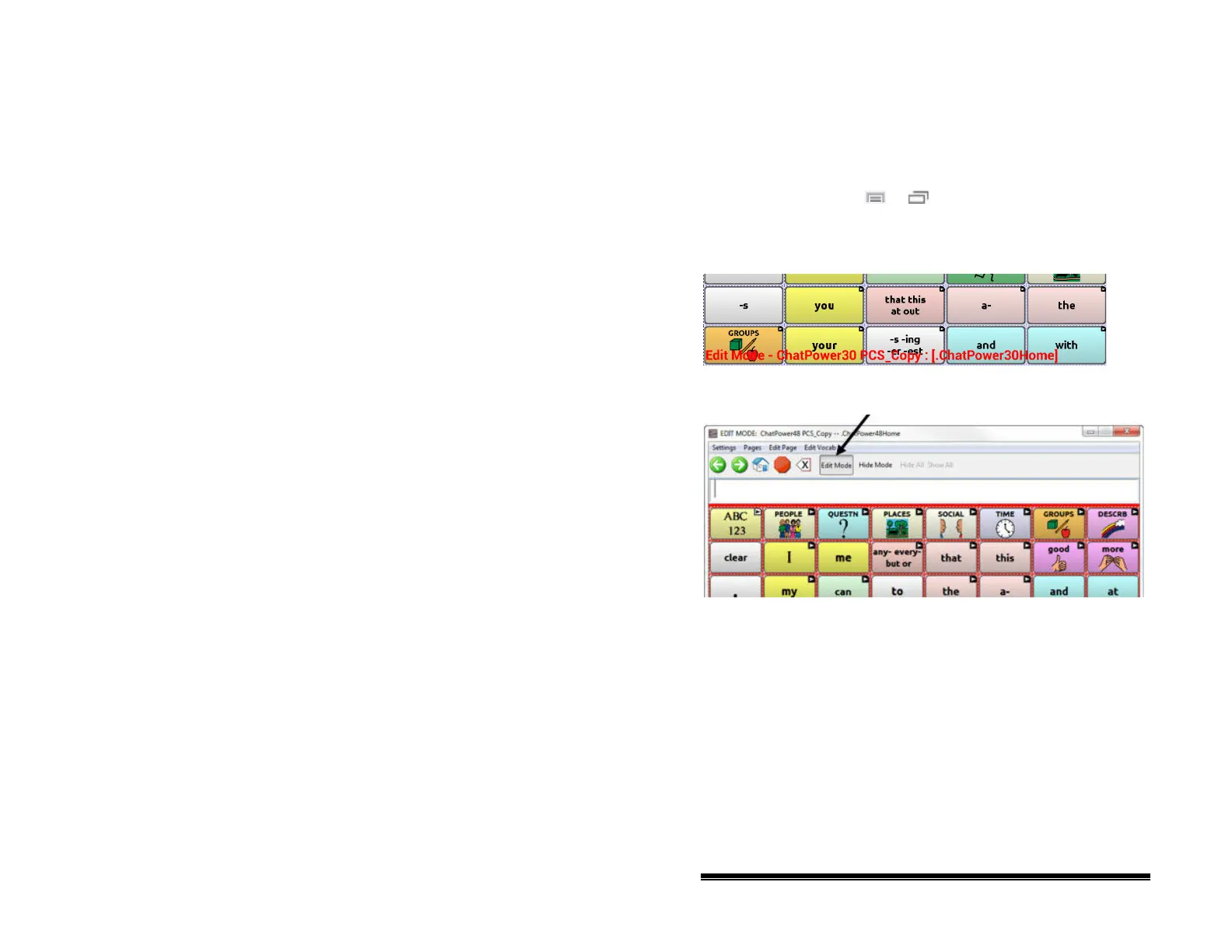
Device: Choose Menu
or > Edit Mode. All the buttons
are outlined, and the words “Edit Mode”, followed by the
current vocabulary and page names, appear in red across the
bottom row of keys.
Editor: Choose Edit Mode from the menu bar. All the buttons
are outlined and “Edit Mode” is selected.
Important! Before you start editing a vocabulary file:
Copying a file from one platform to another will overwrite the
existing file. To avoid overwriting others’ changes, coordinate
with anyone else who may edit vocabulary files to make sure
that you are working with the current copy.
Always copy the file with changes to the other platform. This
will ensure that both the device and the Editor are current.
NOVA chat User’s Guide 10022 Dedicated Version 1.4 Page 44



 To Next Page