Controlling Volume
Excessive volume or sound pressure level when using
earphones or headphones can cause hearing loss over
extended periods of time.
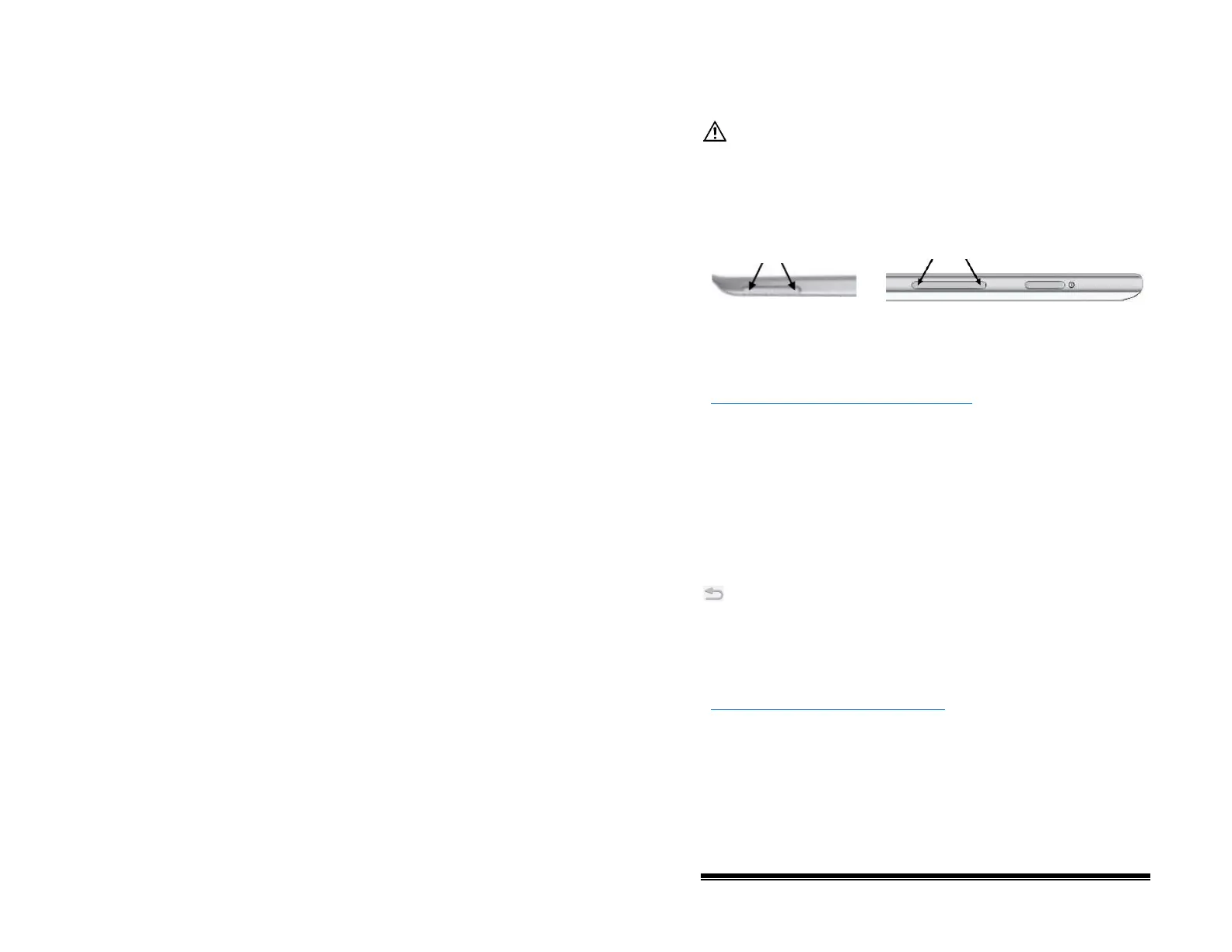
A volume button is provided on the edge of the NOVA chat
device. Press the ends of the button to increase or decrease
volume.
In addition to using the volume button, you can add volume
controls to buttons within vocabulary pages. For details, see
“Adding or Modifying a Button Action” on page 57
.
An amplifier has been provided for additional volume. The
amplifier is powered by its own battery and must be charged and
turned on in order to provide sound.
The amplifier communicates with the NOVA chat device by
means of a Bluetooth connection. If the two lose this
connection, the sound will be provided only by the device
speakers and may not be sufficient for your environment.
To reconnect NOVA chat to the amplifier, press and hold Back
and choose Yes to confirm that you want to restart the
application. The device will scan for your amplifier and connect
to it.
If the amplifier does not reconnect, make sure the amplifier is on
and charged. For details on turning the amplifier on, see
“Turning the Amplifier On and Off” on page 16
.
NOVA chat User’s Guide 10022 Dedicated Version 1.4 Page 23



 To Next Page