Date and time setting must be confirmed
with “OK”. When you select “CANCEL”, any
changes will be rejected.
The controller has function of sustaining
clock for 10 days. After this time, if power supply
is not restored, the clock will reset.
12. HEAT OUTPUT
The controller counts energy recovered from the
collector. Heat output visualization differs
depending on the controller version.
Heat output function is not available in
solar thermal schemes D, G and K.
Calculation of heat output and
momentary power requires additional
temperature sensor CT6 connected to
measurement input T4. If the sensor is
not connected, heat output will not be
counted.
In solar applications that for their
operation require four temperature sensors, heat
output counting is not possible. These
applications are D and G. When the schemes are
on, the controller menu will not display heat
output icon and the function may not be entered.
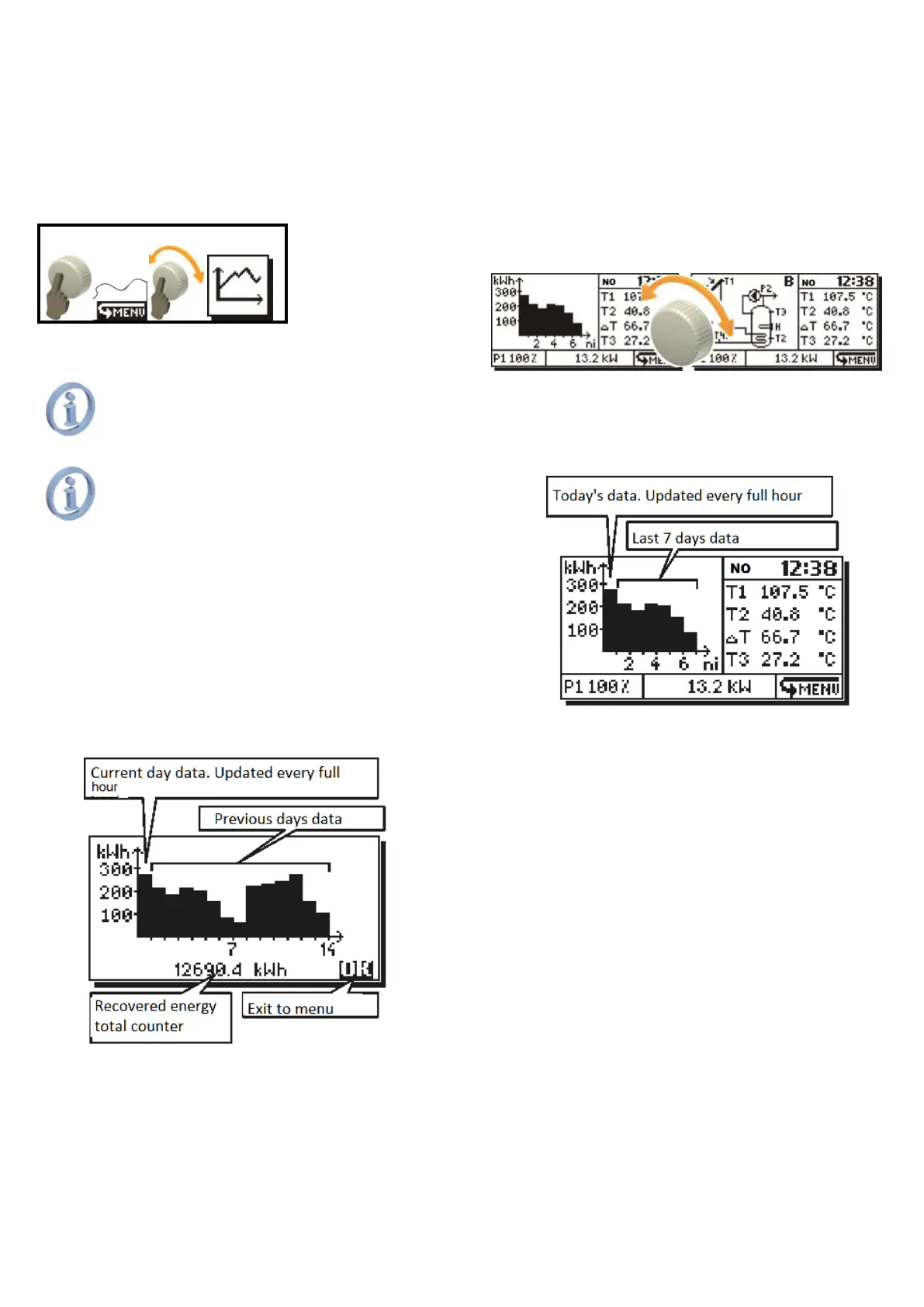
The controller logs data on recovered
energy from last 14 days in the form of bar
chart.
Fig. 12.1 Heat output screen
Energy total counter is displayed at the
bottom of the screen. It counts energy recovered
from the solar panel from the beginning of the
unit’s lifetime. The counter data are stored in
non-volatile memory that is not affected by
power losses.
First bar in the chart stands for energy
recovered on current day and it is updated every
full hour.
At midnight, the controller will move data
one position to the right and start counting for
new current day.
It is possible to turn the heat output chart
on in the main screen (in place where active
Solar thermal scheme is displayed). In the main
screen, the controller displays data for 7 days.
Fig. 12.2 Heat output in main screen
Data are updated every full hour and the
entire chart is moved at midnight. To see data
for previous days, you must enter the heat
output menu.
Fig. 12.3 Heat output in main screen



 To Next Page