7. SETTINGS MENU
This menu is used to make basic settings of
the controller. Change of parameters is only
accepted when you use OK in left lower corner of
the screen. Use CANCEL to reject any made
changes. List of parameters in this menu
depends on selected solar scheme. Parameters
are described in details in section 13 about
particular solar applications.
Depending on scheme and version of unit,
the following parameters are available in Settings
menu:
* parameter available only for M scheme.
8. TIME PROGRAMS
For correct operation of time programs
it is required to set the clock.
8.1. TDHWmin
Item available only in B scheme. Note:
The icon changes its destination after
selecting the M scheme.
Time program TDHWmin is minimal
temperature of DHT reservoir (T3 sensor), below
which the controller controls H output (heater or
other additional heat source).
When you switch off the temperature value in
value edition box, the time program will be set
off and the controller will use stable value for
TDHWmin parameter (single temperature value
all the time), during edition it may be seen that
the temperature has the same value all along the
diagram.
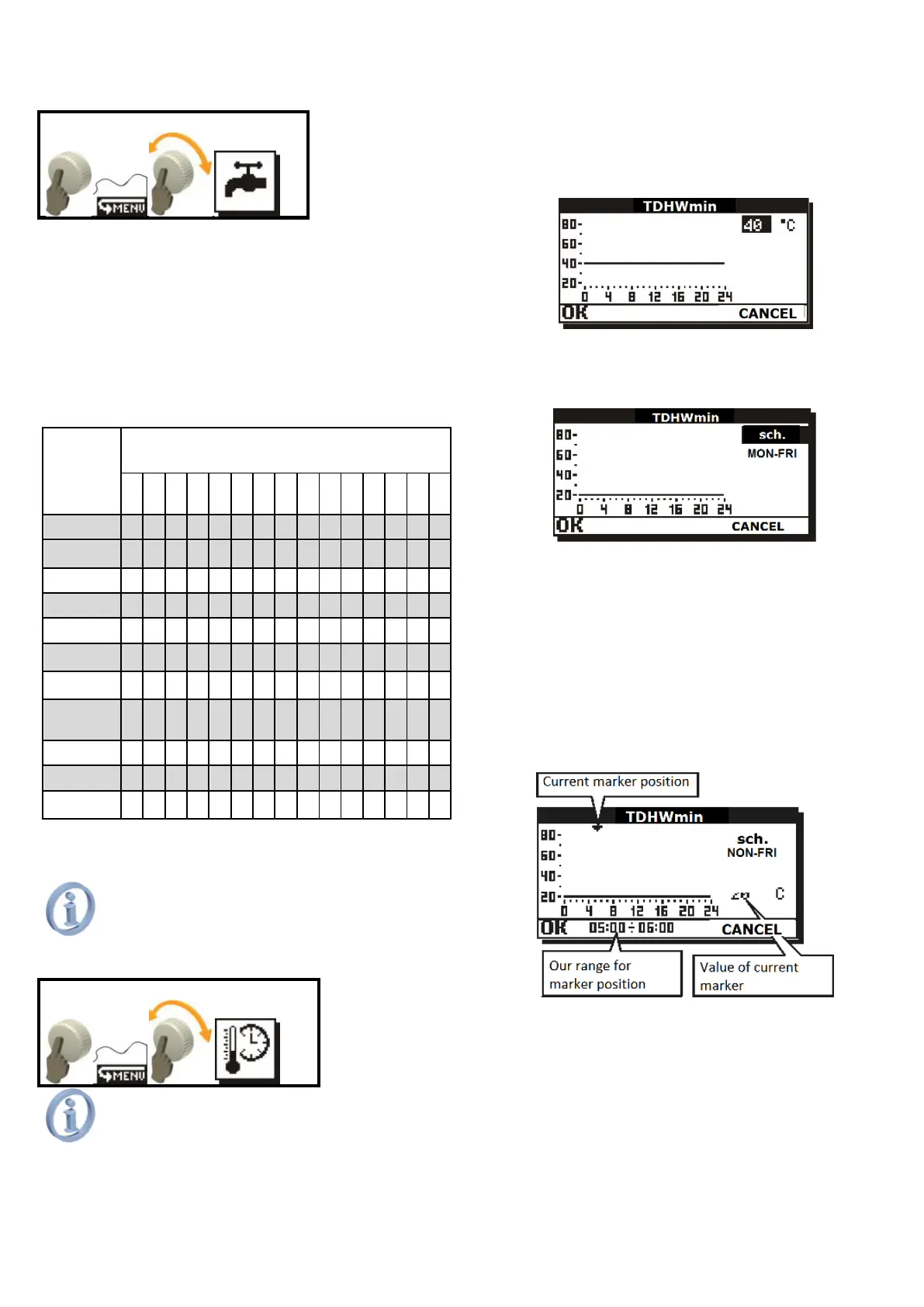
Fig. 8.1 Edition of TDHWmin value
To set the TDHWmin to change in time, it
is required to set schedule. It is done by setting
sch. value in value edition box.
Fig. 8.2 Activating time program for TDHWmin
When sch. value is confirmed, new item
MO-FR will be displayed; edit this value to select
one of the three time ranges:
MO-FR – time program for days Monday to
Friday,
SAT. – time program for Saturday,
SUN. – time program for Sunday.
After you confirmed desired time range,
use the knob to move the position marker to the
place (hour range), for which you want to edit
value.
Fig. 8.3 Setting marker position
Here, press the knob to hide the position
marker and to light the edition marker. When the
edition marker is lit, turn the knob to change
temperature value for current position marker.



 To Next Page