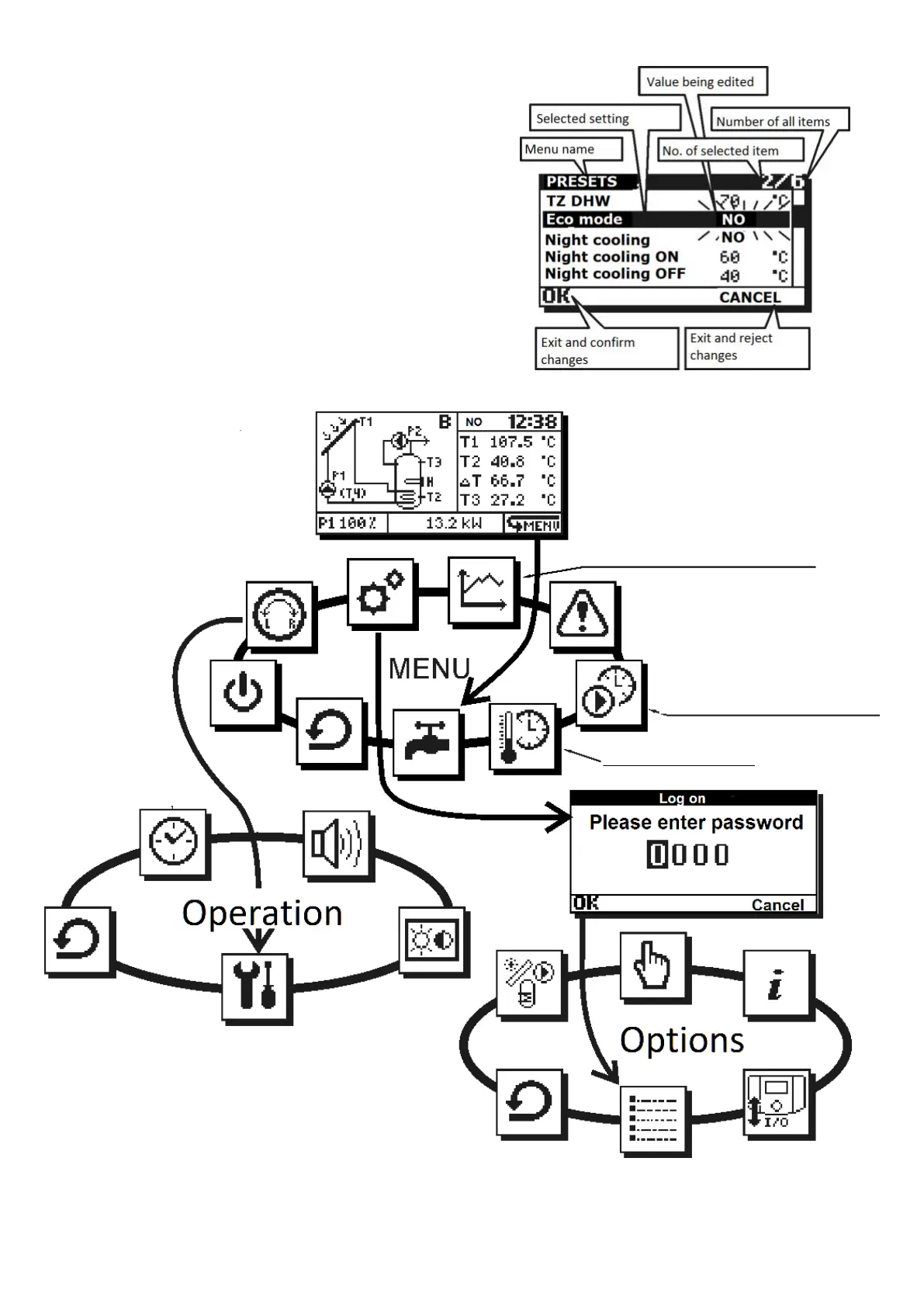
Values of settings are edited in scrollable
submenu. Example for submenu preset is shown
below. To edit setting value select required
setting and press the knob; the value will start
blinking. Now, rotate the knob to change the
setting value. The changed value will be
confirmed, when you press the knob again, and
you may select other setting.
After edition in submenu you may select
the following by pressing on selection:
OK Confirms changes and exits to menu; it
allows reverse reaction to encoder turning;
CANCEL Rejects changes in entire
submenu and exits to menu.
Fig. 6.4 Scrollable submenu
Fig. 6.5 Controller’s menu structure
only scheme
A, B, C, E, F, H, I, J, L, M, N, O
only scheme
B, C, D, E, G, H, J, K, L, M, O
only scheme B, M
Note: for M the icon has a different function



 To Next Page