5. OPERATION
The controller has
TOUCH&PLAY system
that facilitates its
operation. Encoder is
operated by its rotating
and pressing.
To start the controller,
keep pressed encoder
knob for 3 seconds.
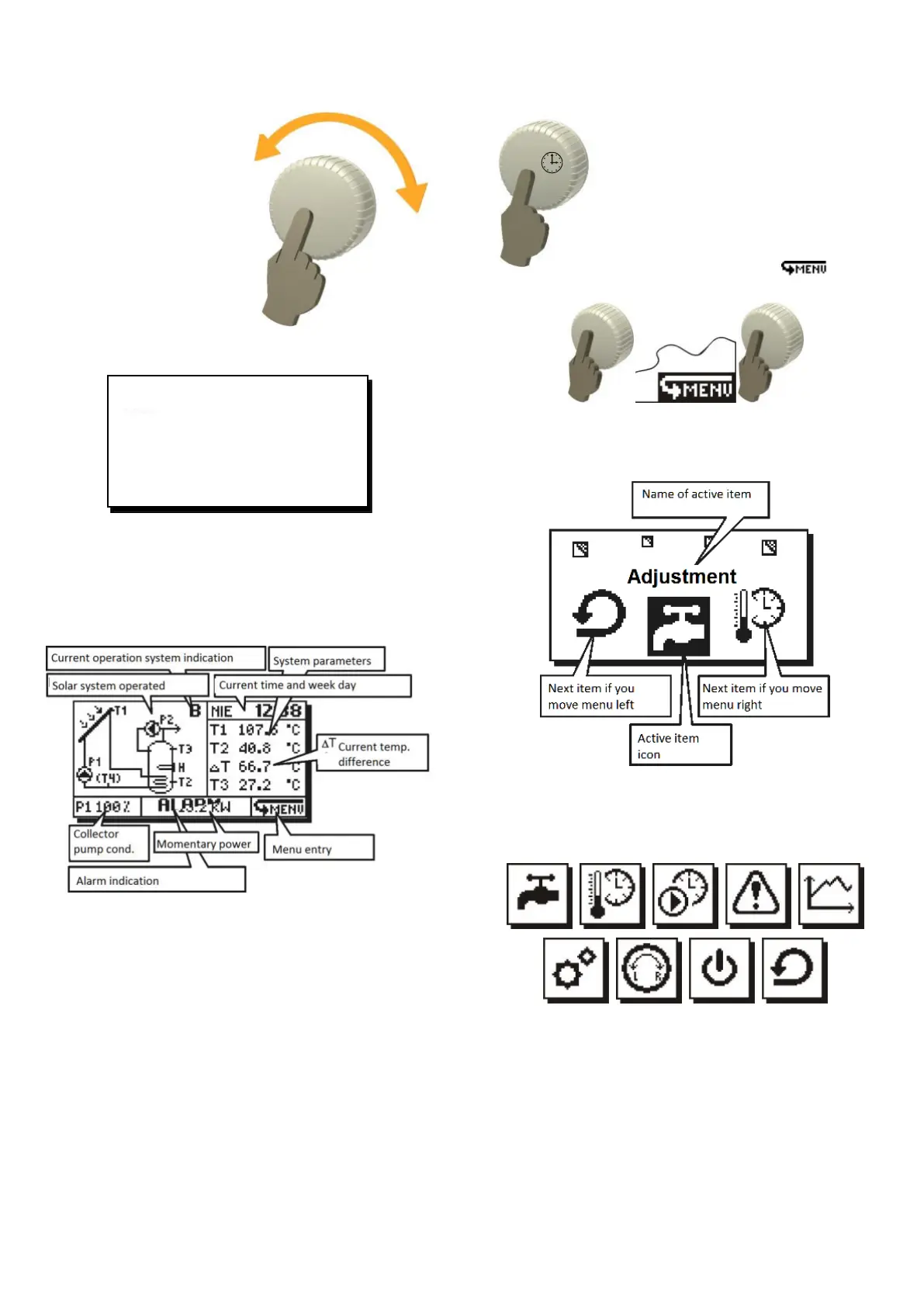
Welcome screen will be
displayed:
Fig. 5.1 Welcome screen *
* starting screen may differ depending on controller
version.
After the welcome screen the controller displays
the main screen.
Fig. 5.2 Main screen
Controller outlets operation is each time indicated
by their blinking on displayed diagram.
6. CONTROLLER MENU
Any time during controller
operation, when you keep the
encoder pressed for 3 seconds. it
will cause exit to the main screen.
All controller settings are made
through menu system. MENU is
recalled by pressing encoder on
main screen to select icon.
Fig. 6.1 Recalling controller’s menu
When MENU is open, the unit will display a
screen with icons that represent the controller
functions:
Fig. 6.2 Controller menu
In middle on the screen you can see active item
icon selected as in Fig. 6.2. Now, you may turn
encoder knob to move through menu items. In
main MENU there will be:
Fig. 6.3 Main menu items
Where: Icon TDHWmin (second one) is shown only, if active
scheme is B and J.
Note: The function of this icon changes to Room temp. when
the active scheme is the M scheme. Circulation icon (third
one) when active scheme will be B,C,D,E,G,H,J,K,L,O.
Circulation icon (third one), if active scheme is B, C, D, E, G,
H, J, K, L, O.



 To Next Page