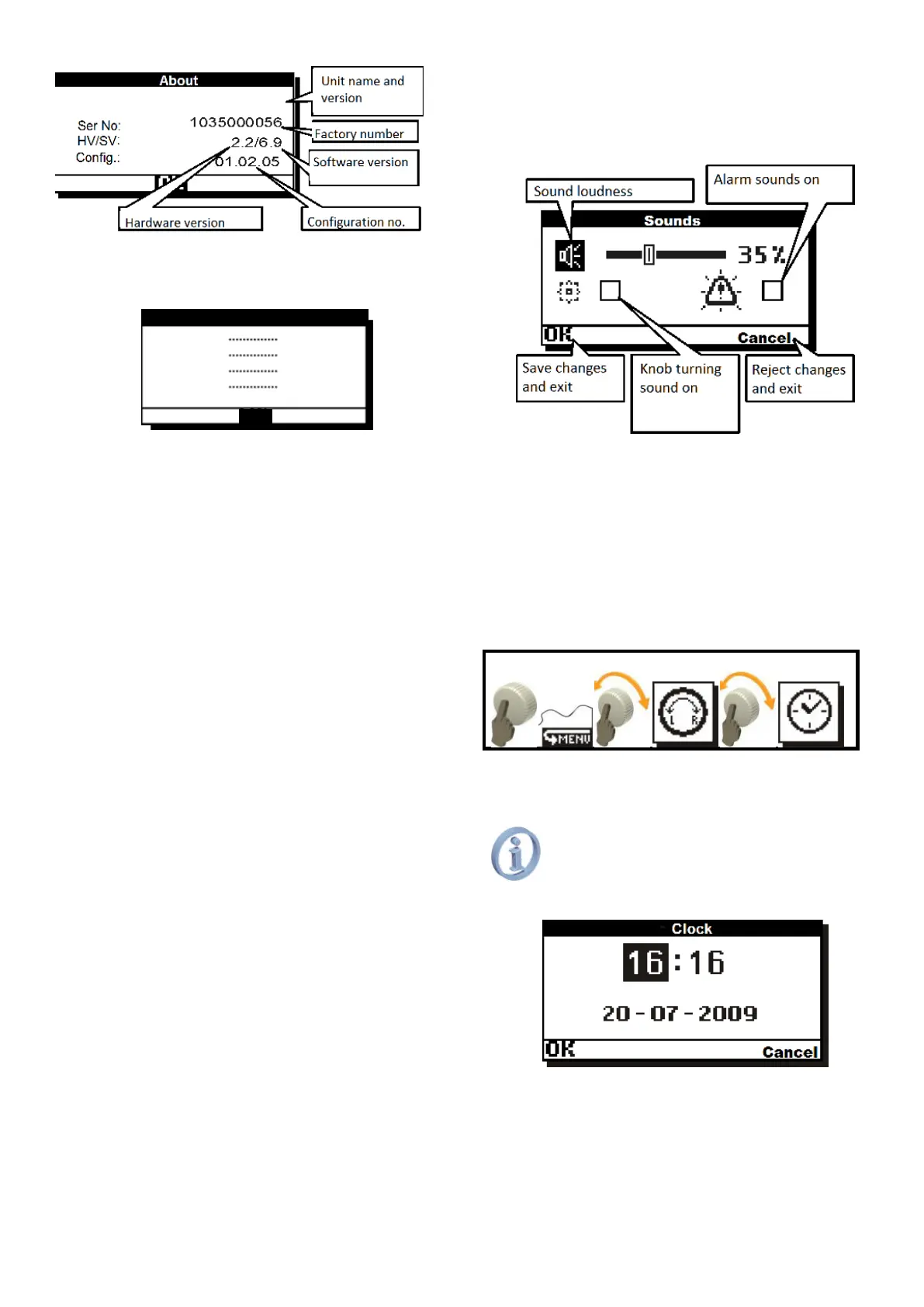
Fig. 11.1 2 Page (1/3) of Nameplate
Page (2/3) includes manufacturer’s contact
details.
Fig. 11.3 Page (2/3) of Nameplate
Page (3/3) includes information on
microcontroller and software compilation;
Language – allows changing language of
descriptions. You may select the following:
PL-Polish,
EN-English, IT-Italian, ES-Spanish,
DA-Danish, RO-Romanian, EL-Greek,
FR-French, CS-Czech, RU-Russian,
DE-German;
Encoder direction – reverts reaction for
encoder turning;
Time Out – inactivity time, in seconds, after
which the unit automatically exits menu and
the screen and knob illumination go off;
Menu speed – adjusts fastness of menu
animations;
Ambient light – sets illumination pulsating after
the display turned off (when Time Out has
elapsed). This function is useful to find the
controller in dark rooms. Encoder knob light
pulsation will be also performed after the
controller is switched off.
11.2. Operation\Loudness Menu
This many includes sound settings. Turn encoder
to move between sound settings and controller’s
message sounds on and off.
Fig. 11.4 Sound settings screen.
When sounds are switched off, the knob
turning will not be confirmed by acoustic signals.
Switching alarm sounds on will cause that
alarm events are reported together with sound
signal. If this option is unchecked, any alarm
messages will be silent: only display blinking.
Alarms will not be confirmed by sound signal.
11.3. Operation\Clock Menu
For correct operation of time programs the
unit uses real-time clock, which must be set
before the controller start working.
Not set or wrongly set clock will cause
incorrect operation of time programs
and night cooling function
Day of week as seen in main window will
be calculated automatically.
Fig. 11.5 Clock setting screen



 To Next Page