TsDHW is reached, will start collector pump P2
in order to lower temperature below critical.
Wait for collector cool down. If menu option
“Alarm TCOLcr” is set as NO, controller will not
report this alarm, but it will take described
actions.
Solar panel A overheating. P1 stop
A circuit collector pump (at scheme H) will be
stopped, until collector temperature drops below
TCOLmax. It is possible to start pump in
manual service mode.
Solar panel B overheating. P2 stop
B circuit collector pump (at scheme H) will be
stopped, until collector temperature drops below
TCOLmax. It is possible to start pump in
manual service mode.
During antifreeze performance collector pump is
started to increase temperature of too cold solar
work fluid. Energy from reservoir or pool will be
used for this purpose. However, if reservoir or
pool temperature is near 2°C, controller will stop
antifreeze function to prevent heat source
damage and will initiate alarm. Antifreeze
function is wider described in section
Options\Functions 19.3.
10. OPTIONS MENU
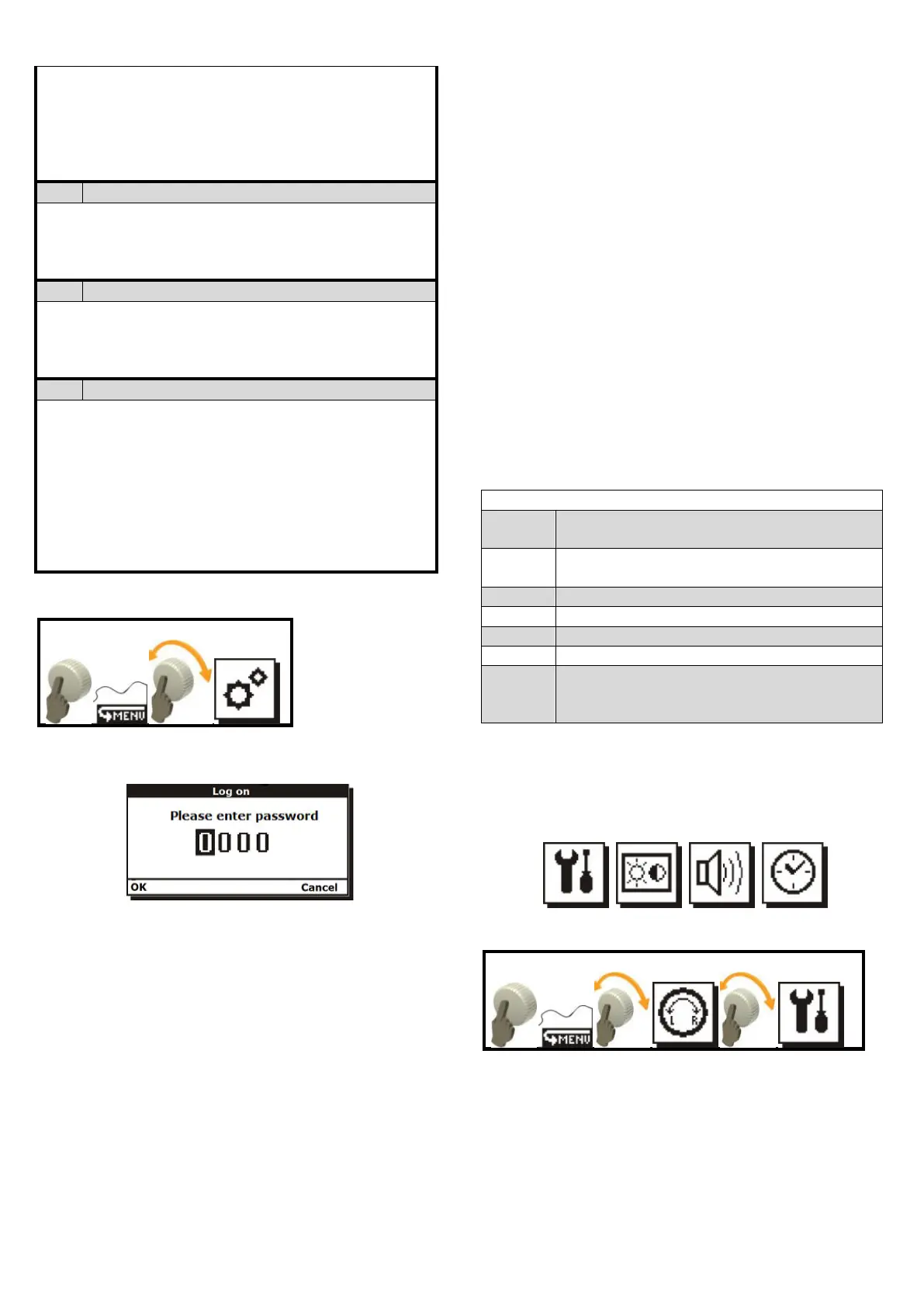
You must log-in to enter the options. Login
screen is presented in Fig. 10.1
Fig. 10.1 User login screen
Access to this menu is protected with
password. This menu settings are used by
installer/servicer. Detailed description of the
options parameters is included in installation part
of the manual.
Password 0000 will display submenu
parameters only for reading.
10.1. Restoring factory settings
This menu allows restoring factory
parameters and settings. In login screen enter
password 0002 and confirm to restore only
default user settings. Service parameters will not
be changed. After restoration of factory settings,
parameters available in Options menu will not be
changed.
Before restoration the controller will show a
request to confirm this action.
After restoring factory settings you must set
the clock, as it has been reset to date: 00:00,
01-01-2010.
10.2. Reading default settings
The controller has default settings table (that
will be restored). Default settings may be read by
entering password 0005 in login screen. The
table is only for reading type and it may not be
edited.
10.3. Clearing heat output data
Password 0003 will clear any heat output
chart in the controller.
Password 0004 will clear heat output
counter.
After entering passwords 0003 and 0004
the controller will display request for
confirmation. Select “NO” to exit without
changes.
Table of option submenu settings only
for reading
Restores default settings of User group
(not protected with password)
Clears heat output counter
Access to Options submenu
Restores default settings in groups
User and Service in controller (all
parameters)
11. OPERATION MANU
This menu is dedicated to the user. Here, you
may change basic settings of the controller only
operation.
11.1. Operation\Settings Menu
This menu allows the user to access:
Nameplate – It has three pages. Navigate
between pages by turning the knob left/right.
First page (1/3) allows you to read
information on the unit hardware and
software version;



 To Next Page