234 • Program Mode Programming Sam4S 230, 3xx, 4xx, 52xx Electronic Cash Register AU
Program 1000 - NLU Code Number Programming
NLU (Number Look Up) are function keys on the keyboard (like traditional department keys) that
access specific PLUs.
On the default keyboard, each model of Sam4S ER-230, ER-3xx, ER- 4xx and ER-52xx Electronic
Cash Registers has different amount of NLU keys build in and assigned on the default keyboard
layout.
Model
NLU
available
NLU on
Default
Keyboard
Model
NLU
available
NLU on
Default
Keyboard
ER-230 50
12
ER-430M 100
60
ER-380/M 117
16
ER-5200/M 117
117
ER-390M 100
60
ER-5240/M 117
40
ER-420M 50
12(36)/16(48)
ER-5215/M 117
15
The PLU# assigned to the NLU key is the same after RAM All Clear, i.e. NLU key #1 is assigned by
PLU #1. However, with this program, you can assign any PLU number you wish to any one of the
possible NLU keys.
NOTE: For ER-420M, Numbers in the bracket is when using KBD Shift function key up to 3
keyboard levels.
Programming the NLU Code Number
1. Turn the control lock to the PGM-Mode.
Switch to P Mode by press MODE function key. (For ER-230)
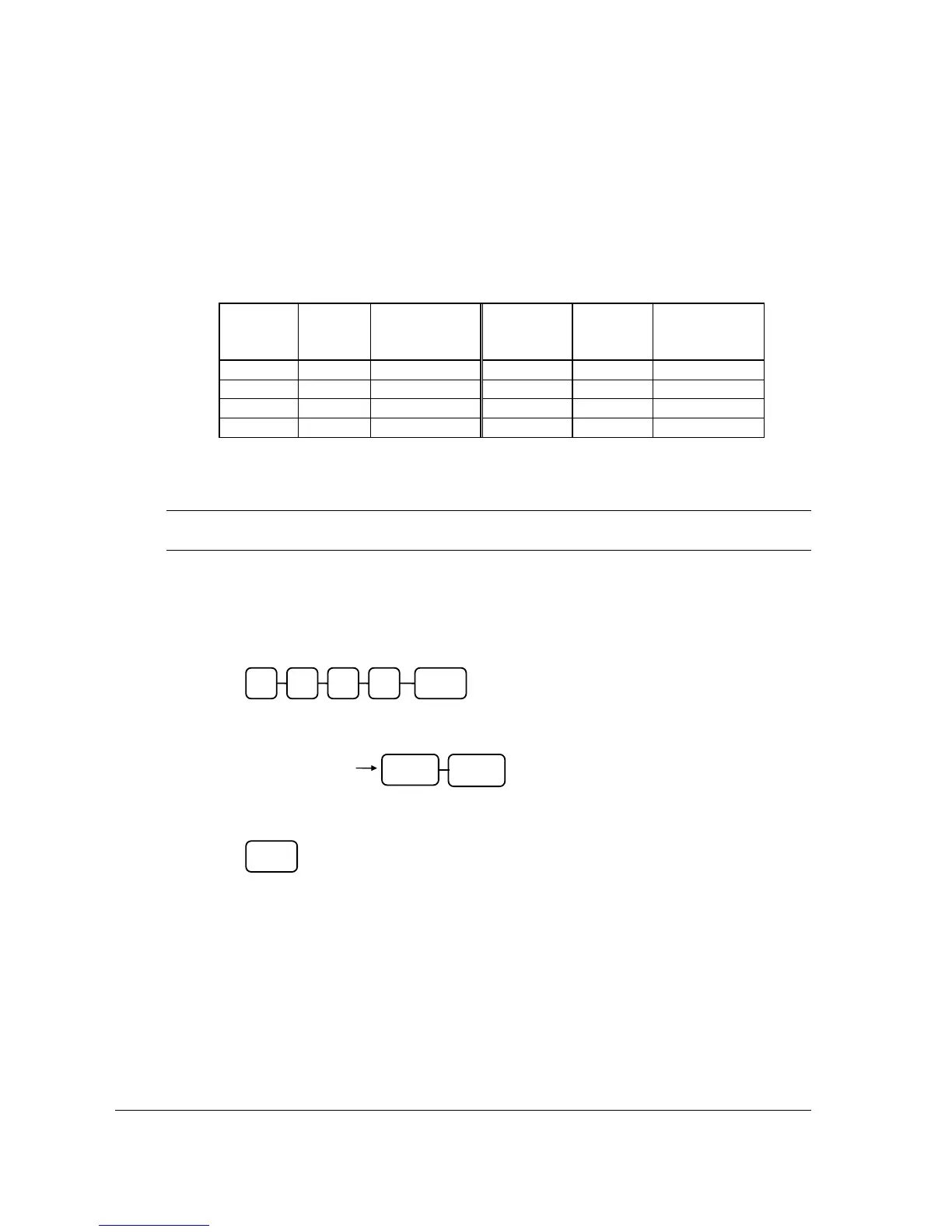
2. To begin the program, enter 1 0 0 0, press the SUBTL key.
3. Type the new PLU code number you wish to use for this NLU key, and Press the NLU
key on the keyboard you wish to program, and Press the NLU key again.
4. To program additional NLU Code Number, repeat from step 3, or press CASH to
finalise the program
CASH
0 SUBTL0 0 1
NLU KEY
Same
NLU Key
Enter the PLU#,
up to 15 digits



 To Next Page