Sam4S 230, 3xx, 4xx, 52xx Electronic Cash Register AU Operating Instructions • 69
Detail Entry
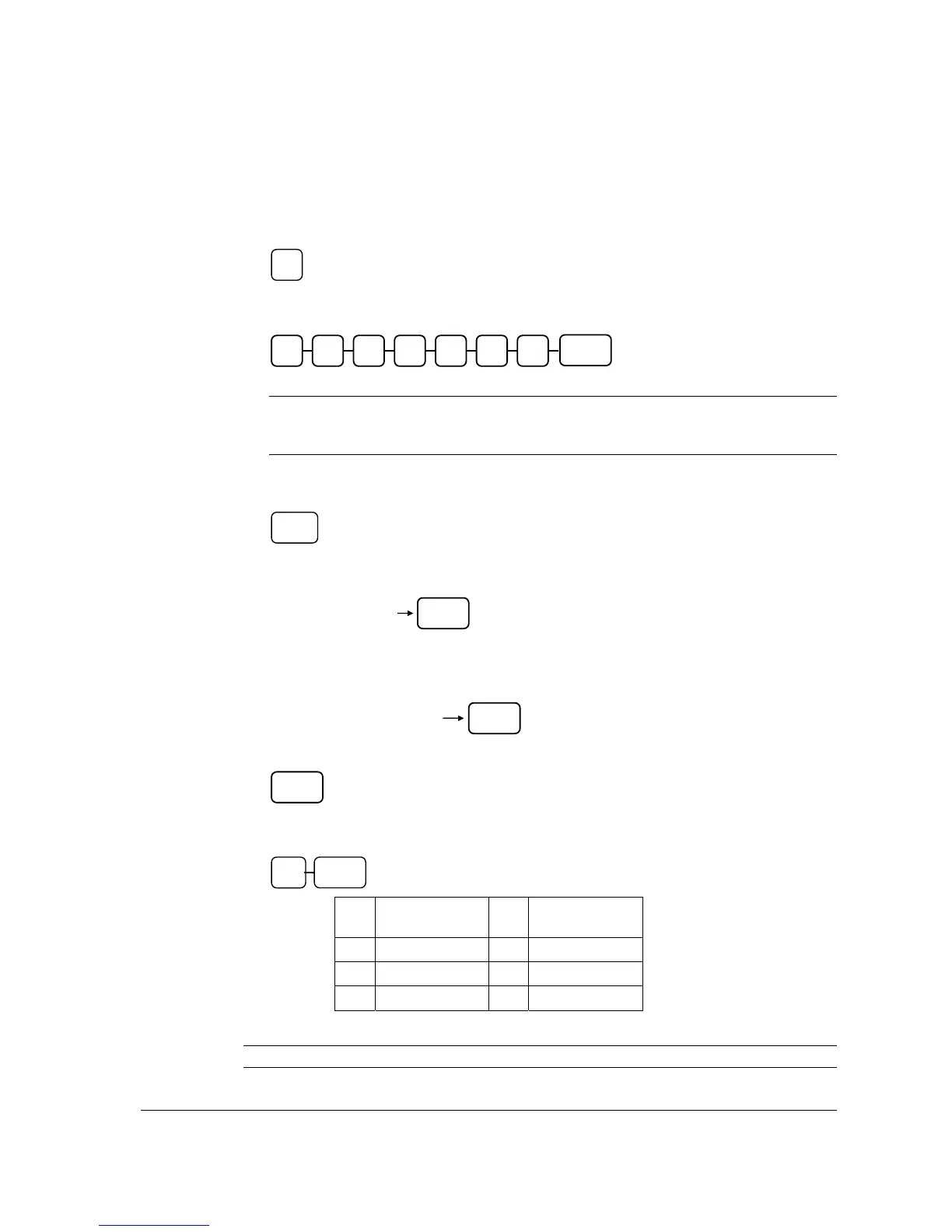
1. When “NO7 FOuNd” (NOT FOUND) appears on display, press 1 to start Not Found
PLU Entry Procedure (or press 0 to Stop (discard the registration of the item)).
2. The “P” (PRICE) appears on display, input the price and press X/TIME key. Do not use
the decimal key.
NOTE: Despite the Price Level setting in S-Mode, MEMORY ALLOCATION -> 7.
PRICE LEVEL, Not Found PLU procedure only requires price of Price Level 1
to be entered.
3. The “PLu” (PLU) appears on the display, to program new information for the
PLU, press PLU function key.
4. The “dEC” (DESCRIPTOR) appears on the display, if you are programming using alpha
overlay, type up to 12 descriptors on the overlay and press the X/TIME key,
or,
If you are programming using descriptor codes, enter up to 12 three-character codes and
press the X/TIME key.
If you do not want to enter any description, press X/TIME key and go to next step.
5. The “7” (TAX) appears on the display, ready to enter the Tax information, Please refer to
the table below to select the proper Tax Type, then press X/TIME key.
X Tax Type X TAX Type
40
Tax 1 (GST)
2
Tax 3
1
Tax 2
4
Tax 4
0
No Tax
6. The new item is registered with the description and price entered, and tax status selected.
NOTE: All Not Found PLUs are default to link to Group 1.
X/TIME X
X/TIME
X/TIME
Enter up to 12 three-digit
character codes
Type up to 12
descriptor keys
X/TIME
PLU
X/TIME
Price/HALO
1



 To Next Page