42 • Getting Started Sam4S 230, 3xx, 4xx, 52xx Electronic Cash Register AU
Programming Tax & Preset Status for Keyboard PLUs
NOTE: On Sam4S ECRs, PLU Status has been preset to Preset Price, Preset Price Overridable
and Taxable by GST (Tax Rate 1) which status is 4 0 0 0 0 0 0 0 0 for Australia Market.
Tax status and preset status for PLUs is set as part of the PLU Status Program, where many other
PLU options are set as well. For many basic users, tax and preset status are the only necessary
settings, so a short cut program sequence is shown here. If you need to review other PLU status
options, go to P-Mode Programming - Program 100 - PLU Programming for detailed instructions.
1. Turn the control lock to the PGM-Mode.
Switch to P Mode by press MODE function key. (For ER-230)
2. To begin the program, enter 1 0 0, press the SUBTL key.
3. Press a PLU item key on the keyboard.
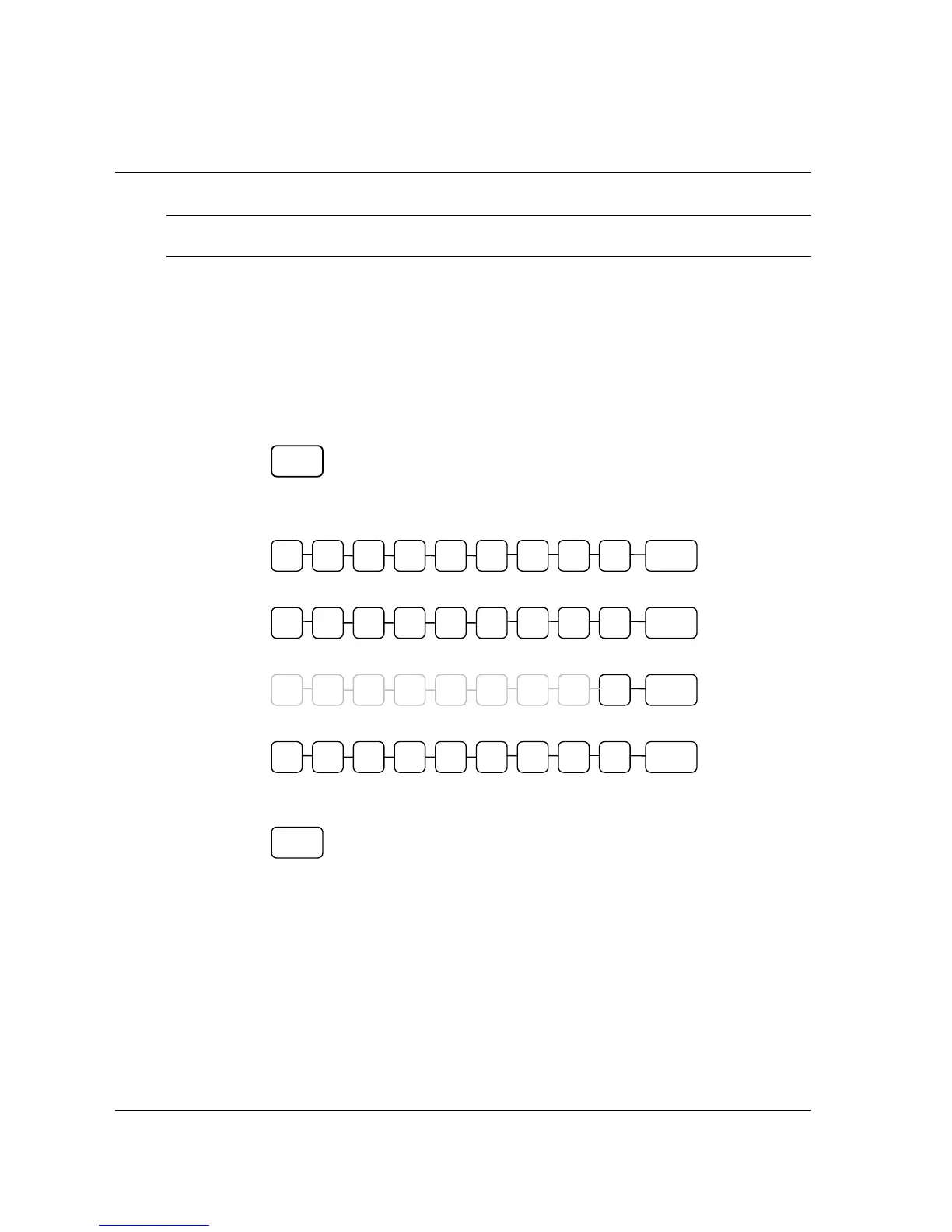
4. Enter the nine digits as shown and press the X/TIME key.
For an open-price-entry, taxable by GST (tax rate 1) PLU, enter:
For an open-price-entry, non-taxable PLU, enter:
For a preset-price, non-taxable PLU, enter:
For a preset-price, taxable by GST (tax rate 1) PLU (default status), enter:
5. To program additional PLU Status, repeat from step 3, or press the CASH key to
finalise the program.
PLU
0 0 4 0 0 X/TIME 0 0 0 0
0 0 0 0 0 X/TIME 0 0 0 0
0 0 5 0 0 X/TIME 0 0 0 0
0 0 1 0 0 X/TIME 0 0 0 0
CASH



 To Next Page