Sam4S 230, 3xx, 4xx, 52xx Electronic Cash Register AU Getting Started • 41
Straight Percentage Tax Rate Programming
NOTE: On Sam4S ECRs, Tax Rate has been preset to 10.000% VAT (Value Added Tax) GST
for Australian Market. If you do need to re-program Tax rate, you will need the appropriate
TAX SHIFT button on the keyboard. Please see Service Mode Programming - Function
key Assignment Programming for detail.)
When tax requirements may be met using a straight percentage rate, use the following method to
program a tax as a straight percentage.
Programming Straight Percentage Tax Rates and Status
1. Turn the control lock to the PGM-Mode.
Switch to P Mode by press MODE function key. (For ER-230)
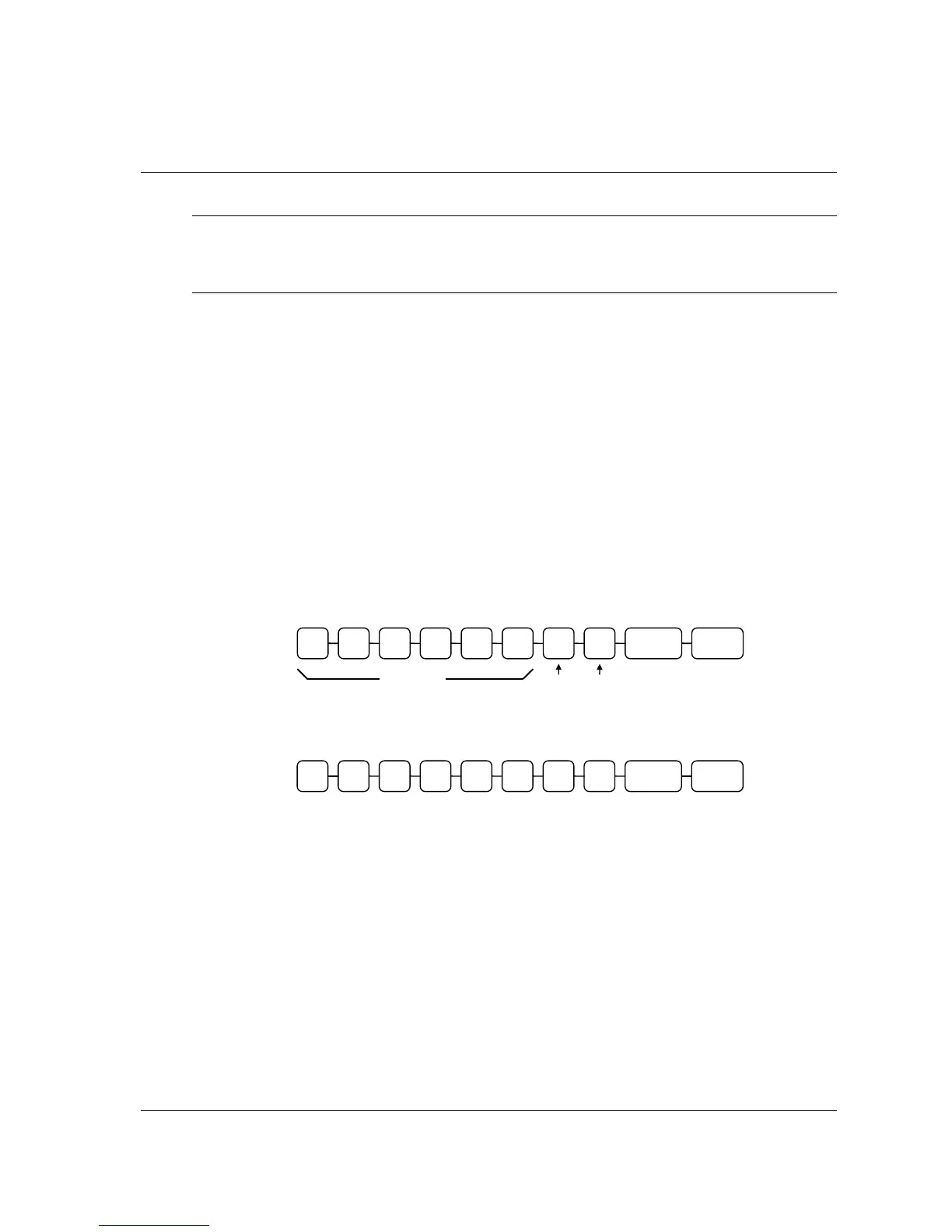
2. Enter the tax rate with a decimal. (00.000-99.999). It is not necessary to enter
preceding zeros, but you must enter the decimal. For example, New Zealand GST is
12.5%, enter 1 2 • 5 0 0.
3. Enter 2 0. (Entries here set tax options for value added tax and normal tax. See P-
Mode Programming - Tax Programming for details.)
4. Press the appropriate Tax Shift key for the tax you are programming.
5. Press the CASH key to end programming.
Tax Rate Programming Flowchart
Flowchart for New Zealand GST Programming
.
TAX SHIFT



 To Next Page