45
SCAIME Manual : NU-eNod4D-ETH-E-0418_216710-E.docx
13.1.2.2 Select an eNod
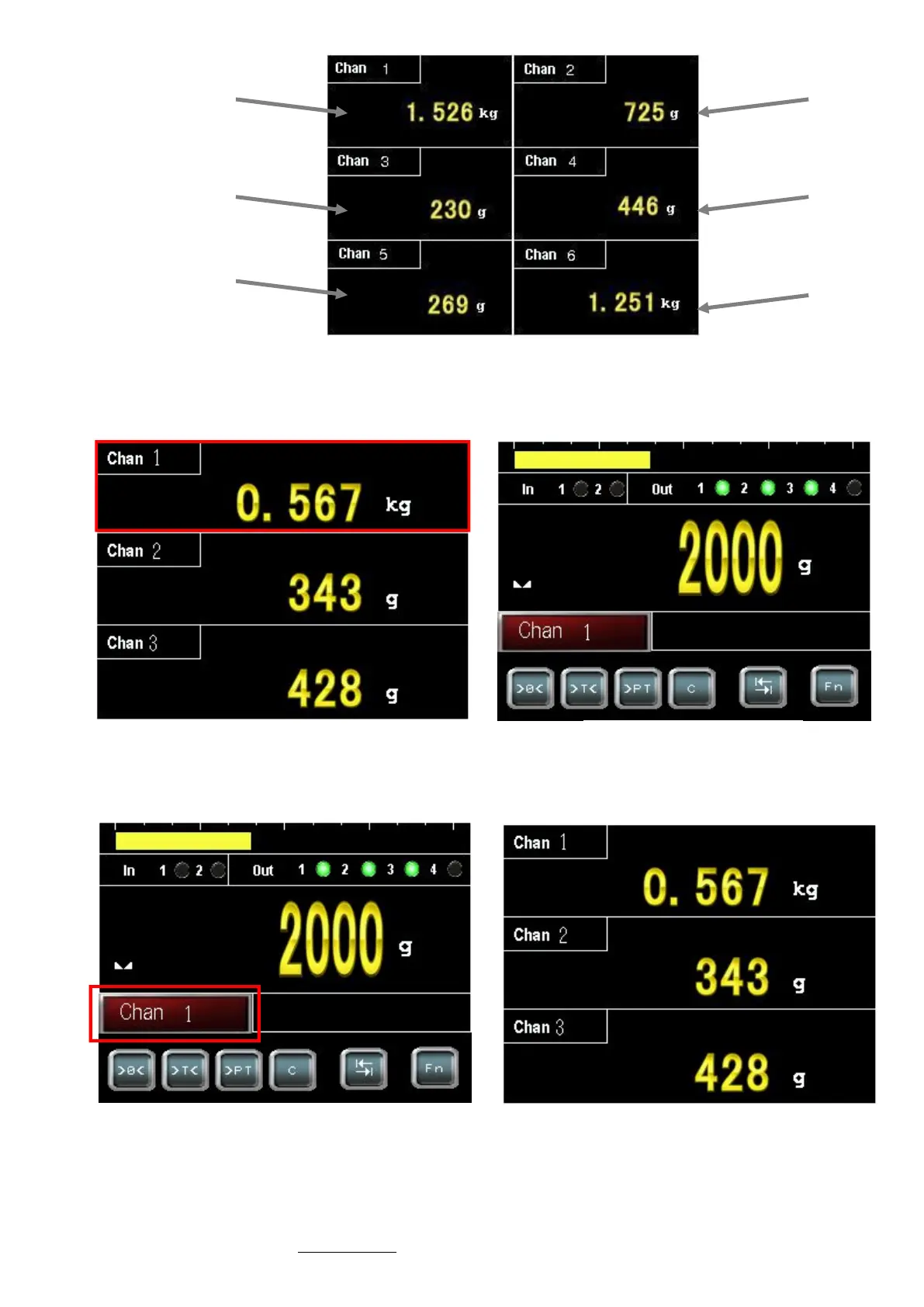
To display the main screen of an eNod, touch its display area (Example for eNod n°1):
To return to multi eNod screen, touch the channel red button:
eNod4_1
eNod4_3
eNod4_5
eNod4_2
eNod4_4
eNod4_6
Multi eNod (6 eNod)
Touch its display area Main screen of eNod
Touch of channel display Multi-eNod screen



 To Next Page