Chapter 3: Installation
Getting Ready to Scan
Operator’s Guide 73
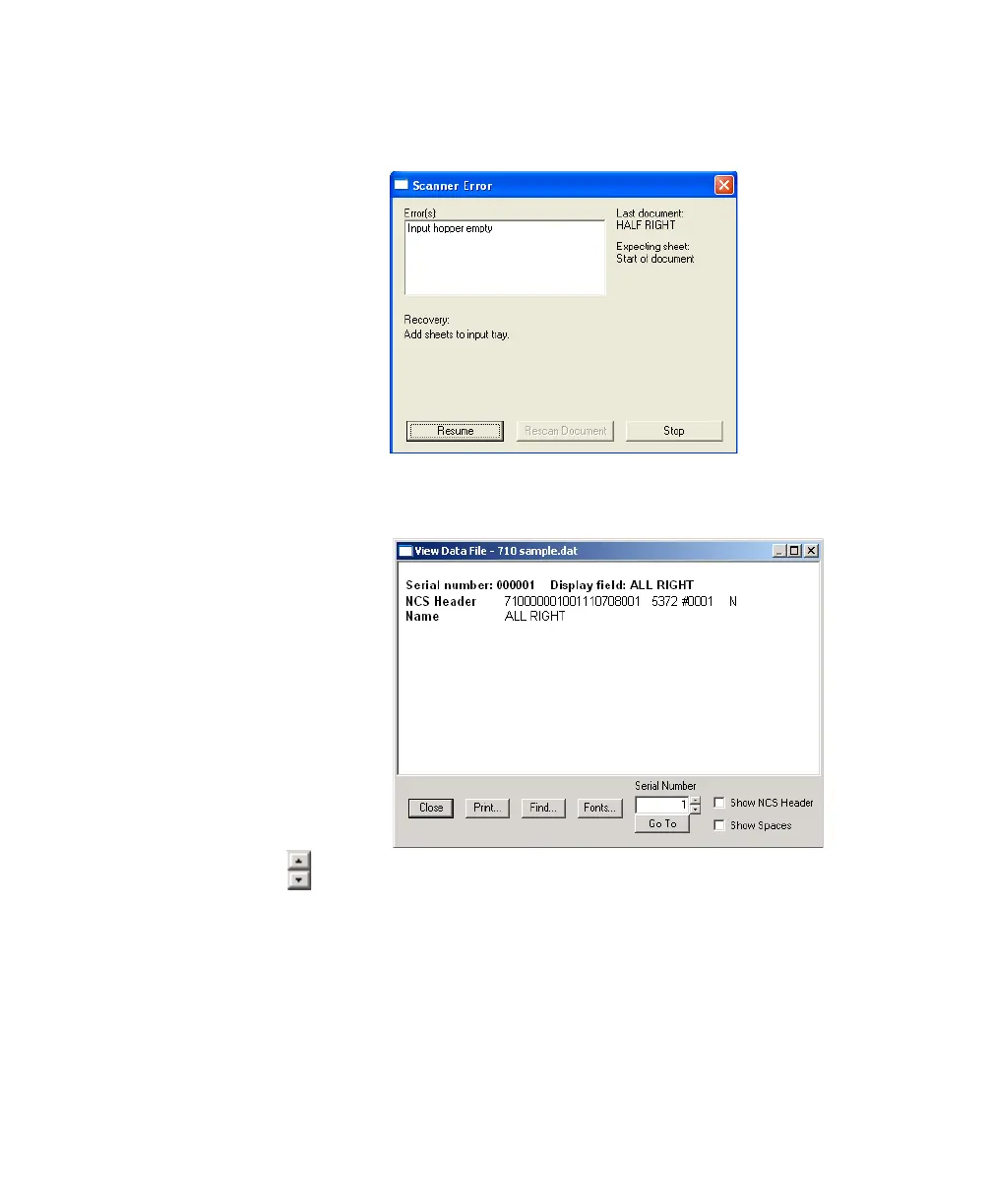
empty. Click Stop to clear the dialog boxes so that you
can view the data file.
6. Select Data FileView in the ScanTools Plus menu
bar to review the data file. The data file appears.
7. Use the up and down buttons (shown in the margin)
next to the Serial Number text box to page through
the Name data for each sheet.
If correct data (for the Name field only) is present for
each sheet, the test is complete and the scanner is ready to
perform data collection tasks. For more information
regarding how to perform data collection projects
start to finish, refer to Chapter 2, Data Collection


 To Next Page
 Loading...
