20 5 Operation
5 Operation
5.1 Operating panel overview
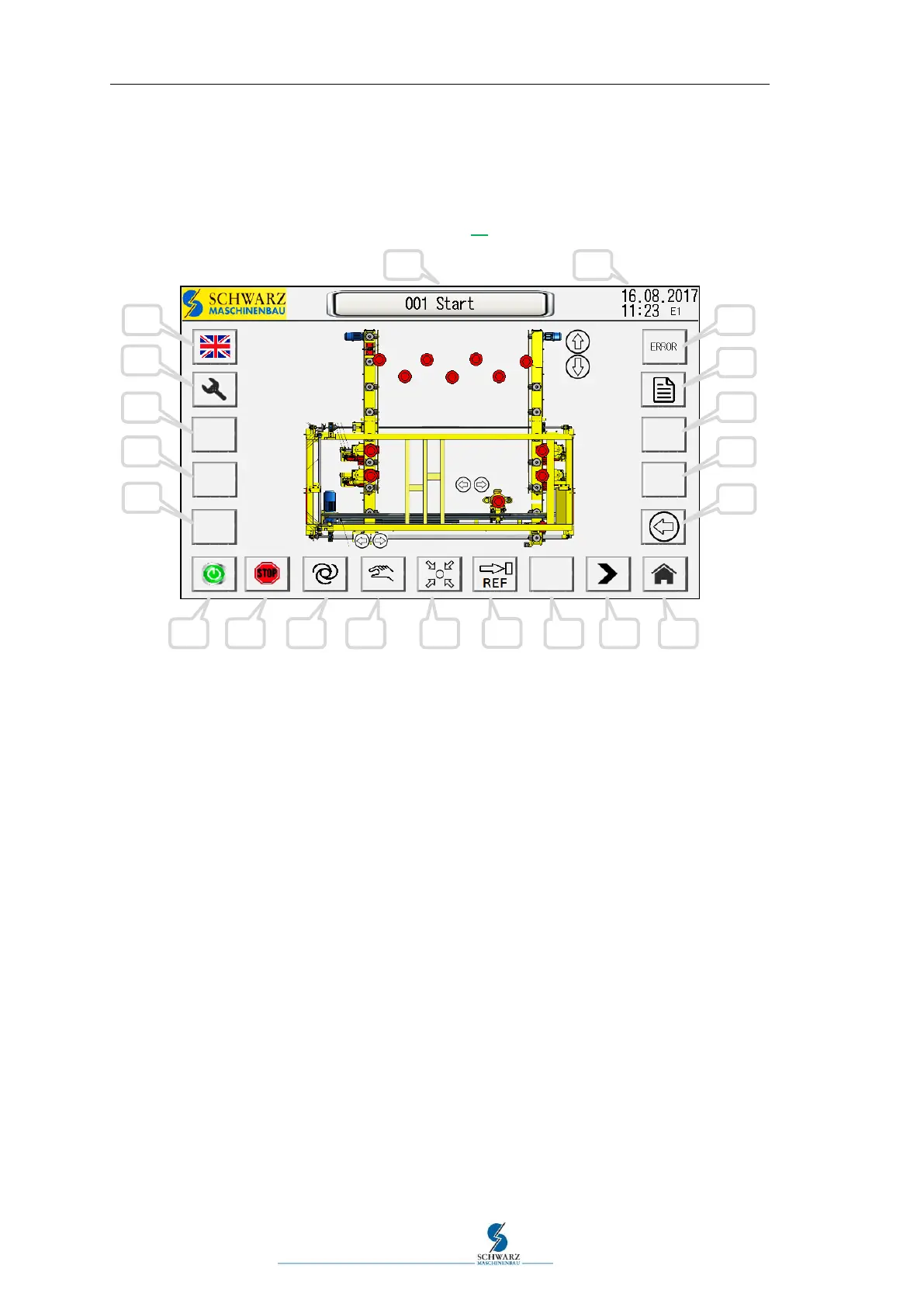
A precise description of the functions starts on page 27.
Figure 5.1 Operating panel "001 Start"
Keys of the operating panel:
1) Language switching
2) Settings
3) Res.
4) Res.
5) Res.
6) "ON" automatic
7) "STOP" automatic
8) Automatic mode
9) Manual mode
10) Homing run
11) Reference run width adjustment (160 mm)
12) Browse back
13) Browse forward
14) Start/Home operating interface
15) Reversing request
16) Res.
17) Res.
18) Information pages
19) Display and opening error pages
20) Time + date
21) Page name of the current display



 To Next Page