30 5 Operation
5.10.3 Manual operation:
Once manual mode (symbol "9") has been selected, the different menu pages of the individual
functions can be selected with the forward browsing icon "13".
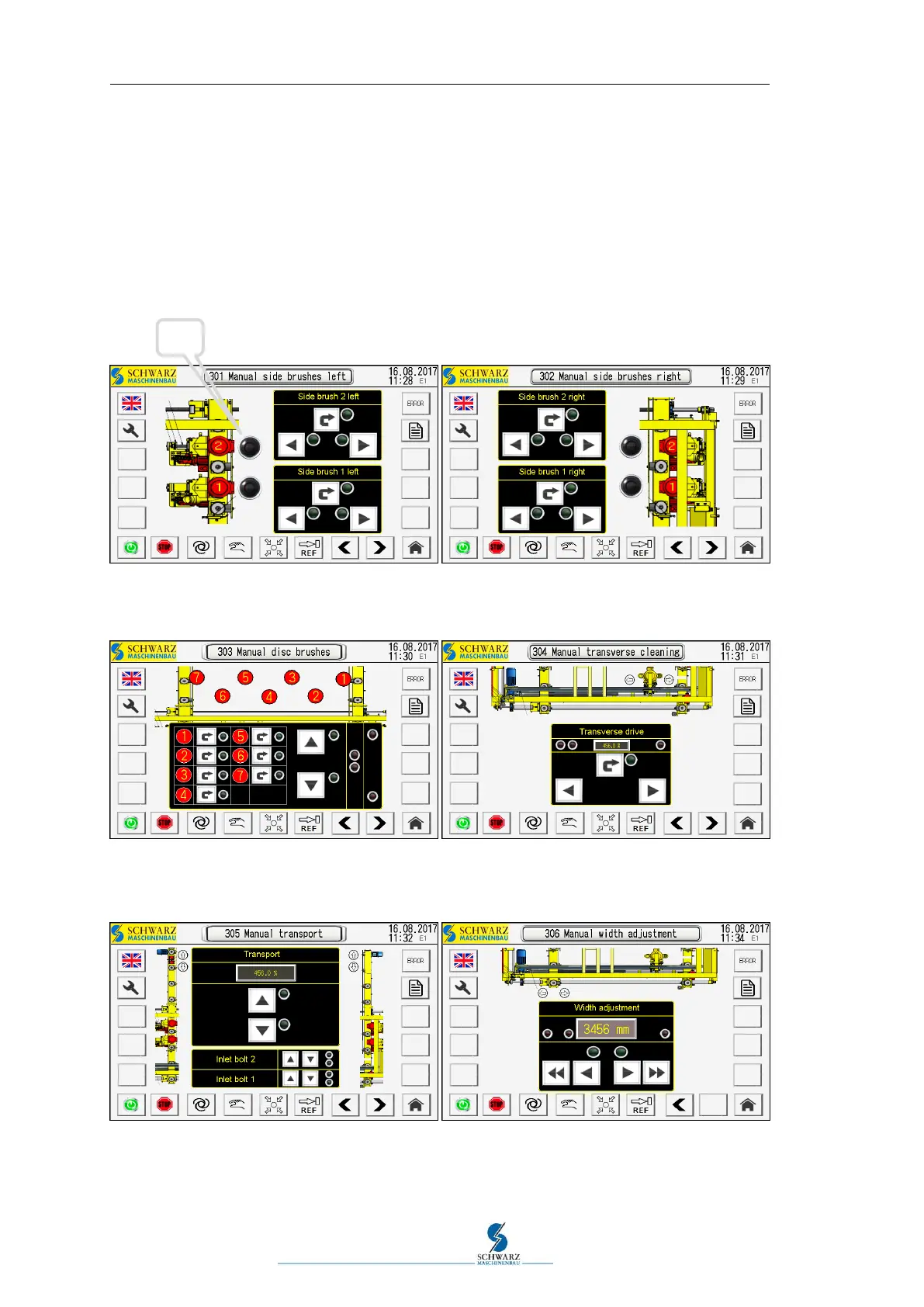
Side brush rotation and supply, left/right, switch ON/OFF in pairs for automatic mode
Disc brush rotation, height adjustment and display of the associated sensors
Transverse cleaning rotation, transverse drive procedure and display of the sensors
Transport forward and reverse, moving the stop bolts up and down
Moving the width adjustment and display of the limit position sensors
Figure 5.13 Manual operation pages 301, 302
Figure 5.14 Manual operation pages 303, 304
Figure 5.15 Manual operation pages 305, 306



 To Next Page