24 5 Operation
Abbildung 5.4 Einstellung Belagreinigung Figure 5.13 Manual operation pages 301, 302
Figure 5.13
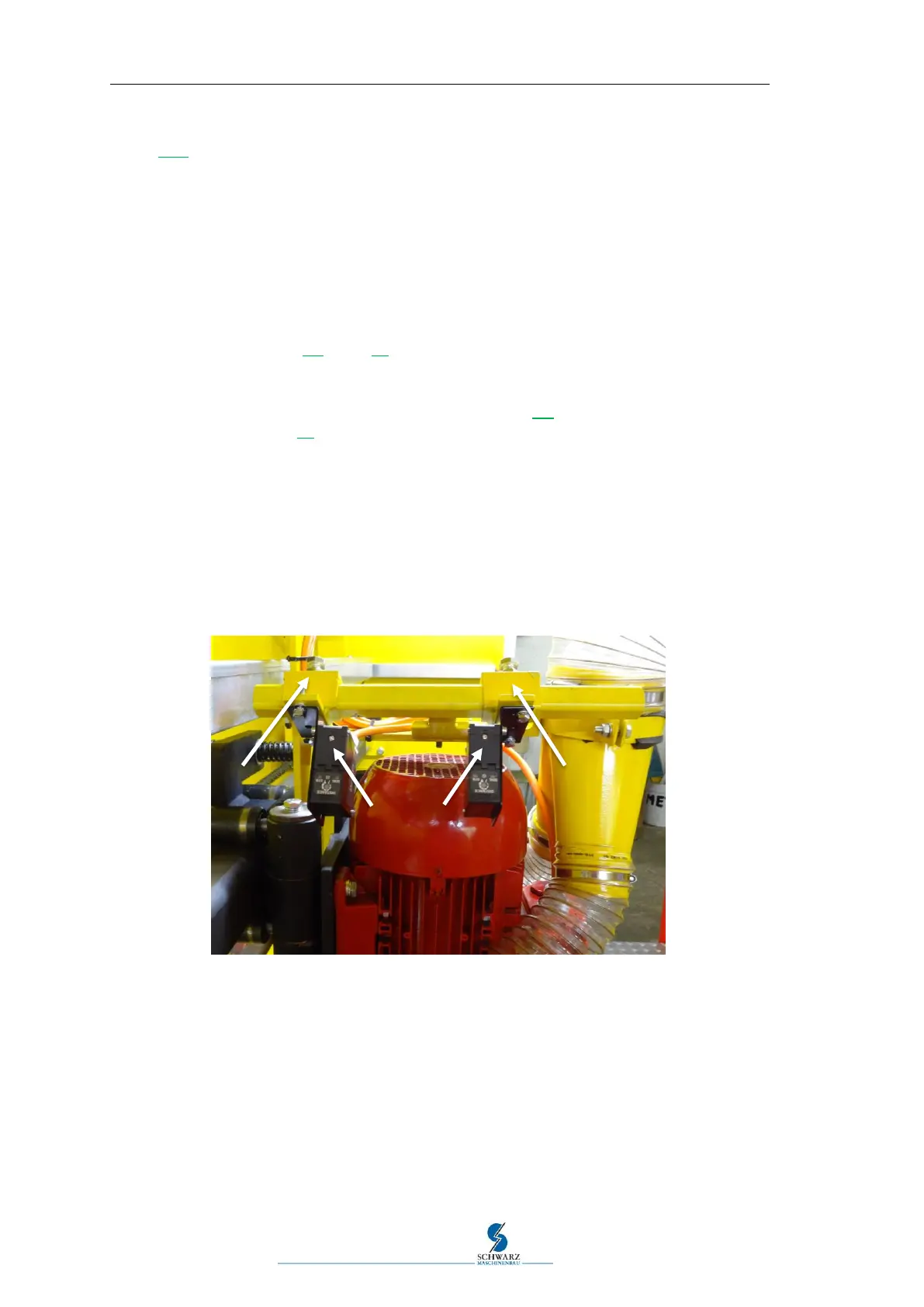
5.5 Setting up the transverse cleaning sensors
The following setting work must only be performed with a new brush.
Bring the machine to a standstill.
Set both wear amounts of the sensor to be adjusted to zero in the menu "400 Target
values" (see Figure 5.6, page 25).
Perform test run.
If the distance from the frame formwork is too large, the respective sensor "A" or "B"
must be pushed closer towards the other (see Figure 5.5 Adjust transverse-cleaning of
the sensors., page 24).
The front side is adjusted via sensor "A".
The rear side is adjusted via sensor "B".
The sensors can be adjusted by moving the holding angles "C" or "D".
Correct setting: Wear amount = 0 and brush slightly touches at the formwork.
Perform test run.
Repeat the adjustment until the correct setting has been reached.
The settings described above are performed ex works and may need to be repeated after a sensor
change.
Figure 5.5 Adjust transverse-cleaning of the sensors.



 To Next Page