61
CONTROLLER
13-1-2 TOP VOLUME REPLACEMENT
1
Turn off the power switch.
2
Refer to Step 2 of 13-1-1 “TOP VOLUME ADJUSTMENT” and take off the controller cover.
3
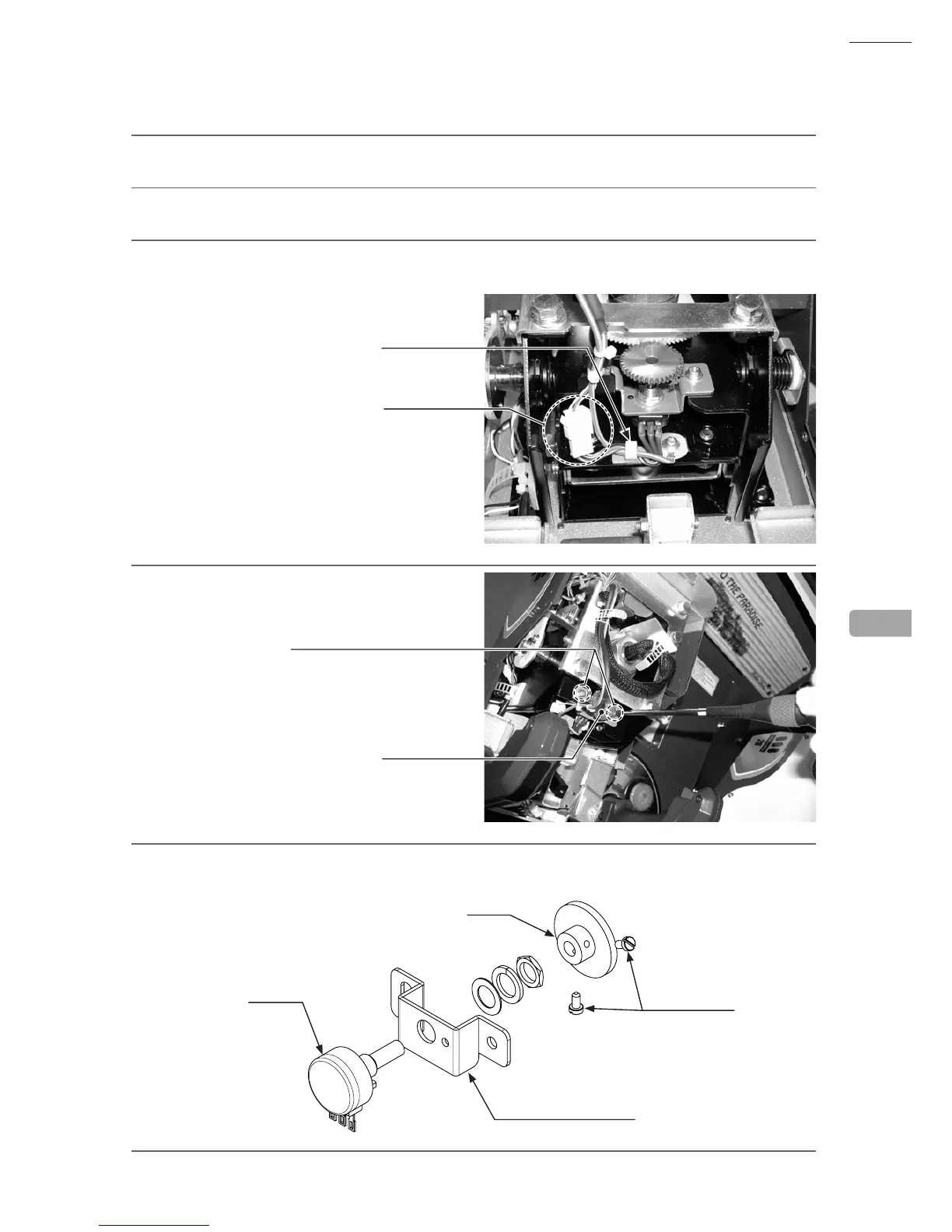
Undo the cord clamp and disconnect the connector. Be careful not to damage the wires when doing so.
4
Remove the 2 screws and take off the top
volume.
5
Remove the 2 setscrews and pull the gear off the volume shaft.
6
Remove the nut holding the top volume bracket in place and take the volume off the top volume bracket.
13
CONNECTOR
SM4P
CORD CLAMP
SCREW (2)
M4 x 8, w/at & spring washers
TOP VOLUME
SET SCREW (2)
M3 x 6
TOP VOLUME BRACKET
GEAR
VOLUME



 To Next Page
 Loading...








