13-2-2 SIDE VOLUME REPLACEMENT
1
Turn off the power switch
2
Refer to Step 2 of 13-1-1 “TOP VOLUME ADJUSTMENT” and take off the controller cover.
3
Refer to Steps 3 and 4 of 13-2-1 “SIDE VOLUME ADJUSTMENT” and take off the cover lid.
4
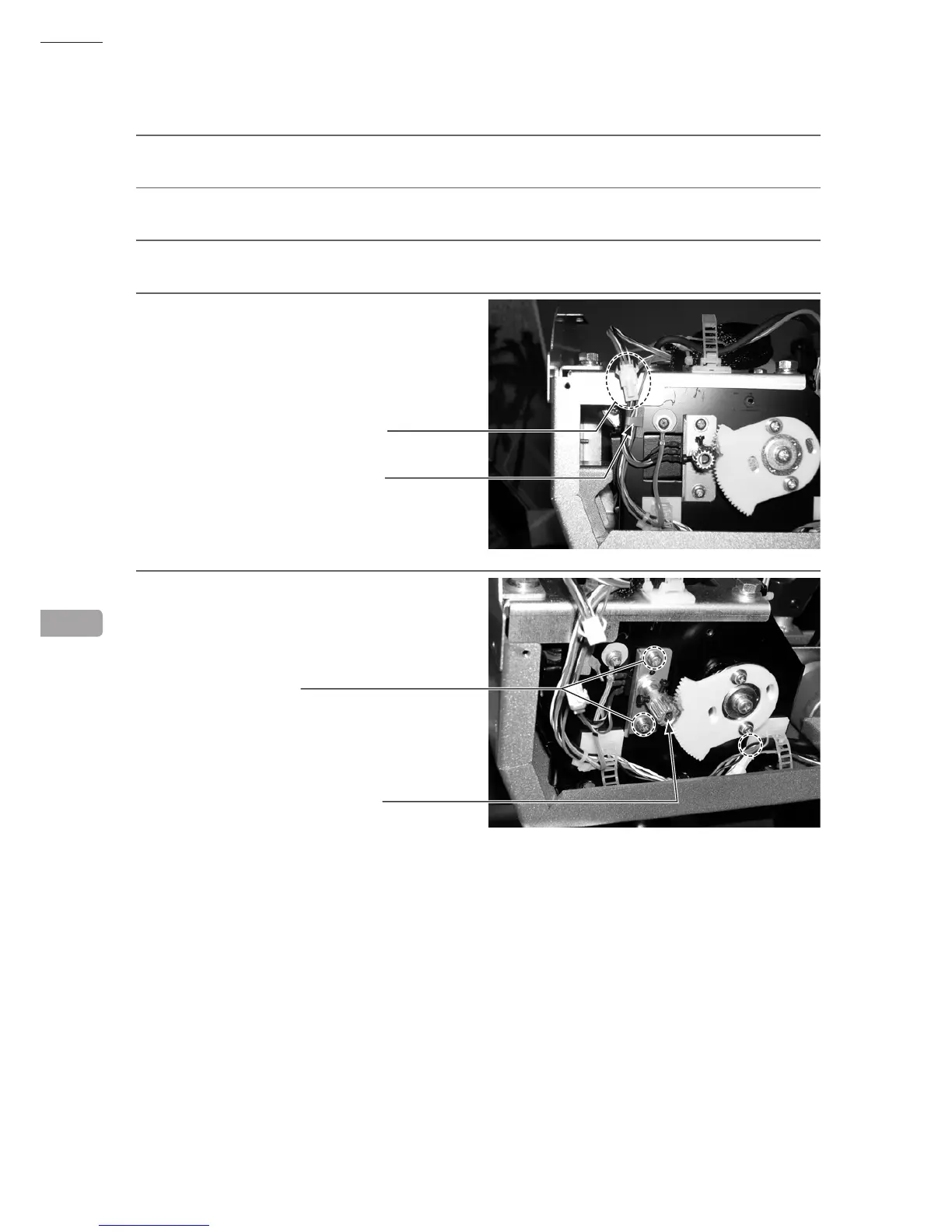
Undo the cord clamp and disconnect the
connector. Be careful not to damage the wires
when doing so.
5
Remove the 2 screws and take off the side
volume.



 To Next Page
 Loading...








