Impulse 300D – User Manual
Page 30 (67)
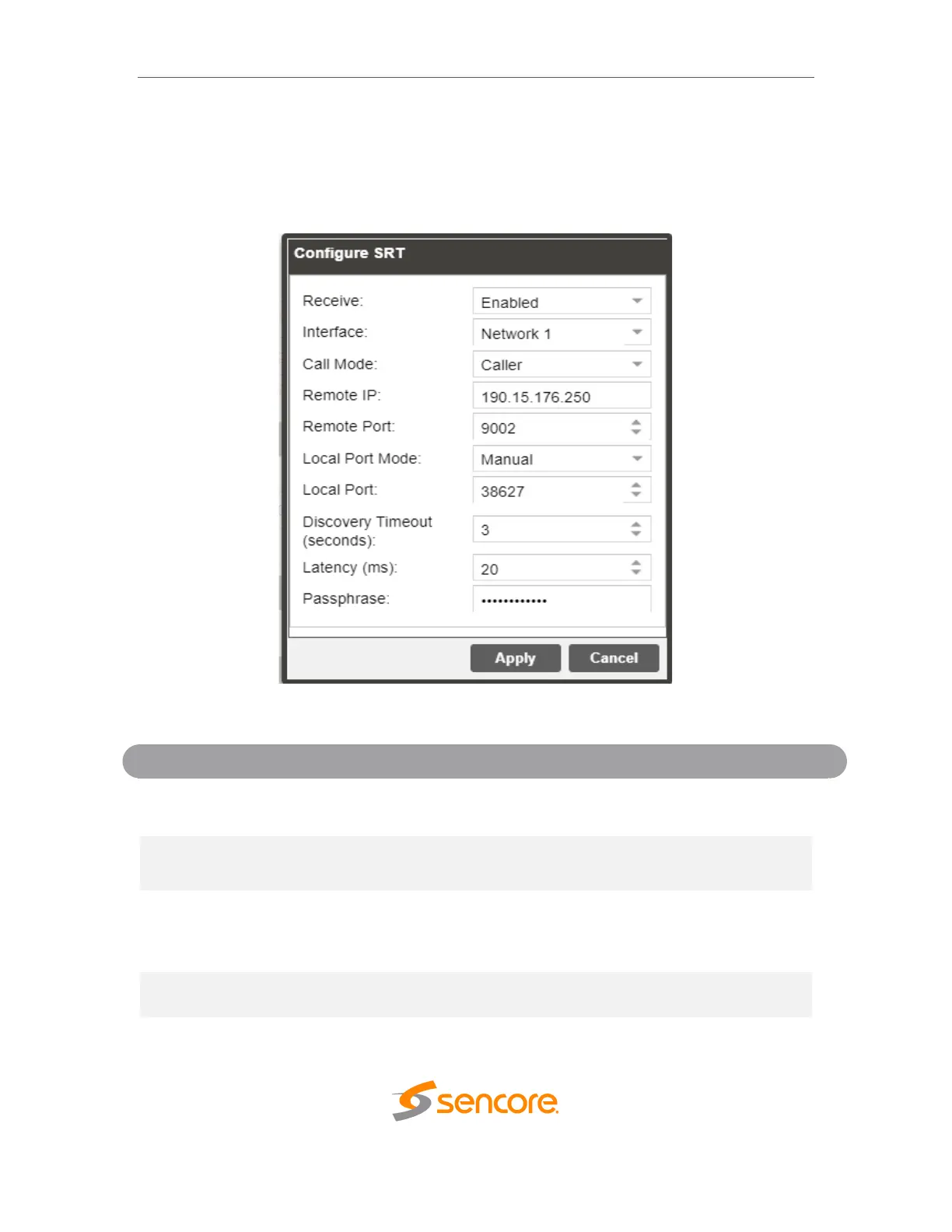
4.2.2.3 Configuring SRT Input
4.2.2.3
This menu configures the reception of a SRT input. The SRT input can be configured to
specify a caller, listener or rendezvous within the Call Mode selection drop down.
This setting allows the user to enable or
disable these input stream settings.
The physical connector on which to receive
the SRT traffic
Caller
Listener
Rendevous
Defines the ‘handshake’ mechanism to
be used when establishing connection
224.0.0.0 –
239.255.255.255
Defines the IP address of the stream on
the remote device
Defines the port of the stream on the
remote device



 To Next Page