Impulse 300D – User Manual
Page 43 (67)
4.3.6 SSH Tunnels
The IMPULSE 300D can be remotely managed by using an SSH tunnel. In applications
where Zixi ZEN Master is being used, an SSH tunnel is established to provide remote
access to the web GUI of the IMPULSE 300D.
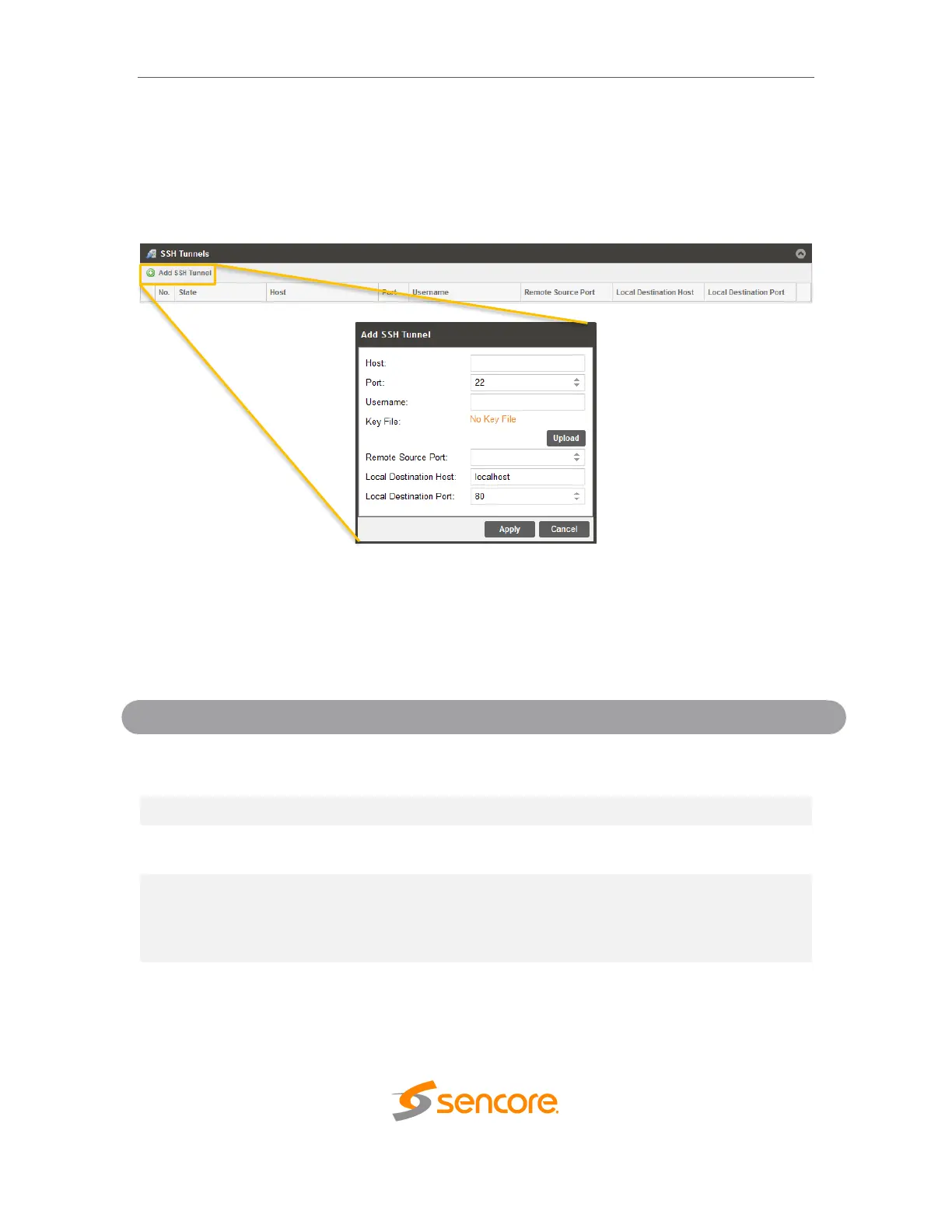
Figure 2: Adding SSH Tunnels
The SSH tunnel configuration window will allow the user to define the connection to Zixi
ZEN Master by providing the required details in the Add SSH Tunnel window. Most of
the values for these settings can be found in your ZEN Master instance.
Browse the local computer to select and
upload a hashed key file used to open the
secure connection to the Zixi (ZEN Master)
server



 To Next Page