Impulse 300D – User Manual
Page 52 (67)
4.4.3 Configuring the Logs
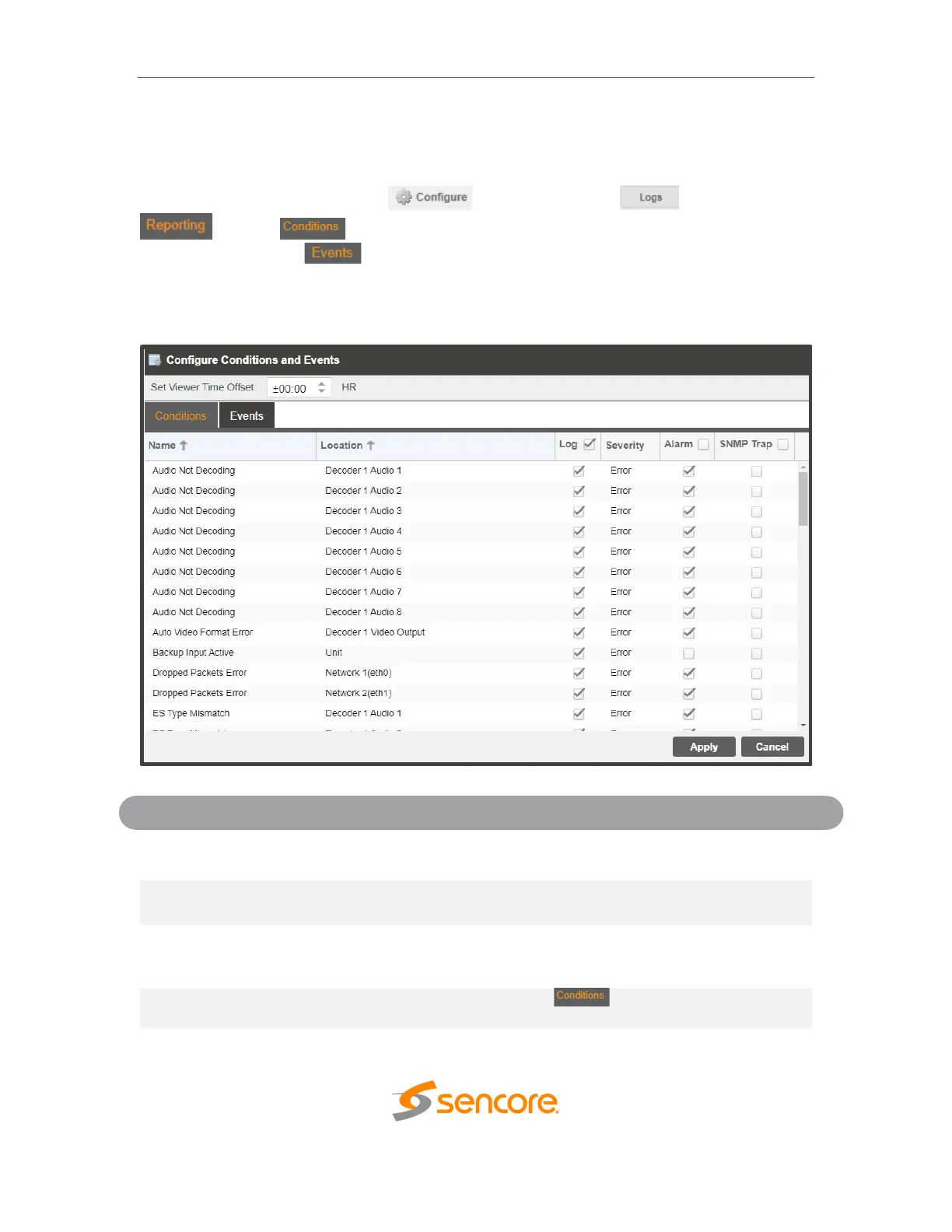
The IMPULSE 300D allows the user to configure alarms and events. Events and alarms
can be hidden, set to send SNMP traps or close a relay when active. In order to
configure these options click the button while in the section of the
tab. The tab allows the user to configure the alarms reported by the
IMPULSE 300D. The tab allows the user to configure the events reported by the
IMPULSE 300D. Each column and its function are described below. A user configured
time offset can also be applied to allow viewing the logs in a local time zone.
This column displays the name of the error or condition. This is
informational data: no options can be set here.
This column displays the hardware or function that the alarm or event
applies to. This is informational data; no options can be set here.
Checking the box in this column creates an entry in the event log in the
case this error or event is raised. If this box is unchecked this error or
event will be hidden and not logged if raised.
This column is only available in the tab This option allows the
user to set the severity of the error to Info or Error. If Info is selected in



 To Next Page