Using the “Conference Manager” software
104 | ADN Digital Conference System
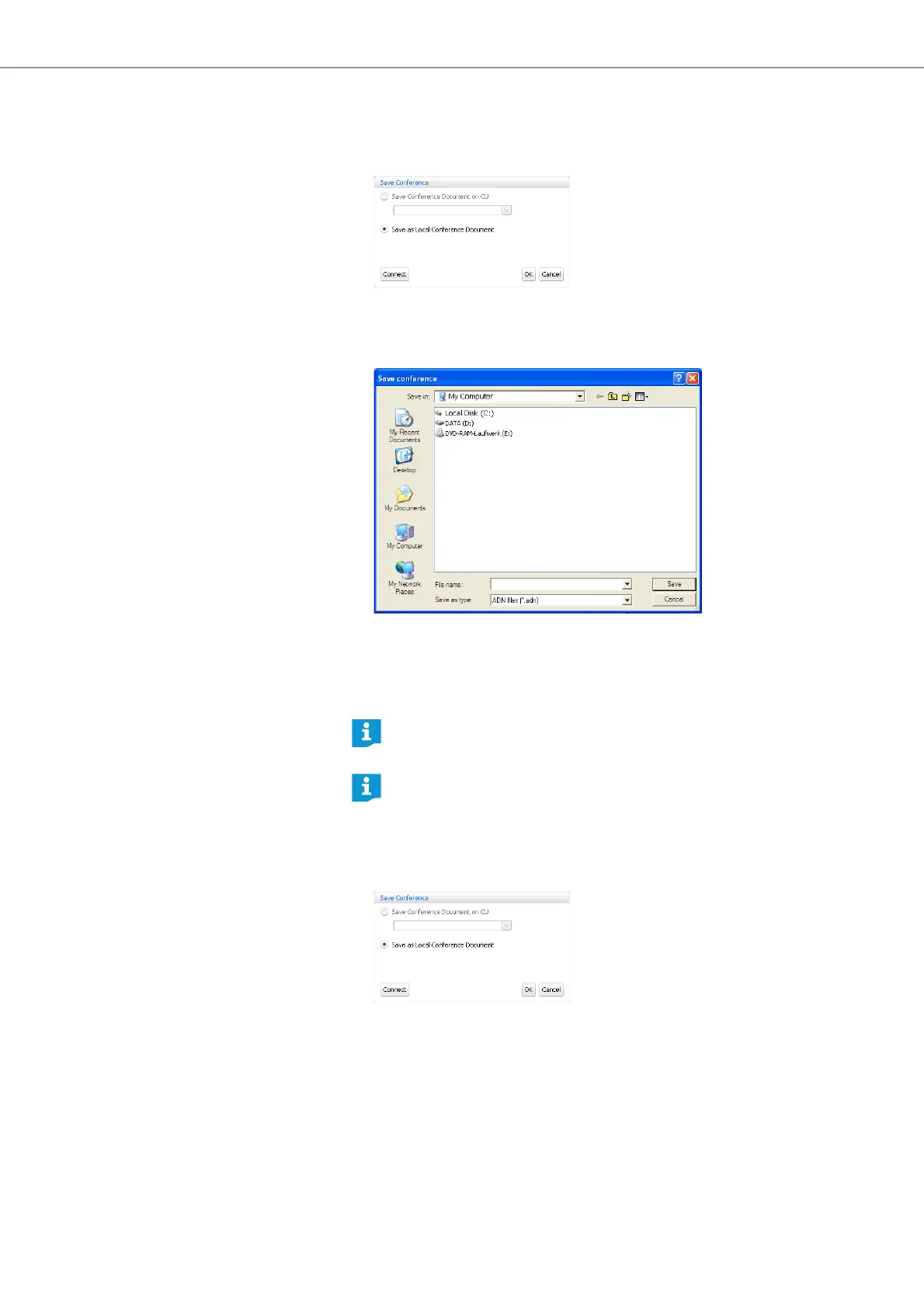
To save a newly created configuration on the hard disk of the Windows PC:
왘 In the menu bar, click “Global Menu” > “Save”.
The “Save Conference” window appears.
왘 Select the “Save as Local Conference Document” option button.
왘 Click “OK”.
The “Save conference” window appears.
왘 Select the desired storage location.
왘 Enter a new file name into the “File name” field.
왘 Click “Save”.
The file is saved.
Saving a configuration under a
different file name
To save the current configuration under a different file name:
왘 In the menu bar, click “Global Menu” > “Save as ...”.
The “Save Conference” window appears.
왘 Save the current configuration under a different file name (see page 103).
Closing a configuration
왘 In the menu bar, click “Global Menu” > “Close”.
The configuration is closed.
By default, the configurations are saved in the “My Documents/ADN/
Conference Files” folder.
You can click “Global Menu”>“Save” to save a configuration that already
has a file name; there is no further query.



 To Next Page