ADN Digital Conference System | 121
Using the “Conference Manager” software
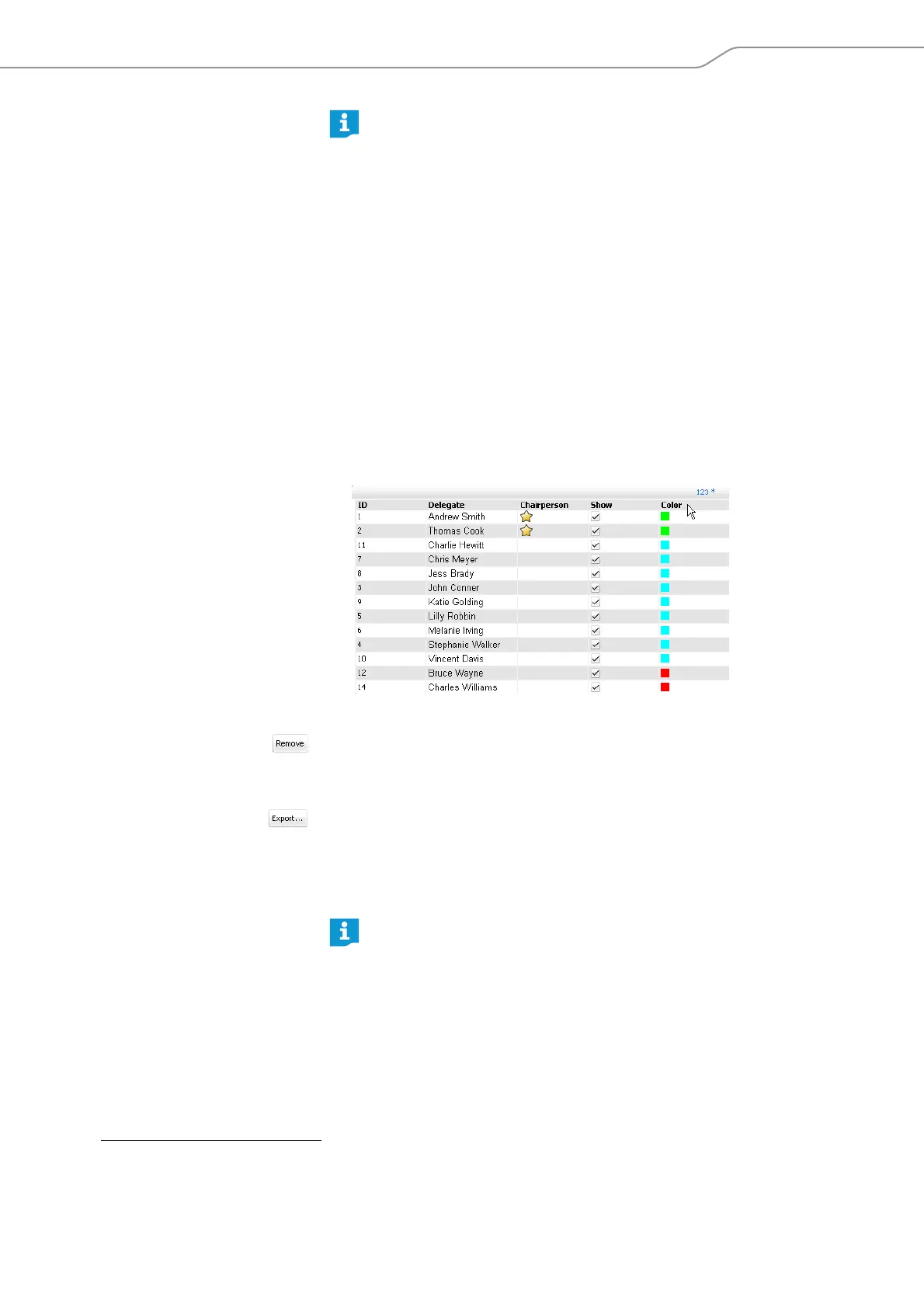
Sorting delegate entries in groups You can sort the delegate entries in your list into groups according to specific
criteria:
왘 In the delegate list, double-click the column header “ID”, “Delegate”,
“Chairperson”, “Show” or “Color”.
The delegate list is sorted according to the selected column, e.g. “Color“:
Deleting a delegate entry 왘 Select a delegate entry.
왘 Click the “Remove” button.
The delegate entry is deleted from the delegate list.
Exporting a delegate list
*
왘 Click the “Export ..” button.
The “Save as ...” window appears.
왘 Enter a file name.
왘 Select the desired storage location.
왘 Click “OK”.
The window closes and the delegate list is exported as an XML file.
If you want to change several delegate entries simultaneously to, for
example, assign a specific color to a group of delegates:
왘 Hold down the “CTRL” key and select several delegates from the dele-
gate list using the mouse.
왘 Right-click the selection.
Or:
왘 Click the “Edit...” button.
The “Delegate” window appears.
왘 Change the settings you want to assign to the delegate group, e.g. the
color (see page 118).
왘 Click “OK”.
The window is closed and the settings are assigned to the delegate
group.
*
only if you are using the Windows version of the software
By default, the delegate lists are saved in the “My Documents/ADN/Dele-
gates Lists” folder.



 To Next Page