ADN Digital Conference System | 137
Using the “Conference Manager” software
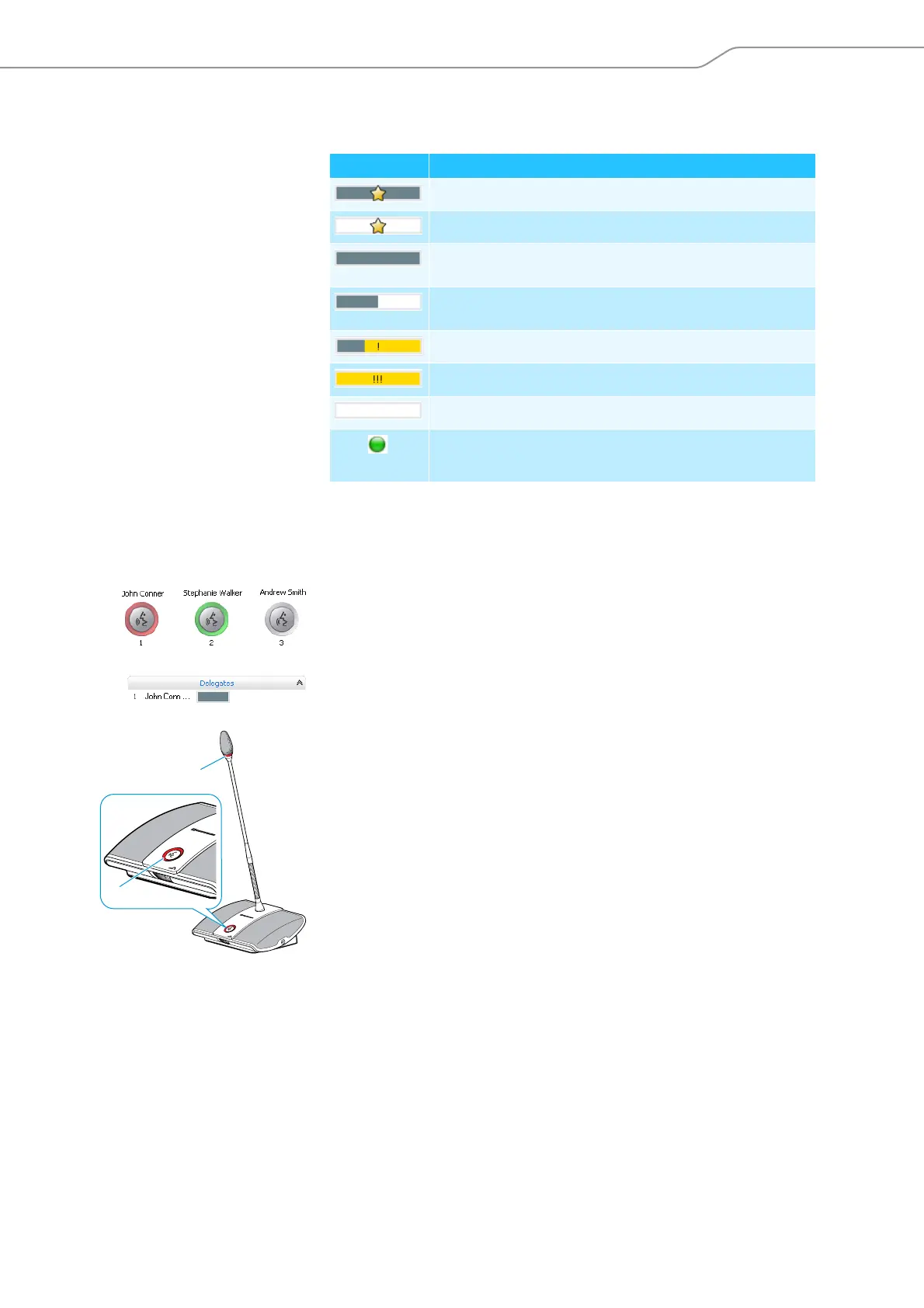
Overview of the bar graphs The bar graphs display the current speaking privileges status of the conference
units connected to the central unit.
Controlling a conference
Granting/withdrawing
speaking privileges using the
Room View window
To grant speaking privileges to a conference unit (in all conference modes):
왘 Click a conference unit icon.
The conference unit icon is then marked with a red circle and the conference
unit is displayed in the “Delegates” box. The bar graph displays the current
speaking privileges status. The conference unit is granted speaking privileges
and the signal light ring and the microphone LED light up red.
To withdraw speaking privileges from a conference unit:
왘 Click a conference unit icon marked with a red circle.
The conference unit icon turns gray and the conference unit is removed from
the “Delegates” box. The conference unit loses its speaking privileges and the
signal light ring and the microphone LED go off.
Bar graph Meaning
Chairperson unit with speaking privileges
Chairperson unit is deactivated
Delegate unit with speaking privileges,
100% of the speaking time is available
Delegate unit with speaking privileges,
approx. 50% of the speaking time is available
Delegate unit shortly before the speaking time limit expires
Delegate unit when the speaking time limit is exceeded
Delegate unit is deactivated
flashing
Delegate unit has made a request to speak



 To Next Page