Configuring the conference system via the central unit
68 | ADN Digital Conference System
Information on firmware updates for your conference system is available
from your Sennheiser partner or from the download area on our website at
www.sennheiser.com.
Displaying the hardware version –
“Hardware Version Info”
If the hardware versions of the conference units (“D1/C1”), the central unit
(“CU1 SB”) and the power supplies (“PS”) used in the conference system are con-
sistent, the version number is displayed (e.g. “2”).
If the hardware versions of the conference units (“D1/C1”) or the power supplies
(“PS”) is varying, “Varying” is displayed.
To ensure full operational reliability in a redundant ring topology, the hardware of
the ADN C1 and ADN D1 has been revised. If you combine conference units with
hardware revision 1 (no marking on the type plate) and conference units with
hardware revision 2 (“HW: v2” is printed on the type plate), fail-safe operation is
only possible to a limited extent.
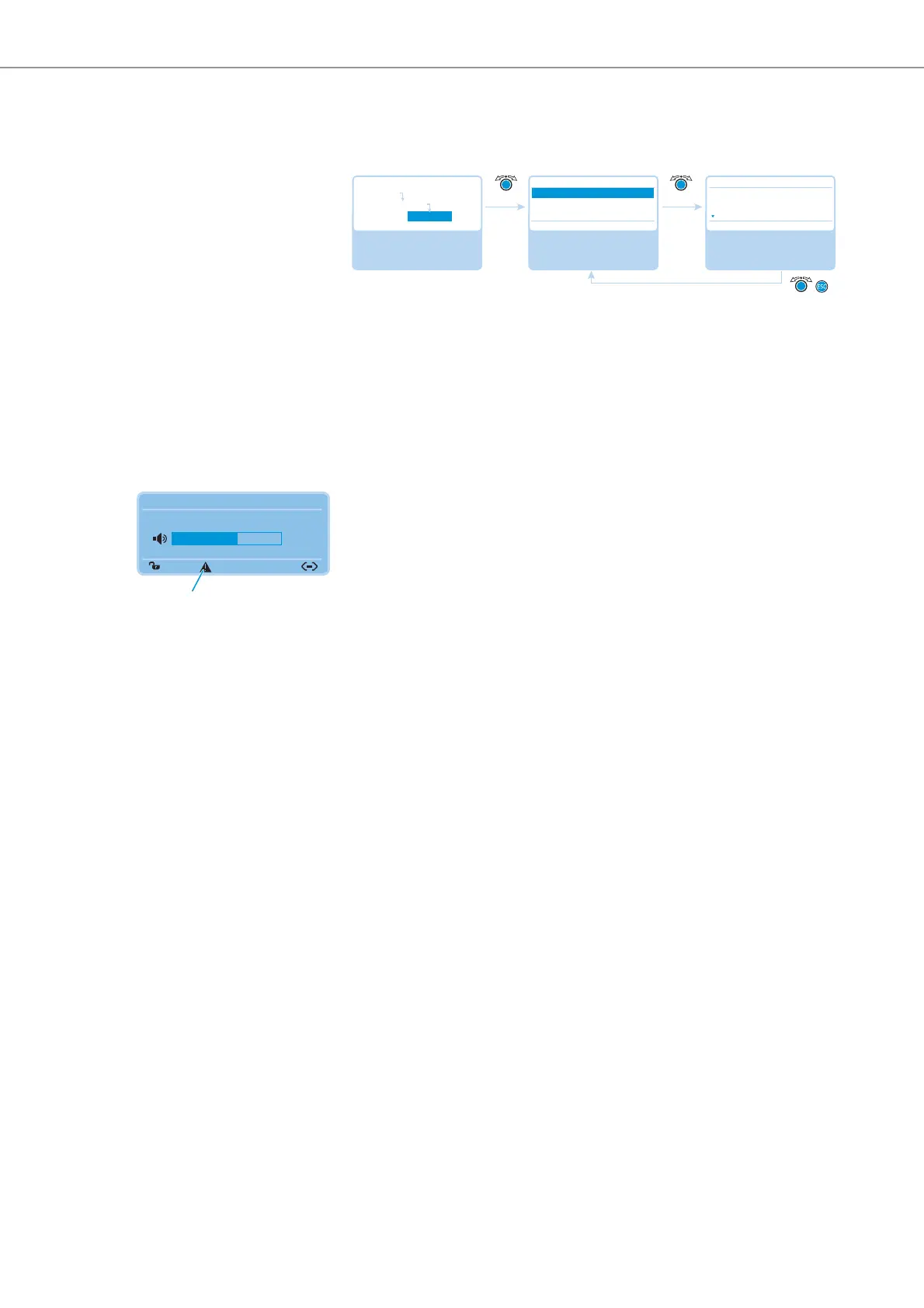
When conference units are connected in a redundant ring topology, the system
warns you if inconsistent hardware or hardware revision 1 is used (the warning
triangle is displayed and the display panel lights up orange, see page 60).
To allow for operational reliability in a redundant ring topology:
왘 Check, if the hardware of the conference units is varying (display: “D1/C1:
Varying”).
Select and call up the
“Versions” submenu
Select and call up the
“Hardware Version Info”
menu item
View the information;
exit the menu item
Versions
Hardware Version Info
Software Version Info
No No
Hardware Version Info
D1/C1: 2
CU1 SB: 1
PS: 1
Main Menu
System Menu
Versions
Direct Access 30 Units
20
N



 To Next Page