Configuring the conference system via the central unit
60 | ADN Digital Conference System
To ensure trouble-free operation of your conference system:
왘 Carry out the following steps before starting the conference.
This allows you to diagnose and remedy errors in your conference system at an
early stage.
왘 Set up your entire conference system.
If you do not yet know the final number of participants, take the largest pos-
sible number of participants as a starting point. Connect the corresponding
number of conference units to the central unit.
왘 First switch on all ADN PS power supplies and then switch on the ADN CU1
central unit.
The ADN CU1 central unit performs the self-test and takes into account the
cabling of the ADN PS power supplies.
If an error or a warning occurs, proceed as follows.
왘 Eliminate the error (see the following tables).
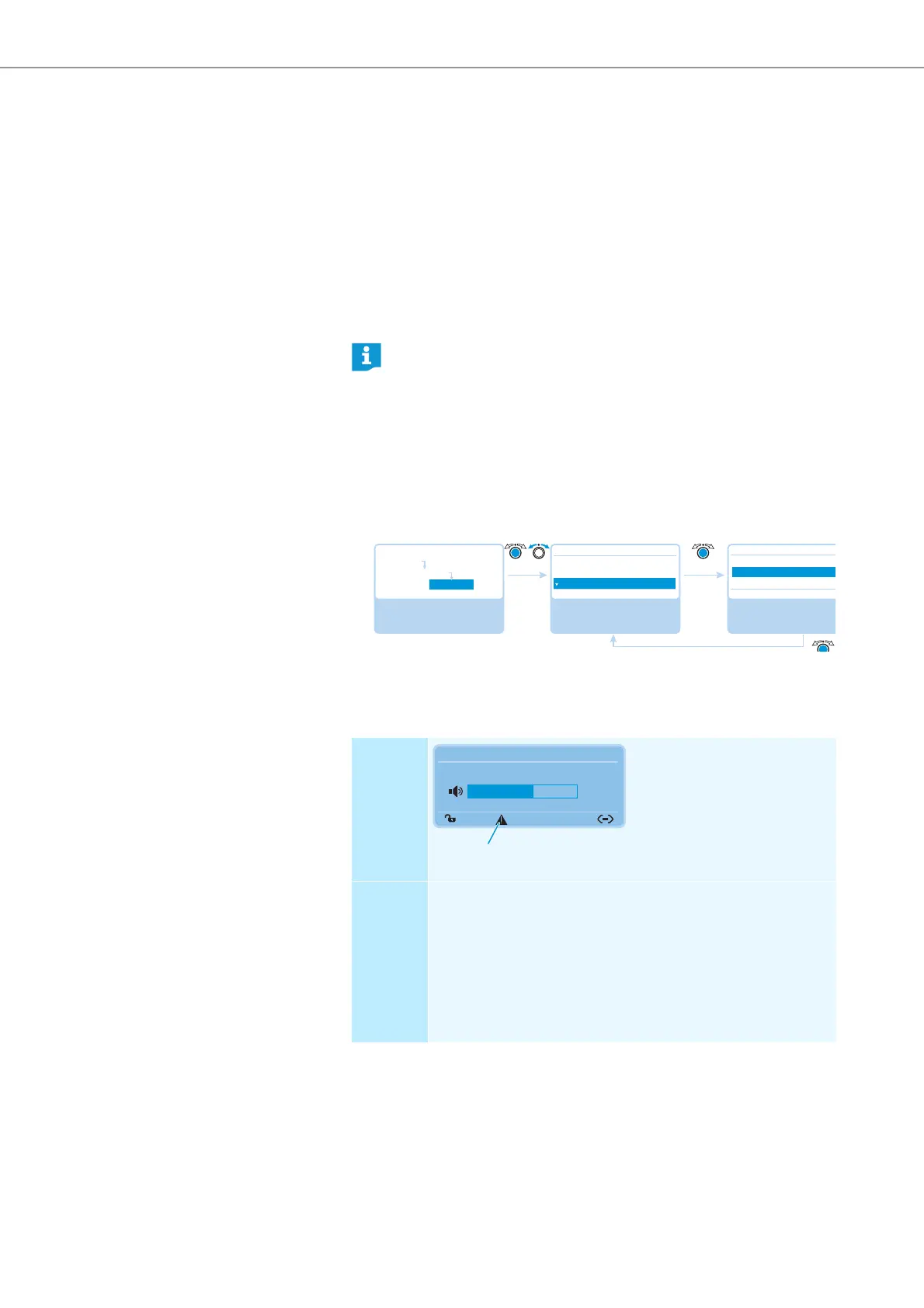
왘 After error elimination, perform a manual self-test by selecting “Yes” in the
“Start Self-Test” menu item:
The central unit now checks if the reported error still occurs. If the error has
been eliminated, the corresponding error icon will go off after the self-test.
The following tables show possible error indications and steps for error elimination.
During the self-test, do not press any keys or buttons and do not change
the set up of the conference system.
If the number of participants increases after an error-free self-test, we
strongly recommend you to perform a new self-test before starting your
conference.
Select and call up the
“Diagnostics” submenu
Select and call up the
“Start Self-Test” menu
item
Select the desired
setting; apply the
setting
Diagnostics
Temperature
Bus Statistics
Start Self-Test
Yes
No
Start Self-Test
Start Self-Test
No
Main Menu
System Menu
Diagnostics
Display Only the warning triangle is
displayed. The display panel
lights up red (in case of a
warning for “System Load”,
“Temperature” or “Bus Statis-
tics”) or orange (in case of a
warning for “Hardware Version
Info”)
Error and
remedy
Several errors may have occured.
왘 Check the following menu items one after the other:
–“System Load” (see page 64)
–“Temperature” (see page 65)
–“Bus Statistics“ (see page 66)
–“Hardware Version Info” (see page 68)
If the menu items display errors, follow the options and/or steps
for error elimination mentioned there.
Direct Access 30 Units
20
N



 To Next Page