ADN Digital Conference System | 65
Configuring the conference system via the central unit
If an error icon appears (see page 59), check your conference system for the errors
mentioned above.
Possible steps for error elimination:
• Eliminate the errors separately for the ADN CU1 central unit, the ADN PS power
supplies and the respective affected PORT sockets.
• Calculate the maximum length of the cable string or cable ring (see page 15)
and, if necessary, reduce the cable length.
• Reduce the number of conference units to 15-20 max. per cable string.
• If necessary, further reduce the number of conference units until there are no
errors reported.
Then add conference units one after the other and observe the central unit’s
display panel. If an error is reported, the cause of the error might be the last
added conference unit, the cable used or metal parts that bridge the contacts
of the plug connection.
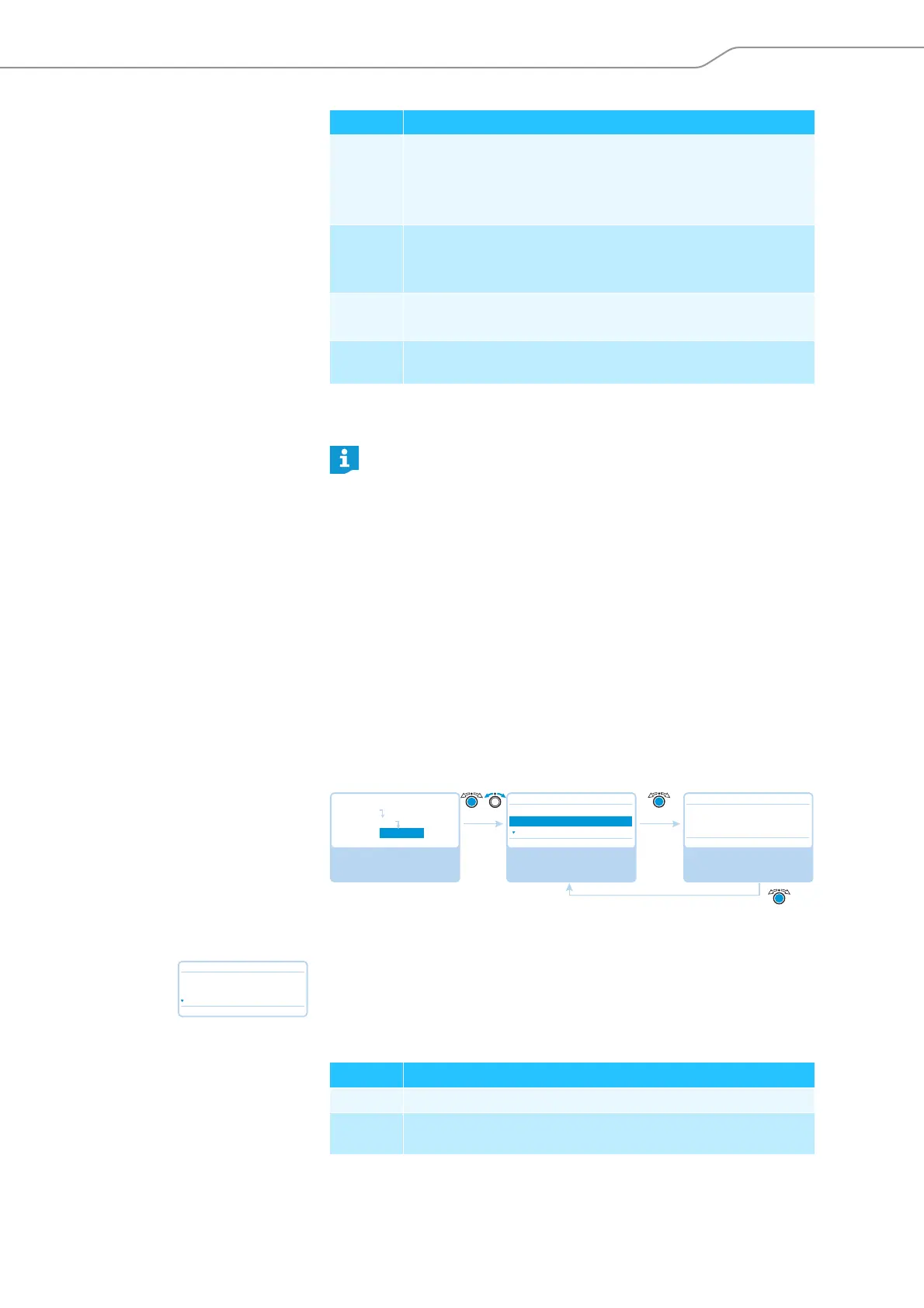
Displaying the temperature status –
“Temperature”
If the temperature of the ADN CU1 central unit and of the ADN PS power supplies
is within the normal range, the icon appears behind “System”.
If the temperature of the ADN CU1 central unit and the ADN PS power supplies
exceeds the limit values, the icon appears behind “System” and the affected
components are listed together with the icon below “System”.
Examples for the listing of affected components:
V An undervoltage can be caused by
• faulty conference units
• too long system cables
• too many conference units connected to a PORT socket
V
--
The PORT socket is deactivated due to e.g.
• no conference units connected
• a short-circuit
P The power of the ADN CU1 central unit or ADN PS power supply is
not sufficient because too many conference units are connected.
P
--
Information on the power output of the ADN CU1 central unit or
ADN PS power supply is not yet available.
If an error is detected at startup of the central unit, first eliminate the error
and then perform a manual self-test (see page 67) to check if the error still
persists.
If an error has only occured during operation and has already been elimi-
nated, this is automatically detected by the central unit.
Display Meaning and causes
Select and call up the
“Diagnostics” submenu
Select and call up the
“Temperature” menu
item
View the information;
exit the menu item
Diagnostics
System Load
Temperature
Bus Statistics
Temperature
No No
Main Menu
System Menu
Diagnostics
System : ☺
Temperature
No
System :
CU :
PS07 :
Display Meaning
CU ADN CU1 central unit
PS07 ADN PS power supply connected to the central unit at the seventh
position



 To Next Page