Configuring the conference system via the central unit
66 | ADN Digital Conference System
If the temperature is too high, proceed as follows:
왘 Make sure that the air vents of the ADN CU1 central unit and the ADN PS power
supplies are not covered or blocked (see page 23 and page 25).
왘 If necessary, clean the air vents (see page 148).
If the ADN CU1 central unit and the ADN PS power supplies are mounted into a rack:
왘 Provide additional ventilation by providing for a duct or vent space of 1 U below
and above the central unit and the power supplies and/or by installing addi-
tional fans into the rack.
When the temperature is again within the permissible temperature range, this is
automatically detected by the system (“ ” icon appears behind “System” on the
display). The temperature check is carried out cyclically.
If, in spite of these measures, the temperature is still detected to be too high, one
of the fans might be faulty:
왘 Have the fans checked and, if necessary, replaced by qualified maintenance
personnel.
Displaying system bus errors –
“Bus Statistics”
Possible causes for system bus errors are:
• changes in the number of conference units
• faulty cables
• faults in cable shields
• faulty conference units
• strong electromagnetic fields
If there are system bus errors, the “ ” icon appears behind “Error Indication”. The
display panel lights up red and the warning triangle is displayed on the standard
display (see page 59).
There are temporary or permanent transmission errors:
Temporary transmission errors can be caused by e.g. poorly shielded mobiles
phones that are placed too close to the system cables or conference units. If the
transmission error no longer exists, the “ ” icon appears on the display. The
display panel lights up orange and the warning triangle goes off.
Permanent transmission errors must be eliminated immediately in order to ensure
trouble-free operation of your conference system. Follow the steps for error elimi-
nation described under the “System Load” menu item (see page 64). If necessary,
reduce the length of the system cables between the ADN CU1 central unit and the
ADN PS power supplies (shorter cables increase the operational reliability, the
maximum length allowed is 80 m). In addition, check if other electronic devices in
the proximity of the conference system might cause the errors.
You can manually reset the “ ” icon behind “Error Indication” to the default icon
(“ ”) (see page 67).
The error counter (“Break Counter”) incrementally counts all errors and changes in
the conference system (e.g. added conference units or connected and switched on
ADN PS power supplies). Based on the changes of the counter’s counts, you can
conclude on the error source (e.g. if the counter rapidly increments when you
wiggle the cable, this indicates a faulty cable).
You can manually reset the error counter (“Break Counter”) (see page 67).
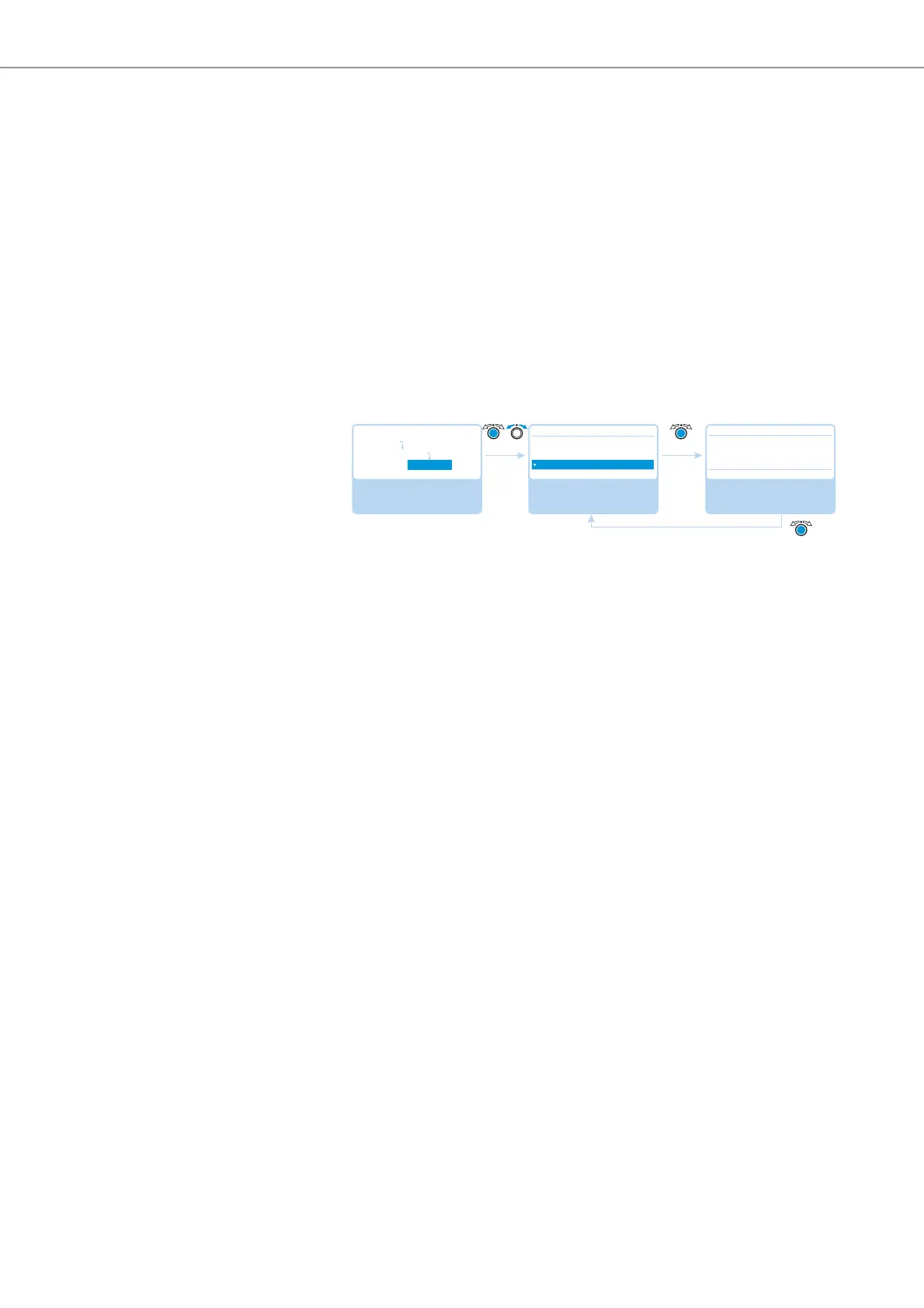
Select and call up the
“Diagnostics” submenu
Select and call up the
“Bus Statistics” menu
item
View the information;
exit the menu item
Diagnostics
System Load
Temperature
Bus Statistics
Bus Statistics
No No
Main Menu
System Menu
Diagnostics
Error Indication : ☺
Break Counter : 1



 To Next Page