Configuring the conference system via the central unit
64 | ADN Digital Conference System
System analysis – “Diagnostics” submenu
The “Diagnostics” menu item provides information on the status of the current and
voltage supply and the power, on the status of data transmission and on interrup-
tions due to faulty cables or cable connections.
Displaying status information on the
current and voltage supply –
“System Load”
If, at all PORT sockets of the ADN CU1 central unit and the ADN PS power supplies,
the system values for current (Ampere = “A”), voltage (Volt = “V”) and power
(Power = “P”) are within the normal range, icons appear behind the corre-
sponding “System” entry.
If critical values occur at one of the PORT sockets of the ADN CU1 central unit or one
of the ADN PS power supplies, icons appear behind the corresponding “System”
entry and the affected components and their PORT sockets are listed.
Examples for the listing of affected components:
The following errors can occur at the PORT sockets or the components:
Display Meaning
Conference units are connected in a cable string to the PORT output
Conference units are connected in a cable ring to the PORT output
– – No conference units are connected to the PORT output
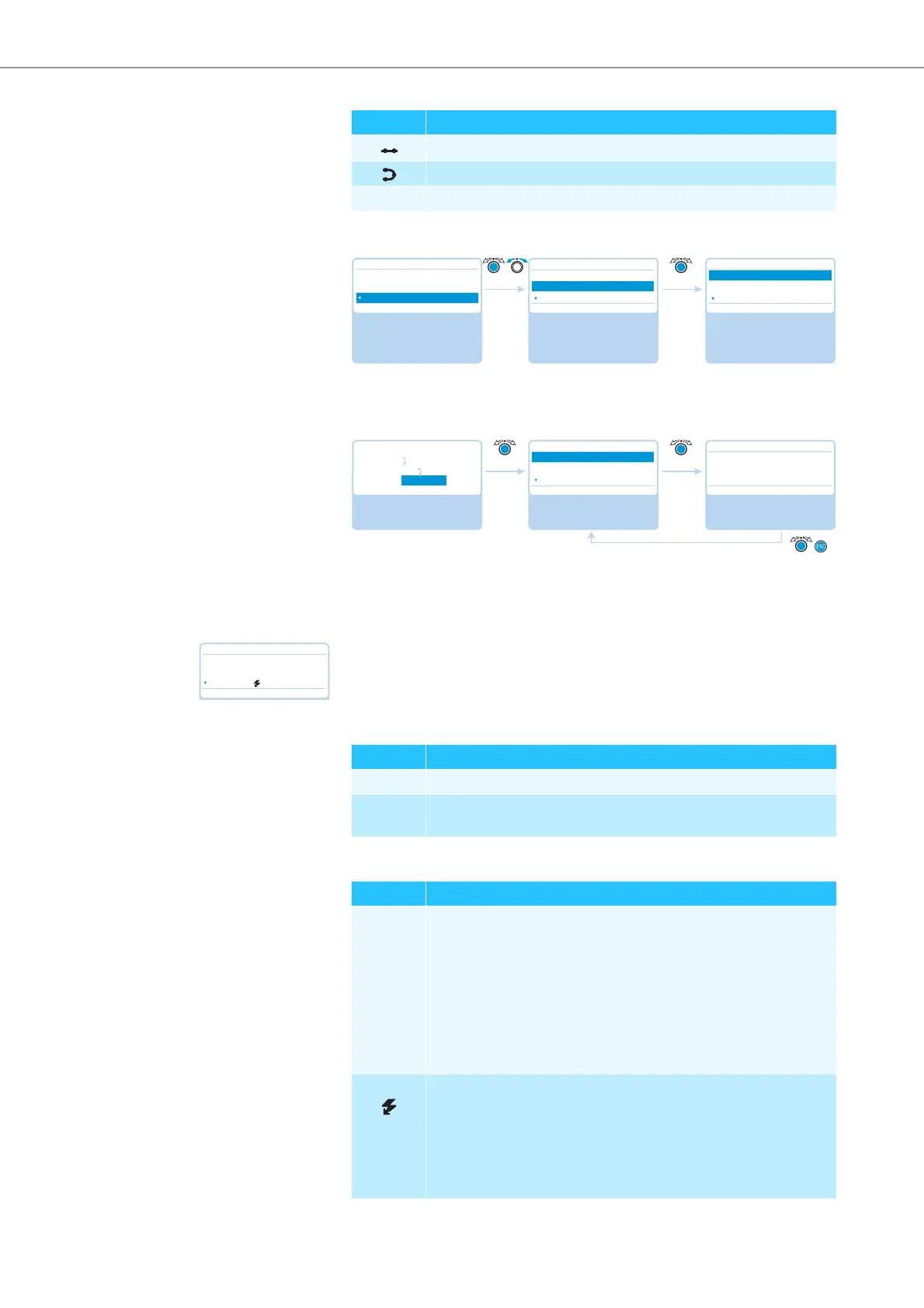
Select and call up the
“System Menu” submenu
Select and call up the
“Diagnostics” submenu
The “Diagnostics”
submenu appears
Main Menu
Conference Menu
Audio Menu
System Menu
System Menu
Topology
Diagnostics
Versions
System Load
Temperature
Bus Statistics
Diagnostics
No No
Select and call up the
“Diagnostics” submenu
Select and call up the
“System Load” menu
item
View the information;
exit the menu item
Diagnostics
System Load
Temperature
Bus Statistics
System Load
No No
Main Menu
System Menu
Diagnostics
System : ☺ A ☺ V
System : ☺ P
System Load
No
System : P
CU.I : – – A V
PS07.II.1 : A – – V
Display Meaning
CU.I ADN CU1 central unit, PORT I
PS07.II.1 ADN PS power supply connected to the central unit at the seventh
position, PORT II, output 1
Display Meaning and causes
A An overcurrent at one of the PORT sockets can be caused, among
other things, by
• metal parts (e.g. paper clips) that bridge the contacts of the plug
connections
• faulty conference units
• faulty system cables
• too long system cables
• too many conference units connected to a PORT socket
A A short-circuit at one of the PORT sockets can be caused, among
other things, by
• metal parts (e.g. paper clips) that bridge the contacts of the plug
connections
• faulty system cables
• wrong cables (e.g. crossover cables)



 To Next Page