ADN Digital Conference System | 85
Using the “Conference Manager” software
왘 Ask your system administrator if a static IP address is to be used or if the IP
address is to be allocated dynamically.
If you have to use a static IP address, ask for the subnet mask and the standard
gateway.
왘 Use the information provided by your system administrator to adjust the
network settings of your central unit. Proceed as described under b) in the
table on page 87.
If you have to make the decision whether to use static or dynamic IP addressing,
proceed as follows:
If the central unit is directly connected to a Windows PC, we recommend
dynamic IP address allocation. Adjust the network settings of the PC and
the central unit as described under a) in the table on page 86.
The devices automatically detect whether IP address allocation is via DHCP
or Zero Configuration Networking (Zeroconf). This process can take several
minutes.
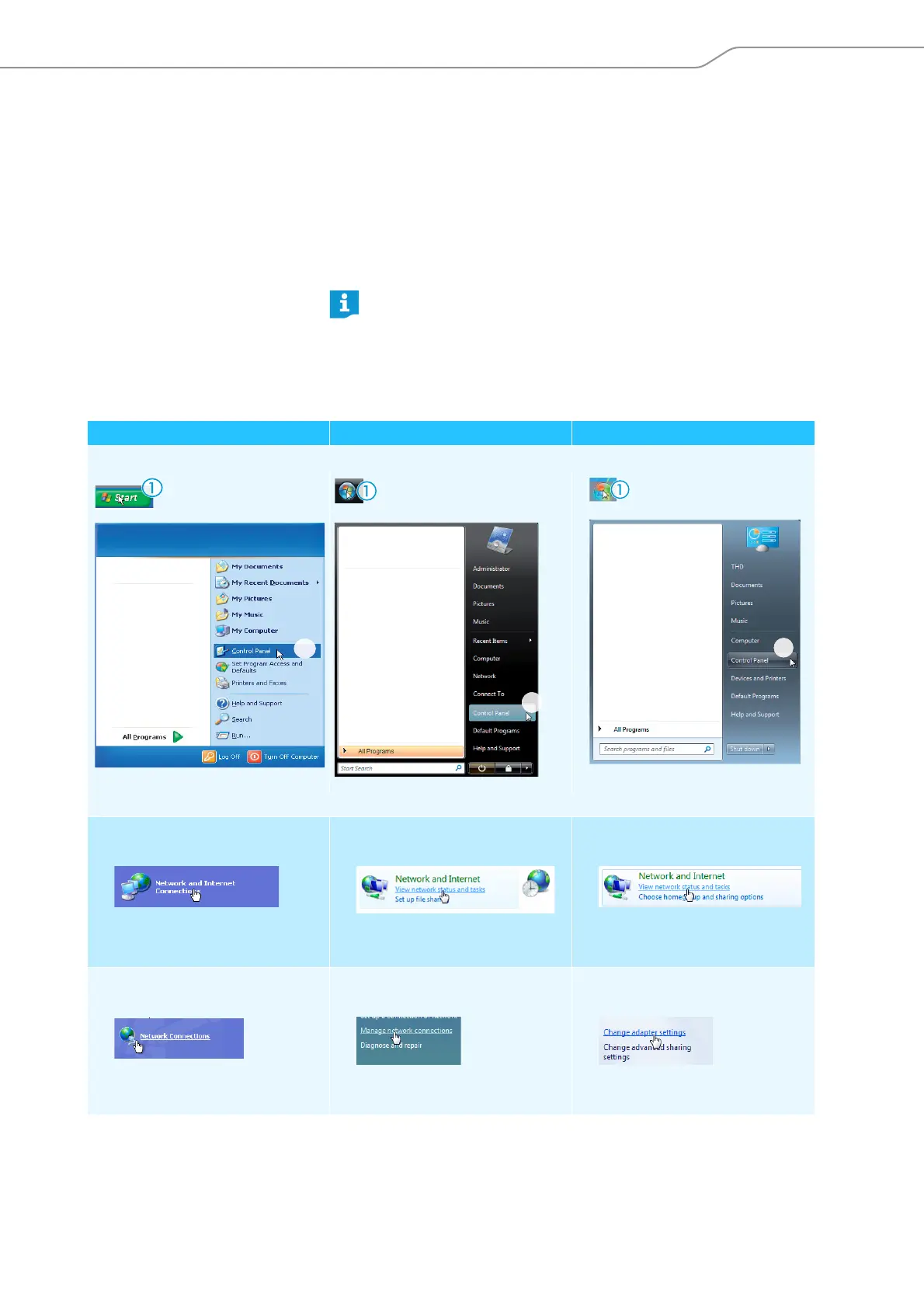
Windows XP Windows Vista Windows 7
왘 Click “Start” and then select “Control Panel”.
The “Control Panel” window appears.
왘 Double click “Network and Internet
Connections”.
The “Network and Internet connec-
tions” window appears.
왘 Click “View network status and
tasks”.
The “Network and Sharing Center”
window appears.
왘 Click “View network status and
tasks”.
The “Network and Sharing Center”
window appears.
왘 Click “Network Connections” in the
right column.
The “Network Connections” window
appears.
왘 Click “Manage network connec-
tions” in the left column.
The “Network Connections” window
appears.
왘 Click “Change adapter settings” in
the left column.
The “Network Connections” window
appears.
햳



 To Next Page