Using the “Conference Manager” software
98 | ADN Digital Conference System
Selecting the language
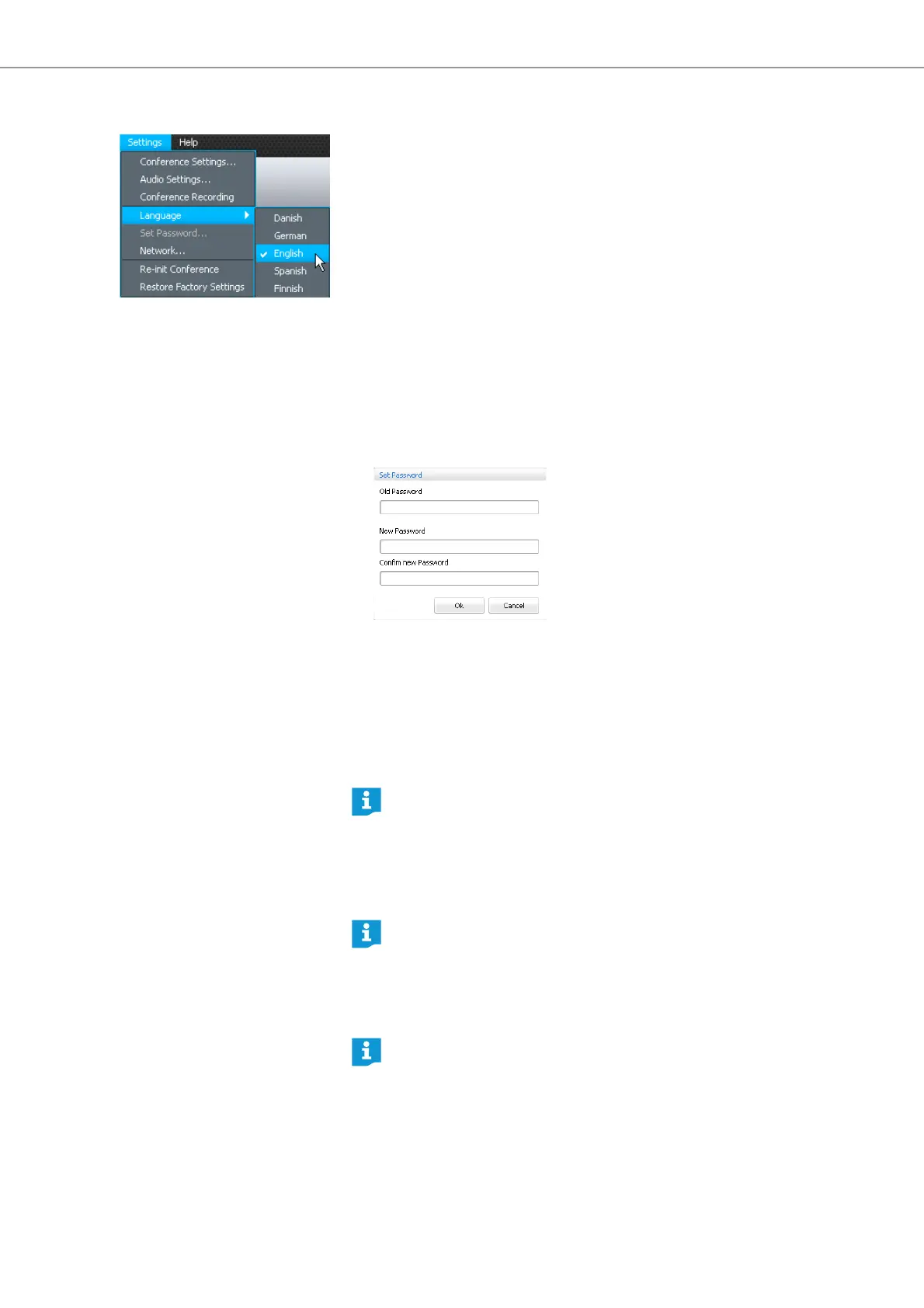
왘 In the menu bar, click “Settings” > “Language”.
A list with the available languages appears.
왘 Click the desired language (Chinese, Danish, German, English, Finnish, French,
Dutch, Italian, Japanese, Norwegian, Russian, Swedish, Spanish).
The language of the software is changed.
Using a password
You can use a password to protect existing configurations against unauthorized
change. This means that all settings adjusted in “Setup” operating mode are
locked. However, password-protected configurations can be used in “Live” mode
and settings can be adjusted.
Protecting configurations with a
password and changing a password
왘 In the menu bar, click “Settings” > “Set Password...”.
The “Set Password” window appears.
To create a new password:
왘 Leave the “Old Password” field empty.
To change an existing password:
왘 Enter the existing password into the “Old Password” field.
왘 Enter the new password into the “New Password” and “Confirm new Password”
fields.
The password can consist of up to 16 characters.
왘 Click “OK”.
The new password is saved and the configuration is password-protected.
Before any changes to the configuration are accepted, you are prompted to
enter the password set.
Adjusting network settings
If you do not want to use a password, leave the “New Password” and
“Confirm new Password” fields empty.
The master key combination allows you to unlock password-protected
configurations:
왘 Press the key combination “CTRL” + “SHIFT” + “F10”.
An existing password is deleted.
If you make changes to the settings in the “Network Settings” window, an
existing network connection can be lost!



 To Next Page