Configuring the conference system
26
Each conference console can only be assigned to a single audio group
and a single voting group at a time, i.e. one conference console cannot
be assigned simultaneously to several audio groups or voting groups.
To define an audio group:
왘 Press the “Ctrl” key and keep it pressed.
왘 Right-click the first conference console which is to be added to the
audio group.
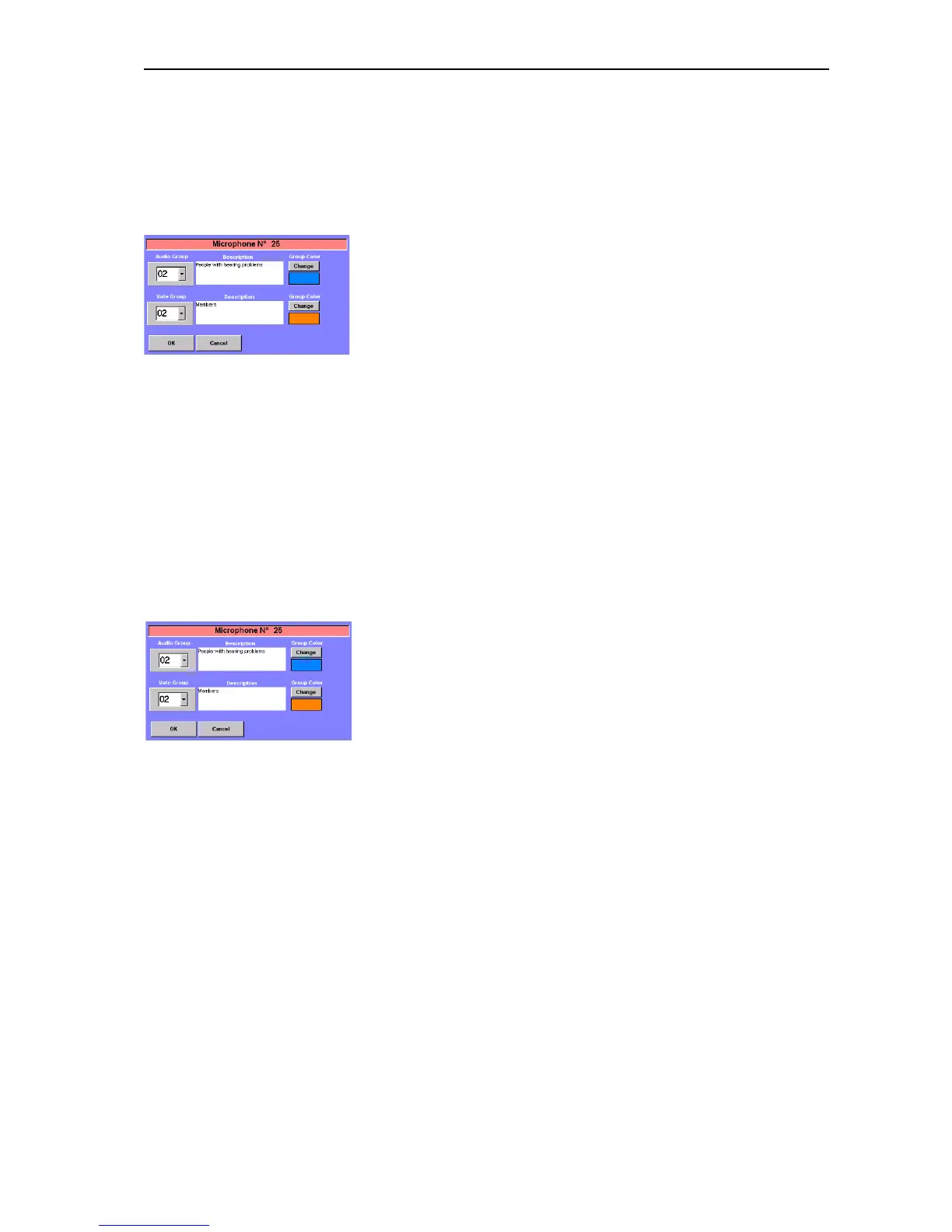
The dialog box for editing groups opens.
왘 From the “Audio Group” drop down list, choose the number to be
assigned to the audio group. This number must be higher than “01“!
왘 In the “Description” field, enter an unambiguous description of the
audio group.
왘 Click the “Change” button next to the “Description” field and choose a
group color for the audio group from the color palette.
왘 Click “OK”.
An audio group with the selected number and description is created
and the conference console is added to the newly created audio group.
In addition, a standard audio group “01” is created automatically. All
conference console which are not added to an audio group with a
number higher than “01” are automatically added to the standard
audio group “01”.
To define a voting group:
왘 Press the “Ctrl” key and keep it pressed.
왘 Right-click the first conference console which is to be added to the
voting group.
The dialog box for editing groups opens.
왘 From the “Vote Group” drop down list, choose the number to be
assigned to the voting group. This number must be higher than “01“!
왘 In the “Description” field, enter an unambiguous description of the
voting group.
왘 Click the “Change” button next to the “Description” field and choose a
group color for the voting group from the color palette.
왘 Click “OK”.
A voting group with the selected number and description is created and
the conference console is added to the newly created voting group.
In addition, a standard voting group “01” is created automatically. All
conference console which are not added to a voting group with a
number higher than “01” are automatically added to the standard
voting group “01”.
Adding a conference console to a group
To add a conference console to an existing group:
왘 Press the “Ctrl” key and keep it pressed.



 To Next Page