Managing delegate data
40
Managing delegate data
This chapter provides information on how to enter and use delegate data.
Entering delegate data
You can manually enter delegate data or import data from a file.
Note:
If you initialize the conference consoles after you created a delegate
database, the microphone numbers are fixedly assigned to the
delegate names. Therefore, the delegates always have to use the same
conference consoles in order to ensure that the correct name is
displayed in the delegate list on the left-hand side of the “Delegates”
window!
If you use chip cards, the microphone numbers are not fixedly assigned
to the delegate names. In this case, you do not have to enter any
delegate data. Instead, the delegate names stored on the chip cards are
automatically displayed in the delegate list.
Creating or opening a delegate database
To create a delegate database:
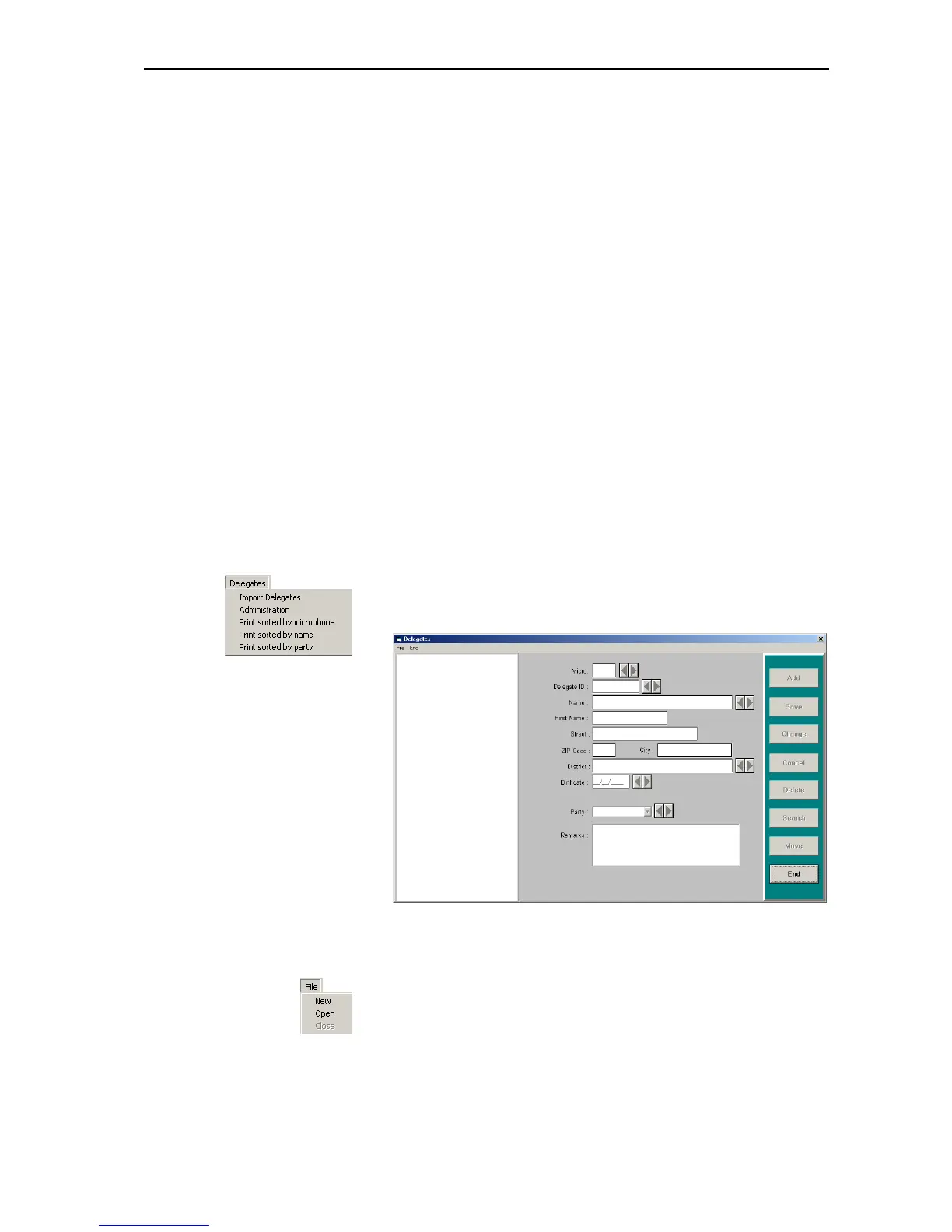
왘 From the “Delegates” menu, choose “Administration”.
왘 The “Delegates” window opens.
To create a new delegate database:
왘 From the “File” menu, choose “New”.
The file selection box opens.
왘 Specify the folder and name of the delegate database to be created and
click the “OK” button.
The buttons on the right-hand side of the “Delegates” window become
active.



 To Next Page