Intervening in the interpretation system
90
Changing the language for the B-channel of an
interpreter console during the conference
To change the language for the B-channel of an interpreter console during
the conference:
왘 Click the “Update” on the menu bar.
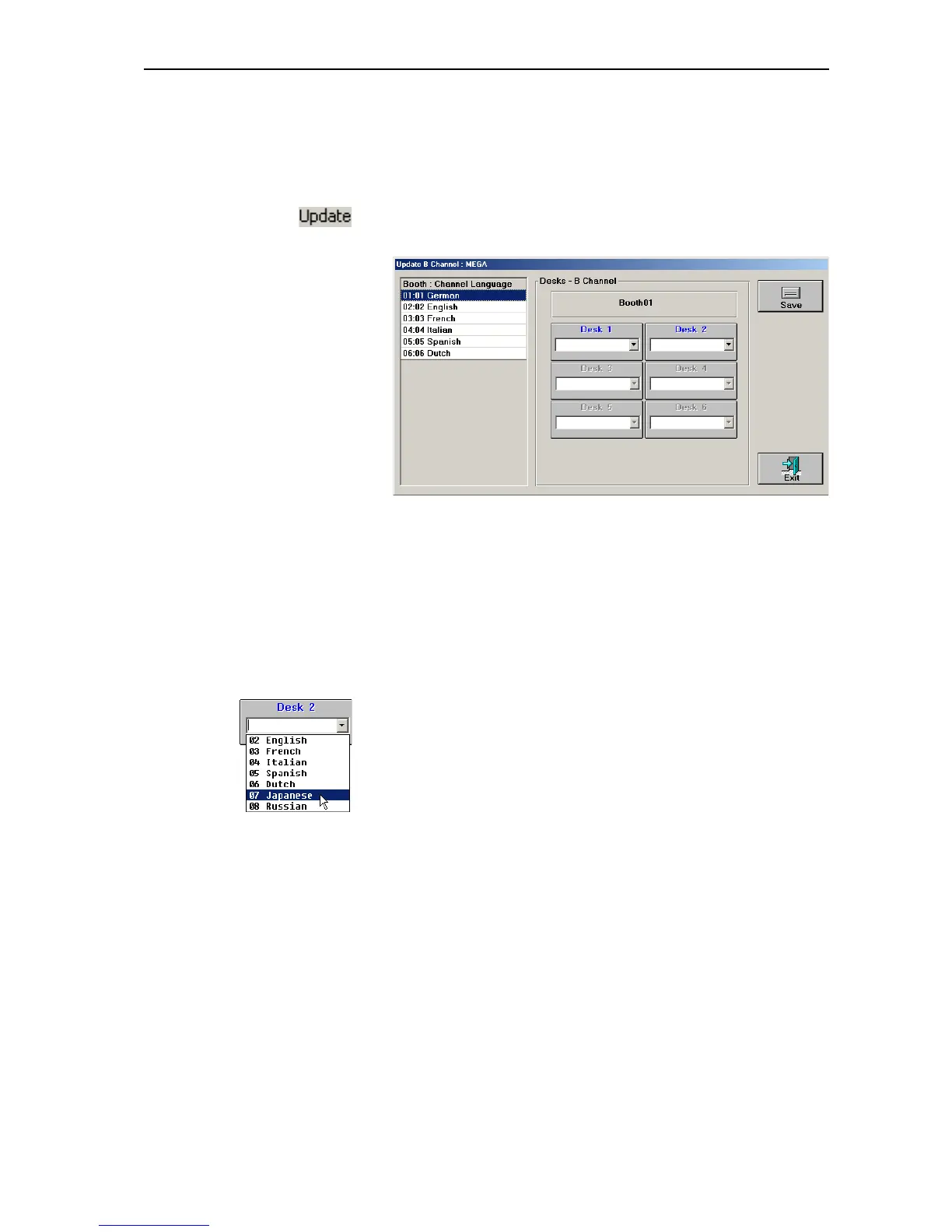
The “Update B Channel” window opens.
The “Update B Channel” window shows the booth table on the left and
all interpreter console boxes belonging to the selected booth on the
right.
왘 In the booth table, click the booth with the interpreter console whose
B-channel configuration you want to change.
The interpreter console boxes of the selected booth appear. Interpreter
console boxes in which “Desk ..” is displayed in blue represent consoles
which are initialized correctly; interpreter console boxes in which “Desk
..” is displayed in gray represent consoles which are not initialized
correctly and cannot be selected.
왘 In the desired interpreter console box, open the drop down list box.
왘 From the drop down list box, select the language you want to assign to
the B-channel of the selected interpreter console and click the “Save”
button.
The B-channel of the selected interpreter console is configured and the
abbreviation of the assinged language appears on the display of the
interpreter console.
Note:
If some language do not appear in the drop down list box, their
selection for the B-channel has been prevented (see “Preconfiguring
the languages for the B-channel of an interpreter console” on page 79).



 To Next Page