Configuring the interpretation system
79
Preconfiguring the languages for the B-channel of an interpreter console
Apart from the main target language (A-channel), you can preconfigure a
second target language (B-channel). The interpreters can change the
configuration of the B-channel at any time during the conference (see
“Configuring the main target language (A-channel) of a booth” on
page 88 of the SDC 8000 system manual). You can also change the
preconfiguration of the B-channel during the conference (see “Changing
the language for the B-channel of an interpreter console during the
conference” on page 90).
To preconfigure the second target language (B-channel) of an interpreter
console:
왘 In the booth table, click the booth whose interpreter consoles you want
to assign a specific language for the B-channel.
The interpreter console boxes of the interpreter consoles installed in
this booth are displayed.
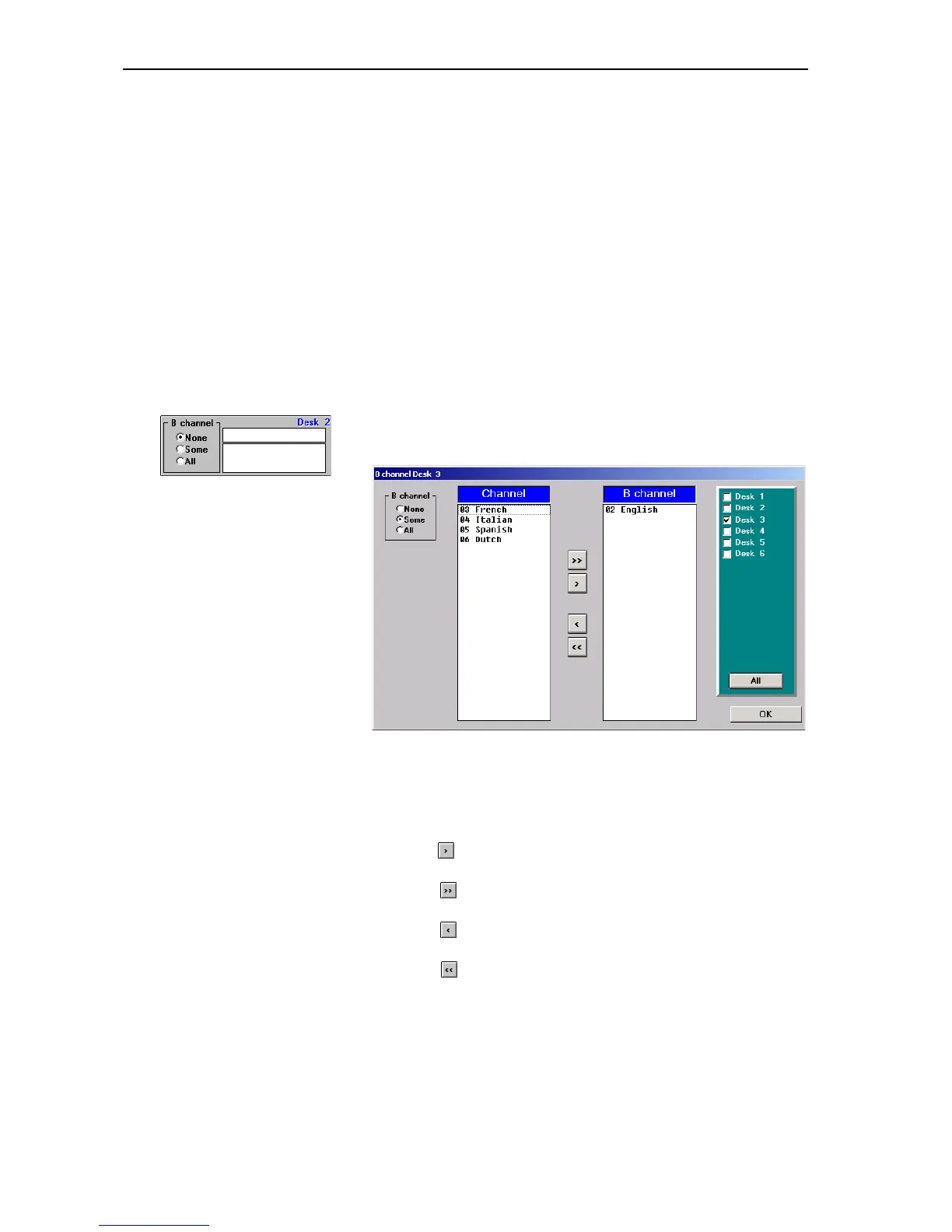
왘 In the desired interpreter console box, click the “B channel” box.
The “B channel” dialog box opens.
The “B channel” dialog box contains the “B channel” box on the left, the
“Channel” and “B channel” lists and – on the right – the check boxes for
activating the other interpreter consoles installed in this booth. The
arrow buttons in the middle allow you to move the languages from one
list to the other:
y Click the button to move the first language from the “Channel” list
to the “B channel” list.
y Click the button to move all languages from the “Channel” list to
the “B channel” list.
y Click the button to move the first language from the “B channel”
list back to the “Channel” list.
y Click the button to move all languages from the “B channel” list
back to the “Channel” list.



 To Next Page