Monitoring and controlling a conference
53
Monitoring the conference console icons in the synoptic view
The different colors of the conference console icons in the synoptic view
have the following meanings:
y The border color (here: blue) of a conference console icon is selected
when the synoptic view is created – e.g. in order to distinguish different
delegate groups.
y Yellow conference console (2):
The corresponding conference console is defective or not connected
correctly.
y
Pink conference console icon (3):
The corresponding conference console is configured as the chairman unit.
y White conference console icon (4):
A chip card is inserted into the chip card slot of the corresponding
conference console.
y Green conference console icon (5):
The delegate has made a request to speak by pressing the MICRO key.
y Red conference console icon (6):
The delegate has been granted the request to speak.
y Gray conference console icon (7):
The conference console is currently inactive.
Monitoring conference operation via the name list
To work with the name list:
왘 Click the “Nominative” tab (or press the key combination Alt + N).
The name list is displayed.
Monitoring the name boxes in the name list
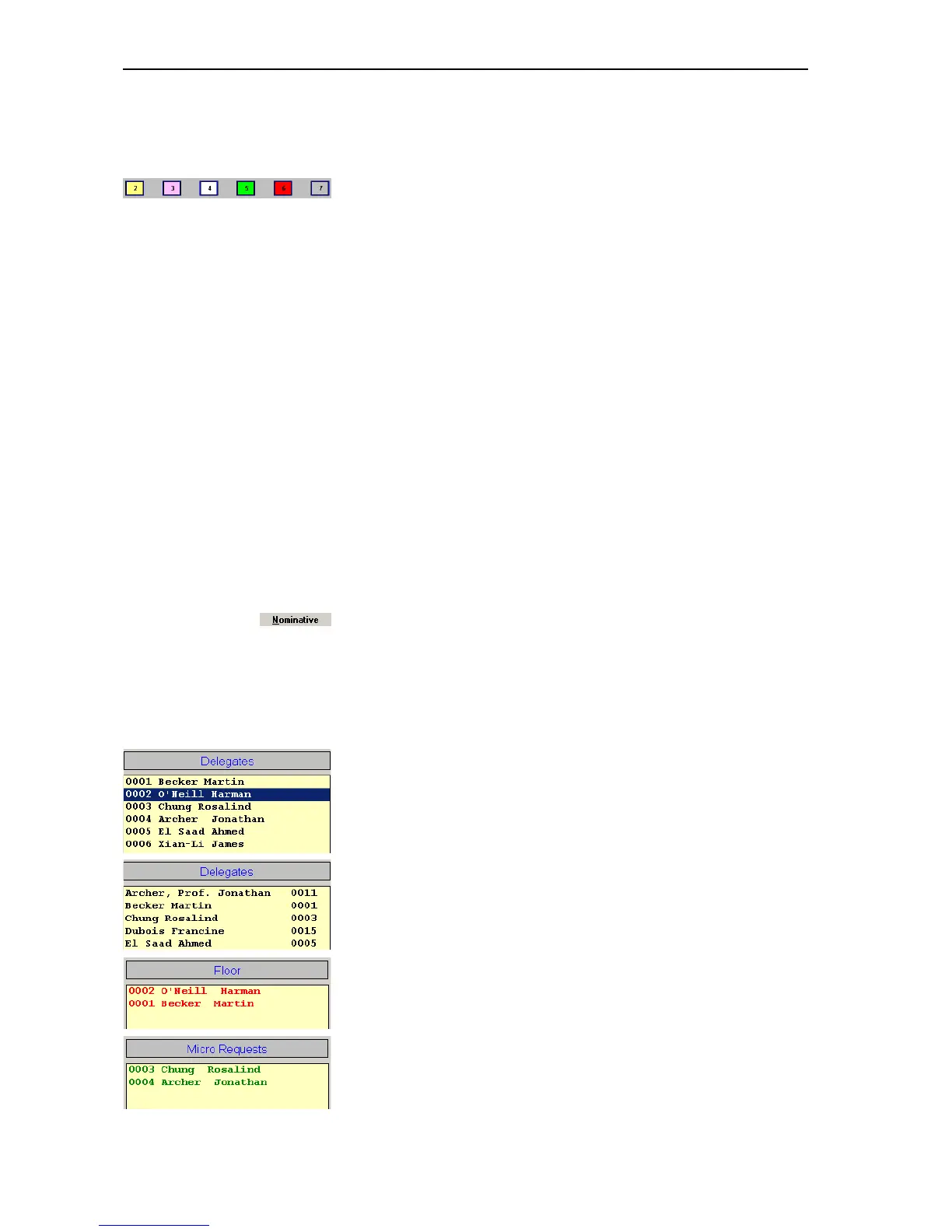
You can also monitor the conference via the name list instead of the
synoptic view. The names are displayed in the following boxes:
y The left-hand “Delegates” box lists all delegate names in the order of
their microphone numbers. If you click this box and rapidly enter a four-
digit microphone number, the name of the delegate seated at the
console with this microphone number is highlighted.
y The right-hand “Delegates” box lists all delegate names in alphabetical
order. If you click this box and enter a letter, the first name in the list to
begin with this letter is highlighted.
y The names of all delegates who are currently speaking are listed in red
in the “Floor” box.
y In the “With request” and “With request no clear” conference modes,
the names of all delegates who have made a request to speak are listed
in green in the “Micro Requests” box.
Defective
Chairman
Chip card inserted
Request to speak made
Request to speak granted
Inactive



 To Next Page