Planning and managing votings
46
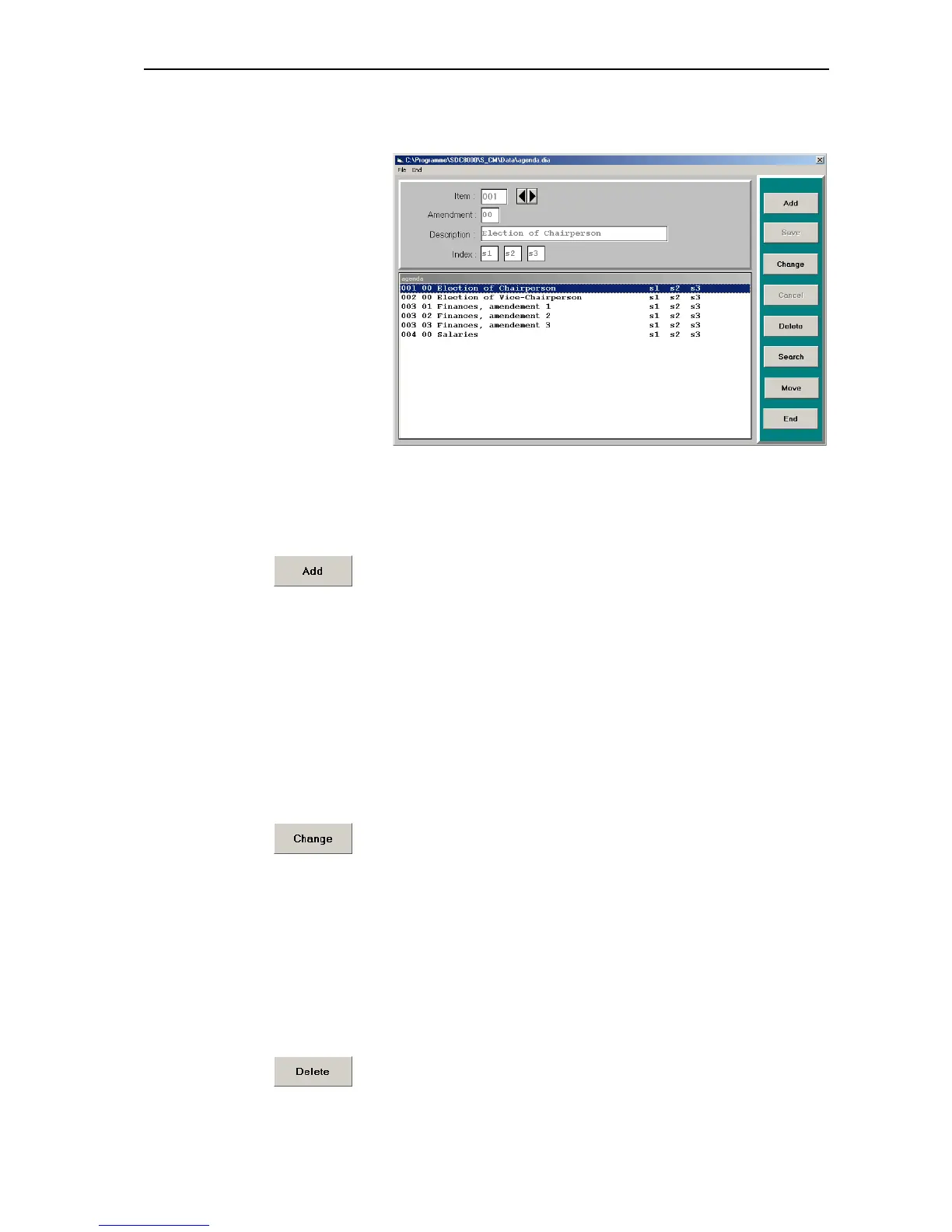
All voting items entered up to now are displayed in the agenda. The
buttons on the right-hand side of the window become active.
Adding new voting items to the agenda file
To add a voting item to the agenda file:
왘 In the “Agenda Items” window, click the “Add” button.
The insertion point appears in the “Item” field.
왘 Enter the data into the different fields one after the other.
왘 Click the “Save” button.
The new voting item is added to the agenda file and is displayed in the
agenda.
Changing voting items in the agenda file
To change a voting item in the agenda file:
왘 In the agenda of the “Agenda Items” window, click the voting item you
want to change.
The data are displayed in the input mask.
3 왘 Click the “Change” button.
왘 Change the data.
왘 Click the “Save” button.
The changed voting item replaces the previous one in the agenda file.
Deleting voting items from the agenda file
To delete a voting item from the agenda file:
왘 In the agenda of the “Agenda Items” window, click the name of the
voting item you want to delete.
The data are displayed in the input mask.
왘 Click the “Delete” button.
The “Delete Record?” dialog box opens.
왘 In the dialog box, click the “OK” button.
The voting item is deleted from the agenda file.



 To Next Page