If problems occur...
93
If problems occur...
The conference and interpretation system does not react on the software
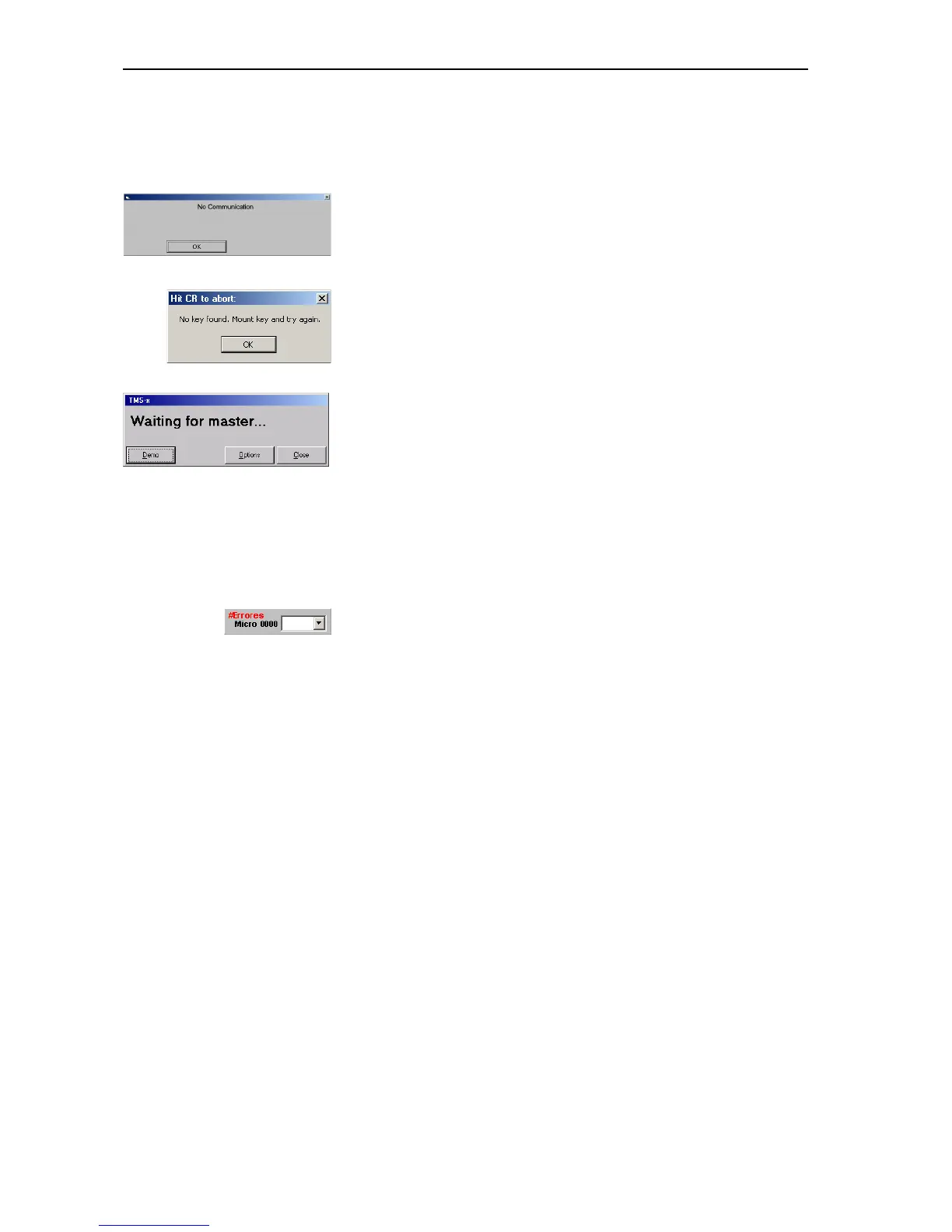
If the “No communication” dialog box appears:
왘 See “Configuring communication with the central unit” on page 38.
왘 See “Setting the correct starting options” on page 16.
If the “No key found” dialog box appears:
왘 See “Connecting the dongle” on page 16.
If the “Waiting for master...” dialog box appears when the program is
started for the first time:
왘 See “Setting the correct starting options” on page 16.
If the “Waiting for master...” dialog box appears when the program is
started for the second time or later:
왘 See “Configuring the PC in a network” on page 35 and “Configuring the
COM port” on page 38.
Some consoles do not work
왘 Check if there are entries in the “#Errors” box of the control palette or
if consoles are displayed in yellow in the synoptic view.
왘 Make sure that these consoles are connected correctly.
왘 If correctly connected consoles are displayed in yellow in the synotic
view, these consoles are defective and have to be replaced.
Accessories
Licenses for software modules
9848 SDC 8000 SYS: Complete software package (includes all five modules)
9850 SDC 8000 S-MM: Software module “Microphone Management”
9854 SDC 8000 S-DM: Software module “Delegate Management”
9851 SDC 8000 S-VM: Software module “Voting Management”
9852 SDC 8000 S-VD: Software module “Voting Display”
9853 SDC 8000 S-IM: Software module “Interpreter Management”



 To Next Page