Configuring the interpretation system
86
Changing the options later on
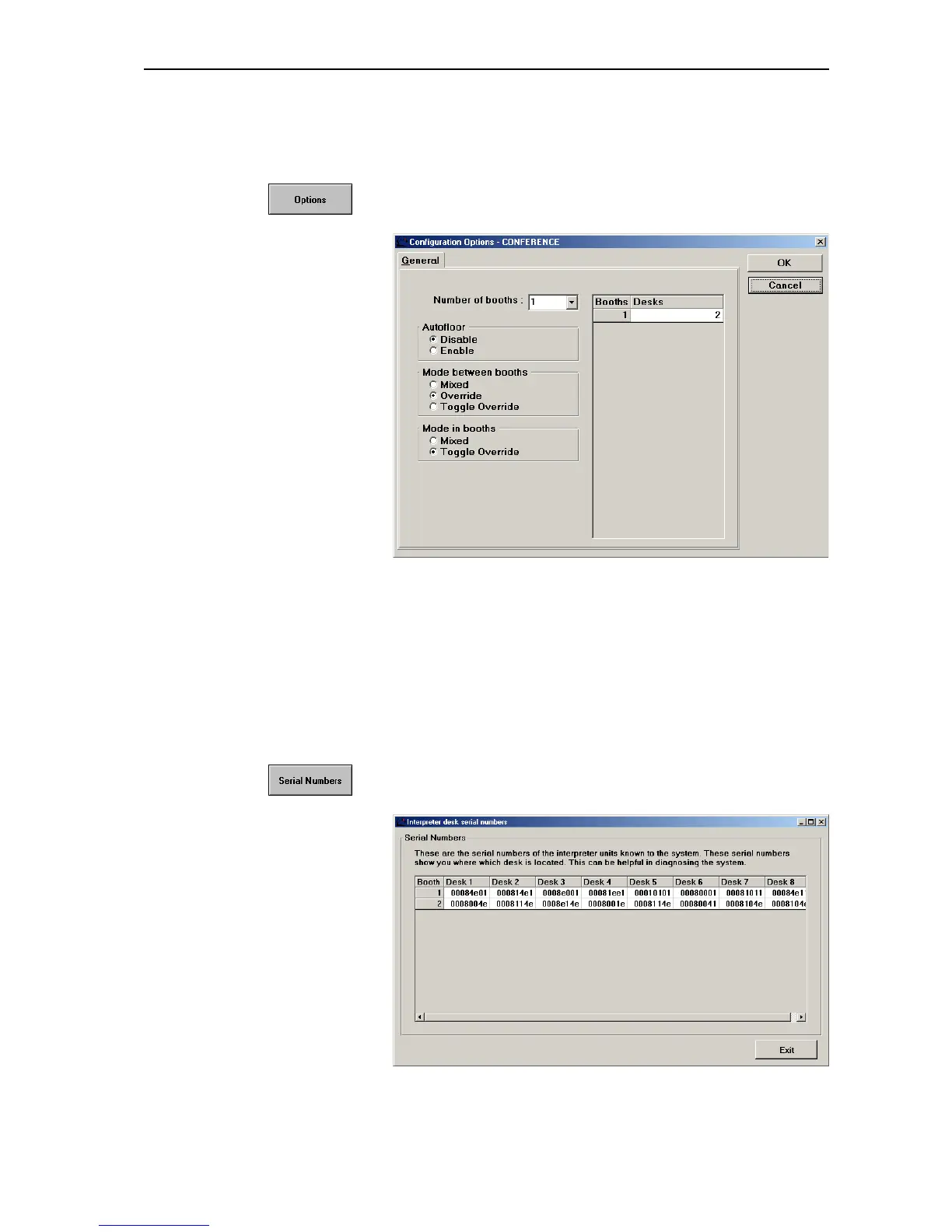
To change the options (modes between or within booths, number of booth
or number of consoles per booth) later on:
왘 In the palette, click the “Options” button.
The “Configuration Options” window opens.
왘 Change the options and click the “OK” button.
The “Desk Language Assignment” window opens.
Displaying the serial numbers of all connected
interpreter consoles
To display the serial numbers of all connected interpreter consoles:
왘 In the palette, click the “Serial Numbers” button.
The “Serial numbers” window opens.
The serial number of each connected interpreter console is displayed.



 To Next Page