2
Getting Started
Sequential
Sound Banks
The Trigon-6 contains a total of 1000 programs. 500 are permanent and
500 can be overwritten. Banks 0-4 are User Banks that can be overwrit-
ten. Banks 5-9 are Factory Banks that are permanent. You can edit the
programs of either bank, but you can only save them to Banks 0-4. As
shipped from the factory, presets 000-499 are identical to 500-999.
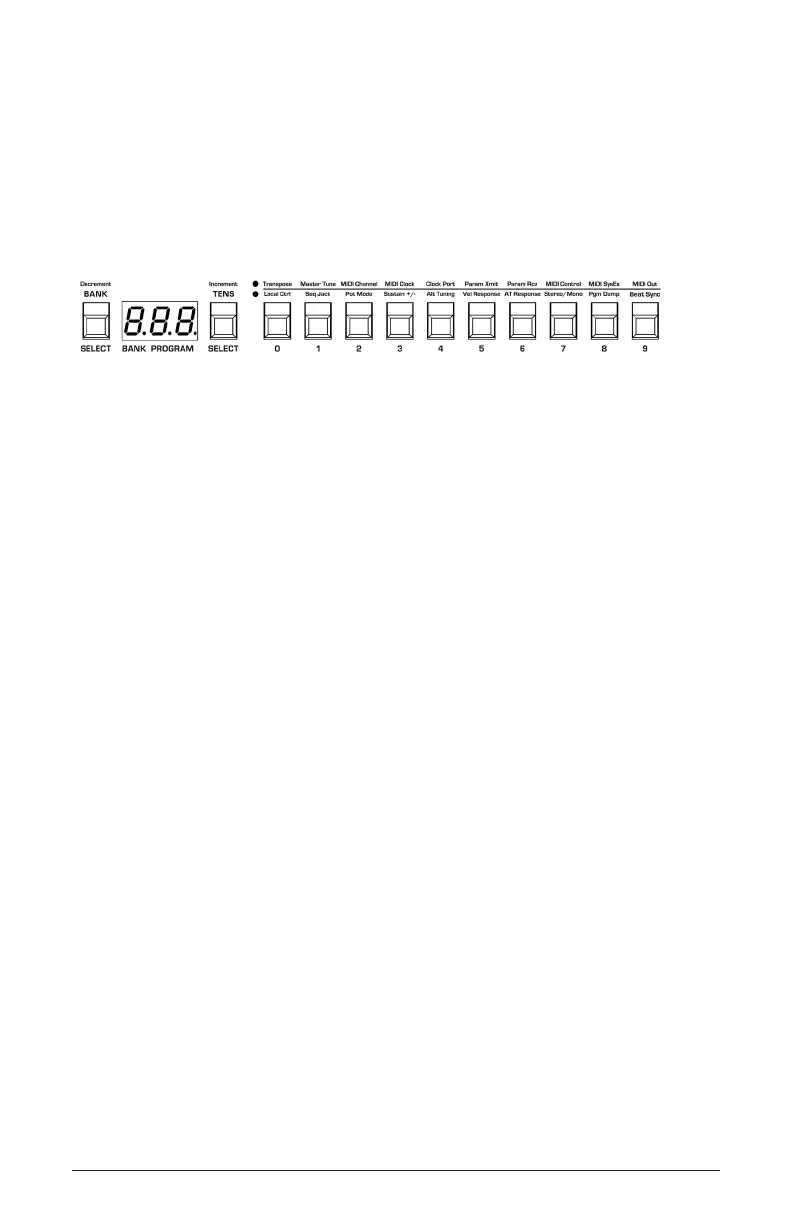
Program bank, tens, and number selectors
Selecting Programs
Use the bank, tens, and program selector buttons to select and recall
programs.
To choose a program:
1. Hold down the bank button then press a program selector button (0-9)
to specify the “hundreds” bank of the program.
2. Hold down the tens button then press a program selector button (0-9)
to specify the “tens” digit of the program.
3. Press a program selector button (0-9) to specify the “ones” digit of the
program.
To choose program 123, for example:
1. Hold bank and press 1. Then release the bank button.
2. Hold tens and press 2. Then release the tens button.
3. Press program selector button 3.
It’s not always necessary to enter all 3 digits of a program number to
recall it.















 To Next Page