17
Trigon-6 Operation Manual
Oscillators
Oscillators
Oscillators provide the raw building blocks of the Trigon-6’s sound by
producing waveforms, each of which has its own inherent sound charac-
ter based on its harmonic content. The Trigon-6 has three oscillators and
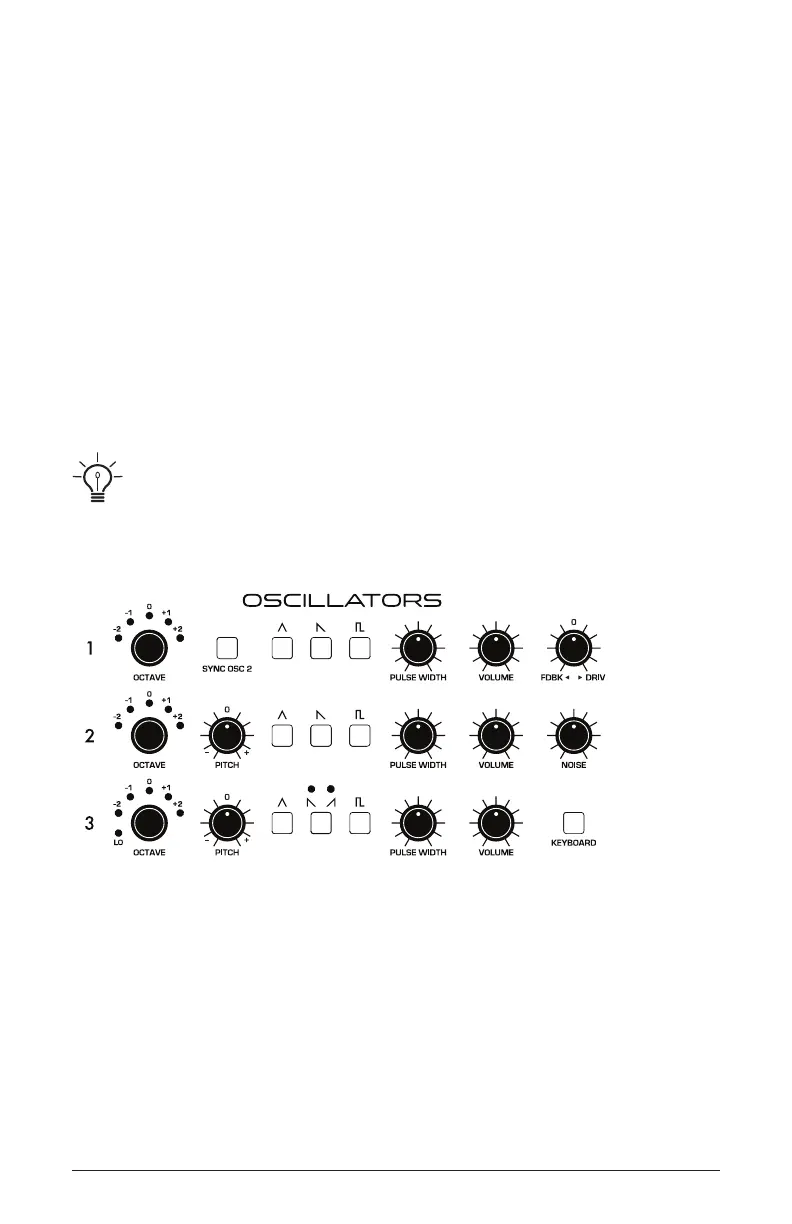
a noise generator per voice. Level controls for each of these are located
in the Oscillator section.
Oscillators 1 and 2 are capable of generating triangle, sawtooth, and
variable-width pulse waves. Oscillator 3 is capable of generating triangle,
sawtooth, reverse sawtooth, and variable-width pulse waves. These
waveshapes are selected by pressing the corresponding waveshape
button. Multiple waveshapes can be selected simultaneously for each of
the three oscillators.
The oscillators on the Trigon-6 are extremely stable. To emulate the random pitch
drift and oscillator instability of vintage instruments, use the vintage parameter to dial in as
little or as much pitch variation as you like.
Oscillators
Oscillator 2 can be hard-synced to Oscillator 1 for complex, harmoni-
cally-rich sounds when modulated.
Oscillators 2 and 3 feature a ne pitch knob for detuning and thicken-
ing sounds. Oscillator 3 features a lo switch that allows it to function as
an LFO for modulation purposes, and a keyboard switch that disables
keyboard control over its pitch (useful when used as an LFO, or for
drones and other effects).















 To Next Page